AEM 6.0/oak-1.0.22 indexing issue | Community
Skip to main content
Level 5
December 22, 2022

AEM 6.0/oak-1.0.22 indexing issue

  • December 22, 2022
  • 2 replies
  • 1996 views

Hi all,


We have an issue for the AEM6.0/oak-1.0.22 indexing issue. There a lot of warning messages like:

org.apache.jackrabbit.oak.plugins.index.property.strategy.ContentMirrorStoreStrategy Traversed 80000 nodes (280221 index entries) using index cq:tags with filter Filter(query=select [jcr:path], [jcr:score], * from [cq:PageContent] as a where [sling:resourceType] = 'site/components/pages/bio' and [cq:tags] = 'departments/film-tvs' and [firstName] <> '' and isdescendantnode(a, '/content/site/directory') order by [lastName], [firstName] /* xpath: /jcr:root/content/site/directory//element(*, cq:PageContent)[@sling:resourceType='site/components/pages/bio' and @5644378:tags='departments/film-tvs' and @2503248 <> '' ] order by @lastName, @2503248 */ ...


It doesn't tell it needs an index, but it seems the index doesn't work. 
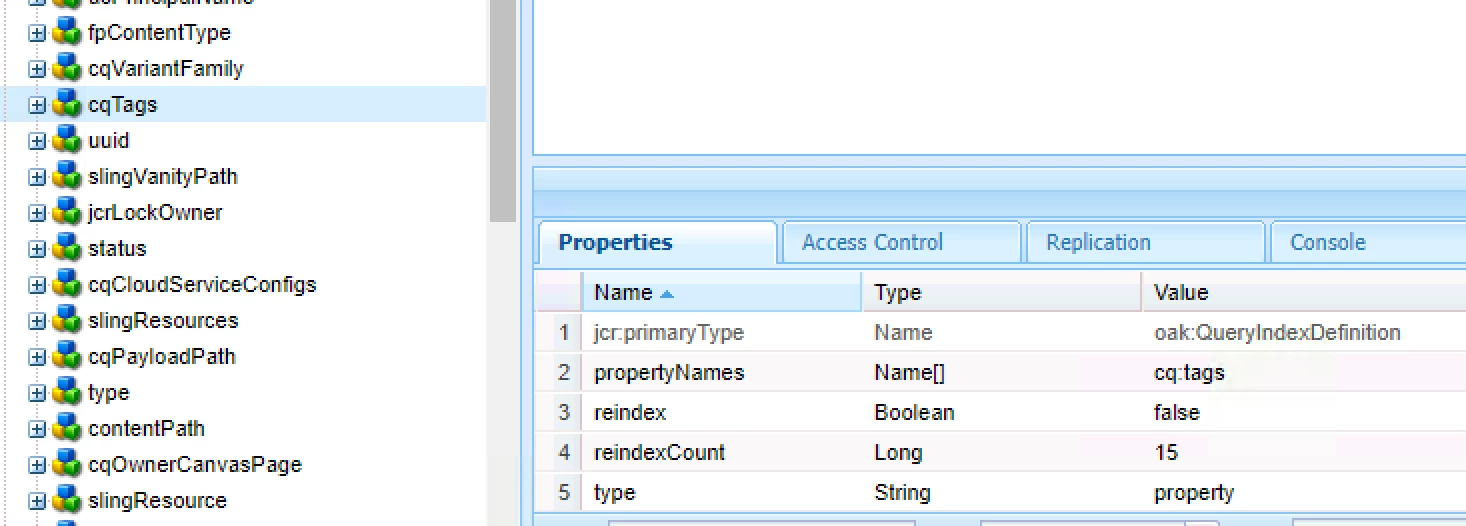
 

It uses the OOTB cqTags index as shown. When I run the query on Tools > query console, I see a lot of warnings. So I create my own as:
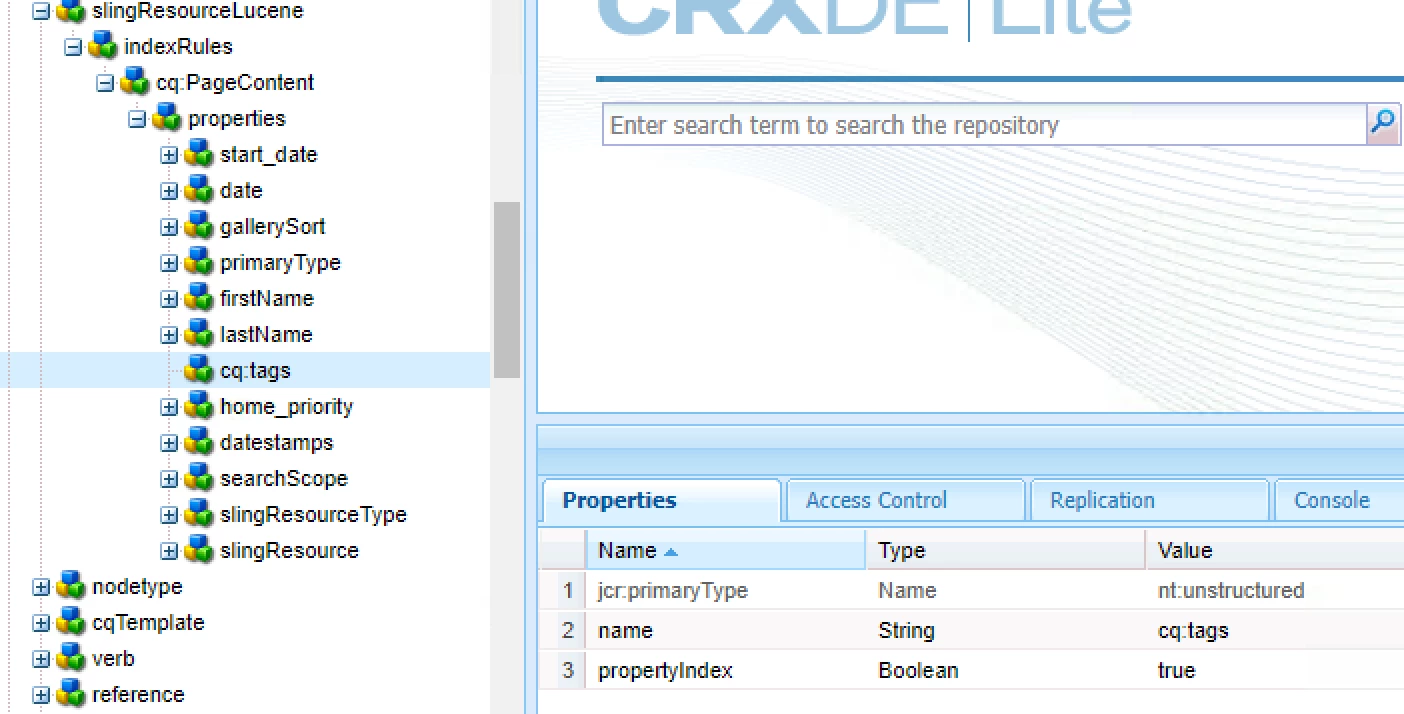


I still get a lot of warnings, so I delete OOTB cqTags. Now I don't see the warnings in the log. But in either way, AEM service consumes a lot of resources and can bring down the server within a short period of time. 

Also, why AEM has to travels 80000 nodes even if the path is "/jcr:root/content/site/directory//element(*, cq:PageContent)"? 


Any help will be appreciated!


-kt


This post is no longer active and is closed to new replies. Need help? Start a new post to ask your question.

2 replies

Kiran_Vedantam
Community Advisor
Community Advisor
December 22, 2022

Hi @kevin_gta 


Can you check if your content path (on which the query is being executed) is big? Generally, this happens if you give a generic path (like /content) where you would be having the huge structure below.


Similar issue: https://experienceleaguecommunities.adobe.com/t5/adobe-experience-manager/the-query-read-or-traversed-more-than-100000-nodes-to-avoid/m-p/433579


Hope this helps!


Thanks,

Kiran Vedantam

Kevin_GTaAuthor
Level 5
December 22, 2022

Hi Kiran,


No the path is very specific. I actually did a very simple query as:

/jcr:root/content/site/departments/film-tvs/courses/2022-fall//element(*, cq:PageContent)


It traverses 80000 nodes even if there are less than 100 pages under that directory. The similar issue you are referring is a higher version. AEM 6.0 has limited tools to explain the queries.

aanchal-sikka
Community Advisor
Community Advisor
December 23, 2022

@kevin_gta 


The query is made for type=cq:PageContent. Thus, if indexes are adequate, it should ideally pick index specific for cq:PageContent. Thus, adding cq:Tags to cq:PageContent index might not help.


I would suggest following steps:

  • Remove cq:Tags part from the query and then execute. Check if the index specific to "cq:PageContent" is picked.
    • If yes, it appears the cq:tags index seem to have lower cost than cq:PageContent in this case.
    • If no, You might have to improve the "cq:PageContent" index
  • If the query is always going to be under a specific content path, consider creating a smaller index. Use evaluatePathRestrictions , excludePath, includePath, queryPaths properties to fine tune the indexes.


https://jackrabbit.apache.org/oak/docs/query/query-engine.html

Aanchal Sikka
joerghoh
Adobe Employee
Adobe Employee
December 26, 2022

Please please please update to more recent version. AEM 6.0 is out of support for quite some time, and AEM 6.5 has fixed many of these issues you are facing with Oak 1.0.x.)


(And even if you cannot update immediately: There are much newer Oak versions available for it. I know of at least Oak 1.0.40.)

Kevin_GTaAuthor
Level 5
December 26, 2022

Yes, we are in the process of updating, but something needs an immediate fix.

joerghoh
Adobe Employee
Adobe Employee
December 26, 2022

The message above is just a warning. If reaching 100k nodes it will terminate the query. You can increase that limit (see https://jackrabbit.apache.org/oak/docs/query/query-engine.html#slow-queries-and-read-limits), but I would recommend to stick with the default.