adding .html onto the end of all external links | Community
Skip to main content
Level 2
September 8, 2023

adding .html onto the end of all external links

  • September 8, 2023
  • 5 replies
  • 2631 views

Hi , 

If configure any externel links to pathfield. while clicking on that external link it's adding ".html" end of the url and not loading the external link. 
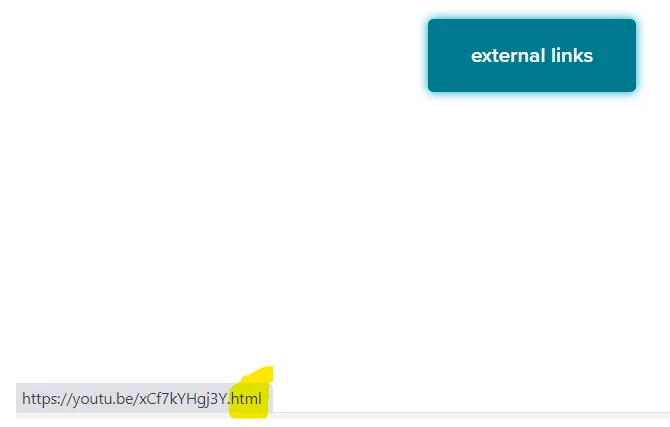
 

Kindly help me on this please.

Regards,

partha

This post is no longer active and is closed to new replies. Need help? Start a new post to ask your question.

5 replies

EstebanBustamante
Community Advisor and Adobe Champion
September 8, 2023

Hi 

HTL has the "extension" feature, which can be useful for appending ".html" to your links. However, it won't validate whether your URL is external or internal and will indiscriminately append ".html." Therefore, use it carefully. Usually, you will end up writing a custom "LinkChecker" that checks if the URL configured in the anchor is external or internal and dynamically appends the extension based on the conditions.


You can use it like this:

<!--/* Adds the html extension to a path. */--> <a href="${item.path @ extension = 'html'}">${item.name}</a>


Read more here: https://github.com/adobe/htl-spec/blob/master/SPECIFICATION.md#125-uri-manipulation 

Esteban Bustamante
Level 2
September 8, 2023

Hi , 

Thank for your reply. Here our requirement is not required to append .html for externel links.

In the code we are not using any @ extension = 'html' feature in HTL.


Thanks,

Partha

Level 2
October 10, 2023

We are using below custom code, please find and give me suggestion.

@586265
public TestTabItem(@ValueMapValue(name = "url") String url, @ValueMapValue(name = "jsonUrlList") String[] jsonUrlList) {
if (StringUtils.isNotBlank(url)) {
this.url = checkUrlLinks(url).orElse(url + ".html");
}
if (jsonUrlList != null && jsonUrlList.length != 0) {
this.urlList = loadUrlList(jsonUrlList);
}
}

private Optional<String> checkUrlLinks(String urlStr) {
String[] splittedUrl = urlStr.split("/");

return Stream.of(splittedUrl)
.reduce((subPath1, subPath2) -> subPath2)
.filter(subPath -> subPath.contains("."))
.map(subPath -> urlStr);
}


Hi @1905403 any one can help me !

aanchal-sikka
Community Advisor
Community Advisor
September 8, 2023

Hello @parthasaradhiga 


The WCM core components, tackle with internal and external links.

There is a issue and a PR that would be worth looking into


https://github.com/adobe/aem-core-wcm-components/issues/727 - This is about invalid links.

But, its PR will give you an idea how core components deal with links.


Look for LinkHandler.java in the PR. 

Aanchal Sikka
DPrakashRaj
Community Advisor
Community Advisor
September 8, 2023

If you inspect the link on browser do you see .html append in the href ? Is the behaviour same on author, publisher and dispatcher?

Level 2
September 11, 2023

Yes, while inspecting on link .html appending. It's same behaviour in author,publisher and dispatcher.

Sanjay_Bangar
Community Advisor
Community Advisor
September 9, 2023

Hi @parthasaradhiga ,

You have to write custom logic on this field using java

if the path starts ("/content"/) then append with html extension and if the path does not start with ("/content"/)  then keep it as it is.

example :

if(path.startsWith("/content"))
{
path=path+".html";
}else{
path=path;
}


Thanks,

Sanjay 

ShaileshBassi
Community Advisor
Community Advisor
September 9, 2023

Hi @parthasaradhiga There are multiple ways to cater this use case. 

There is one which is suggested in the on-going thread using the sling model and checking the link via passing the link to respective service method which returns true/false or the .html appended url if it is required. If there is Url shortening done at your end using the sling model using the api, then it is advised to handle over there itself for adding the extension as well.


Otherwise, other way is to handle via the sightly code using the below code snippet


<sly data-sly-test.linkCheck="${properties.linkUrl}"></sly> <a data-sly-test="${properties.linkUrl}" data-sly-test.internalLink="${'/content/' in linkCheck}" class="home-link" href="${properties.linkUrl}.html" target="${properties.linksTarget}">


Hope this helps!

Thanks