Solved
Adding dynamic meta tag to Page
Hi all,
I am trying to add the below custom meta tag to page. How to render these multifield values to page. I don't have a clear idea how to do.
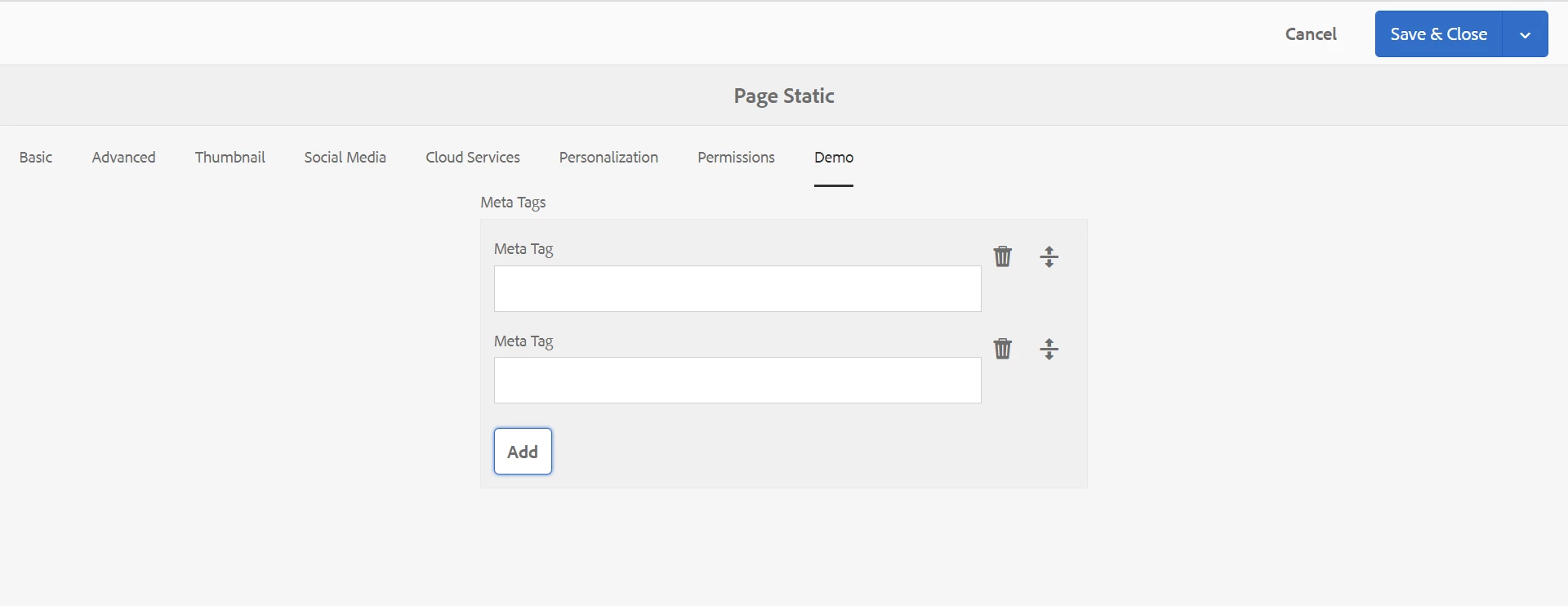
Sling model:
package com.pocdemosite.core.models;
import com.adobe.cq.sightly.WCMUsePojo;

import java.util.ArrayList;
import java.util.List;
import javax.jcr.Node;
import javax.jcr.NodeIterator;
import javax.jcr.RepositoryException;

public class MetaTag extends WCMUsePojo {
    private ArrayList<String> metaData =new ArrayList<>();
    @Override
    public void activate() throws RepositoryException {
        Node currentNode = getResource().adaptTo(Node.class);
        if(currentNode.hasNode("metaTag")){
            Node metaDataNode = currentNode.getNode("metaTag");
            NodeIterator ni =  metaDataNode.getNodes();
            while (ni.hasNext()) {
                Node child = (Node)ni.nextNode();
                metaData.add(child.getProperty("metatag").getString());
            }
        }

    }


}
HTL
<sly data-sly-use.metaModel="com.pocdemosite.core.models.MetaTag" data-sly-unwrap></sly>

<div data-sly-list.tagName="${metaModel.metaData}" data-sly-unwrap>
    <meta name="${tagName}" content="${metaModel.metaData[tagName]}" />
</div>


