@supriya-hande
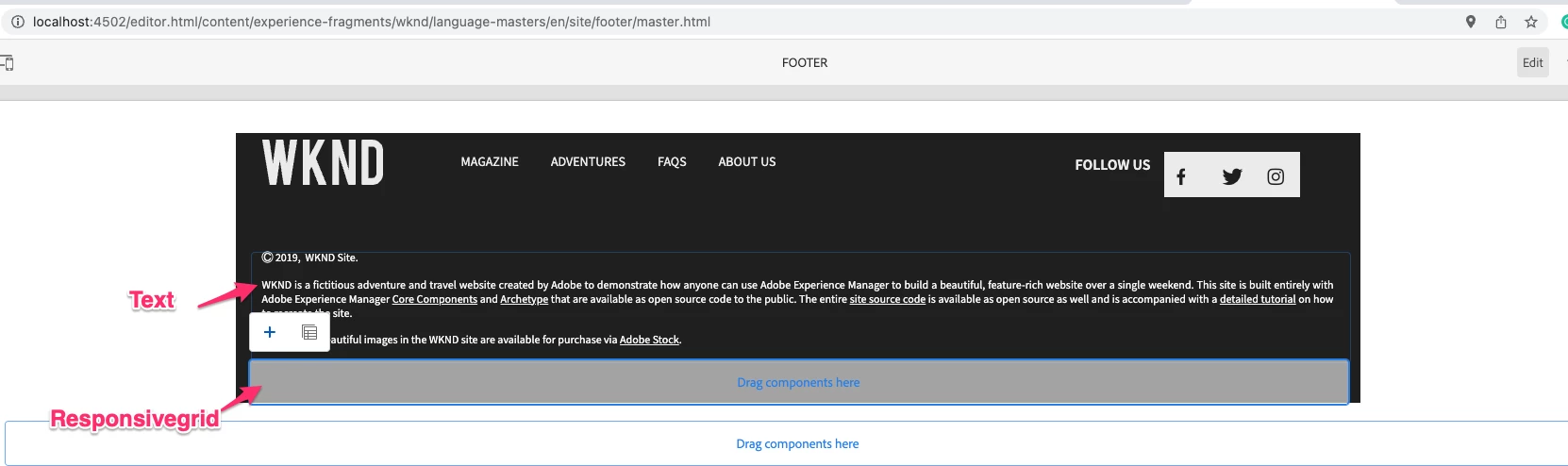
You mentioned that "footer.html" is affecting the display of the inserted components.
To confirm the same, I had requested you to cross-check via CRXDE, if the text component that was added, is visible in CRXDE as a node.
footer.html should only affect UI, not the persistence. Thus, please check following
- Did the dropped text component persist in repository via CRXDE?
- Any errors in logs when you drop the component or when you refresh the page?
@aanchal-sikka
1. I can see those dropped text component persist in repository via CRXDE?
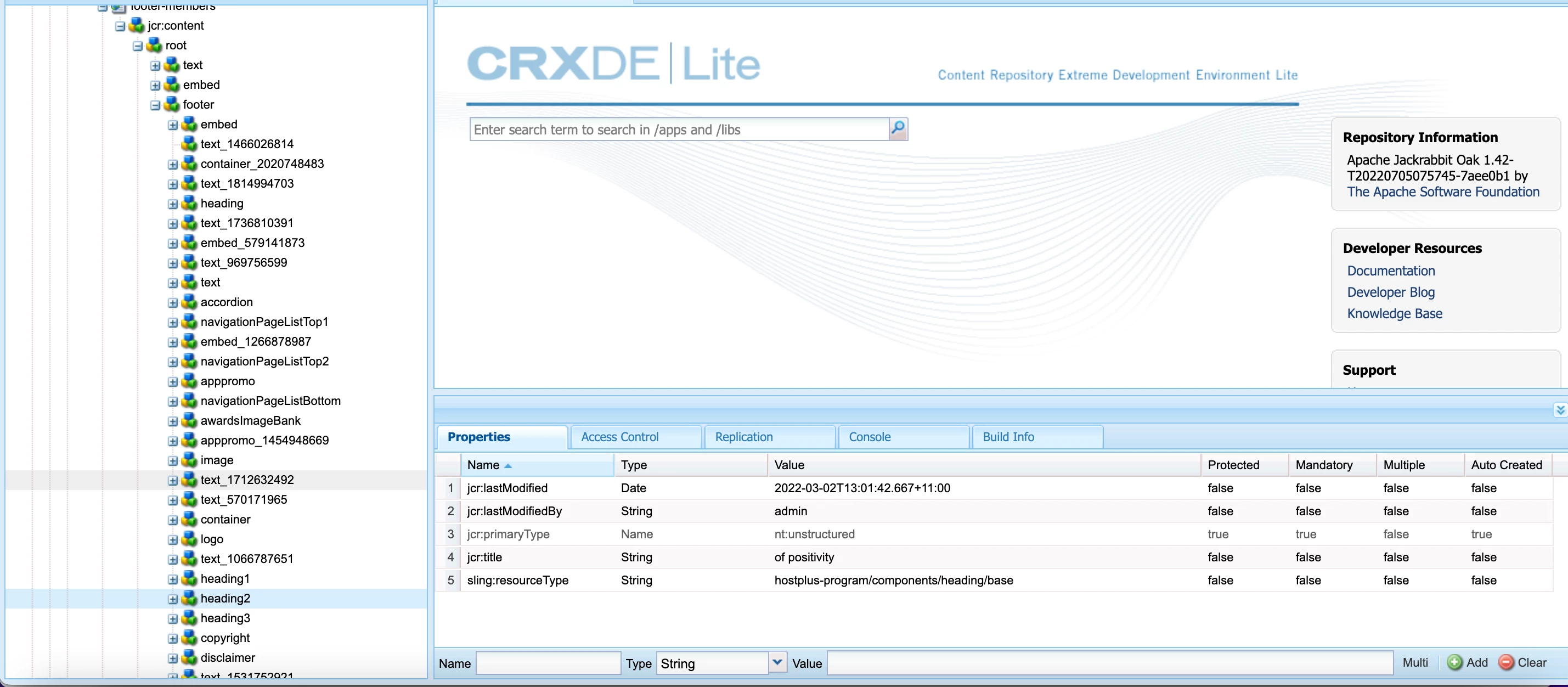
but I am getting one exception in error logs once I refresh page:
0.07.2023 15:41:58.325 *ERROR* [[0:0:0:0:0:0:0:1] [1689847918230] GET /content/experience-fragments/my-program/footer/footer-members.html HTTP/1.1] org.apache.sling.scripting.javascript.wrapper.ScriptableResource Unable to adapt object.
java.lang.ClassNotFoundException: [JavaPackage org.apache.sling.api.resource.ValueMap]
at org.apache.sling.commons.classloader.impl.ClassLoaderFacade.loadClass(ClassLoaderFacade.java:158) [org.apache.sling.commons.classloader:1.4.4]
at java.base/java.lang.ClassLoader.loadClass(ClassLoader.java:521)
at org.apache.sling.scripting.javascript.wrapper.ScriptableResource.jsFunction_adaptTo(ScriptableResource.java:298) [org.apache.sling.scripting.javascript:3.1.4]
at jdk.internal.reflect.GeneratedMethodAccessor204.invoke(Unknown Source)
at java.base/jdk.internal.reflect.DelegatingMethodAccessorImpl.invoke(DelegatingMethodAccessorImpl.java:43)
at java.base/java.lang.reflect.Method.invoke(Method.java:566)
at org.mozilla.javascript.MemberBox.invoke(MemberBox.java:126)
at org.mozilla.javascript.FunctionObject.call(FunctionObject.java:387)
at org.mozilla.javascript.optimizer.OptRuntime.call1(OptRuntime.java:32) [org.apache.servicemix.bundles.rhino:1.7.7.1_1]
at org.mozilla.javascript.gen._libs_sling_sightly_js_internal_resource_js_4._c_getProperties_3(/libs/sling/sightly/js/internal/resource.js:31)
at org.mozilla.javascript.gen._libs_sling_sightly_js_internal_resource_js_4.call(/libs/sling/sightly/js/internal/resource.js)
at org.mozilla.javascript.optimizer.OptRuntime.callName(OptRuntime.java:63) [org.apache.servicemix.bundles.rhino:1.7.7.1_1]
at org.mozilla.javascript.gen._libs_sling_sightly_js_internal_resource_js_4._c_Resource_4(/libs/sling/sightly/js/internal/resource.js:56)
at org.mozilla.javascript.gen._libs_sling_sightly_js_internal_resource_js_4.call(/libs/sling/sightly/js/internal/resource.js)
at org.mozilla.javascript.BaseFunction.construct(BaseFunction.java:359)
at org.mozilla.javascript.ScriptRuntime.newObject(ScriptRuntime.java:2505)
at org.mozilla.javascript.gen._libs_sling_sightly_js_internal_sly_js_3._c_anonymous_2(/libs/sling/sightly/js/internal/sly.js:27)
at org.mozilla.javascript.gen._libs_sling_sightly_js_internal_sly_js_3.call(/libs/sling/sightly/js/internal/sly.js)
at org.apache.sling.scripting.sightly.js.impl.jsapi.SlyBindingsValuesProvider.addBinding(SlyBindingsValuesProvider.java:177) [org.apache.sling.scripting.sightly.js.provider:1.2.6]
at org.apache.sling.scripting.sightly.js.impl.jsapi.SlyBindingsValuesProvider.processBindings(SlyBindingsValuesProvider.java:134) [org.apache.sling.scripting.sightly.js.provider:1.2.6]
at org.apache.sling.scripting.sightly.js.impl.jsapi.ProxyAsyncScriptableFactory$ShadowScriptableObject.get(ProxyAsyncScriptableFactory.java:78) [org.apache.sling.scripting.sightly.js.provider:1.2.6]
at org.mozilla.javascript.ScriptableObject.getProperty(ScriptableObject.java:2269)
at org.mozilla.javascript.ScriptRuntime.getObjectProp(ScriptRuntime.java:1514)
at org.mozilla.javascript.ScriptRuntime.getObjectProp(ScriptRuntime.java:1507)
at org.mozilla.javascript.gen._libs_wcm_foundation_components_page_headlibs_js_513._c_anonymous_1(/libs/wcm/foundation/components/page/headlibs.js:26)
at org.mozilla.javascript.gen._libs_wcm_foundation_components_page_headlibs_js_513.call(/libs/wcm/foundation/components/page/headlibs.js)
at org.mozilla.javascript.ContextFactory.doTopCall(ContextFactory.java:393)
Such exception comes when we use wcm components but I am not using WCM component. Any idea which this error is coming?