Added id attribute in AEM Editor for container is not displayed in rendered HTML | Community
Skip to main content
Level 3
September 6, 2022
Solved

Added id attribute in AEM Editor for container is not displayed in rendered HTML

  • September 6, 2022
  • 1 reply
  • 1934 views

Hi,


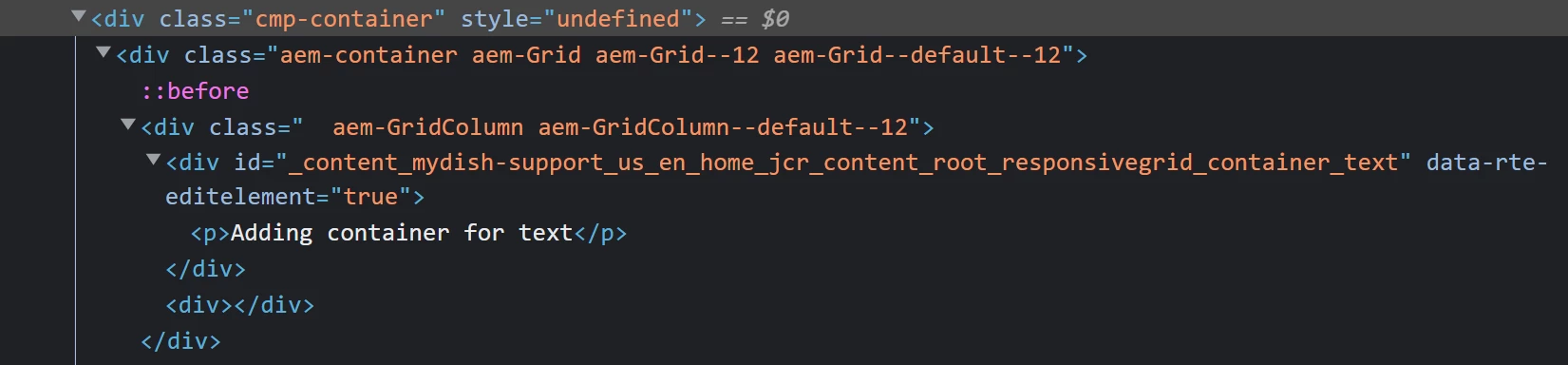
I'm trying to add an "id" attribute to the container component but I do not see that in the HTML that is rendered when "View as published". Also, it shows style="undefined" on the container. Below are the screenshots for the same.
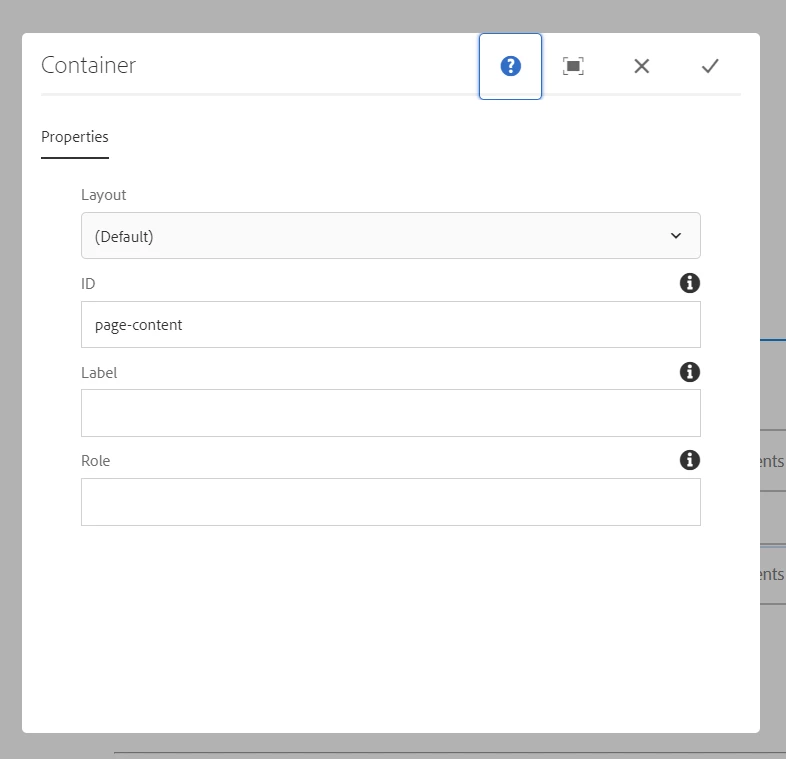


I'm using AEM 6.5.13 and core components 2.20.6 and running it as AEM SPA(react). Can someone assist if something is missing or worng?

This post is no longer active and is closed to new replies. Need help? Start a new post to ask your question.
Best answer by AsifChowdhury

Hello @manasabojja7 

please check you have added a name (i.g. idField) for the id field in the dialog xml and call it in sightly in this way "${properties.idField}" where you need it.

1 reply

AsifChowdhury
Community Advisor
AsifChowdhuryCommunity AdvisorAccepted solution
Community Advisor
June 20, 2023

Hello @manasabojja7 

please check you have added a name (i.g. idField) for the id field in the dialog xml and call it in sightly in this way "${properties.idField}" where you need it.

August 6, 2023

How do I add this fild to dialog if I'm using the container component that comes with the AEM/React project build  I'm facing the same issue.