


Add multiple checkboxes to one section in touch UI dialog | AEM Community Blog Seeding
Add multiple checkboxes to one section in touch UI dialog by Unlocklearning
Abstract
Objective
After reading this Article, You should have an Understanding of –

Multiple checkbox to one section in Touch UI Dialog.
Introduction
In Touch UI Dialog, We have select option as dropdown only, But In Classic UI dialog, we have option to chose select as dropdown or checkbox. In this article we will see the implementation step to accomplish this.

Hence, without any further delay, let’s get started :

Multiple Checkbox Creation Steps
Create a custom component in Touch UI as multicheckbox and also create basic structure of of cq:dialog.
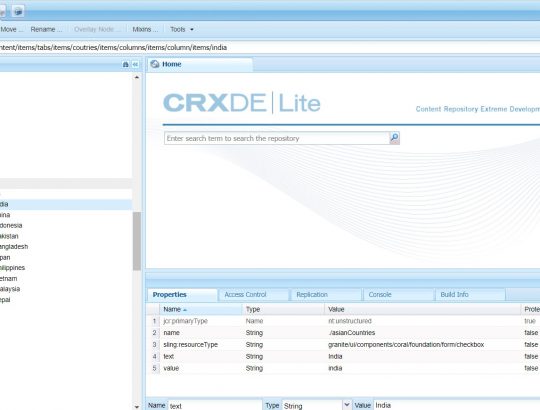
At checkbox level use the following properties
sling:resourceType=”granite/ui/components/foundation/form/checkbox”
name=”./asianCountries”
text=”India”
value=”india”
To add more countries in same container you can use same name, sling:resourceType but different text and value.
When author the component the value will store as string array at node level.
Read Full Blog
Add multiple checkboxes to one section in touch UI dialog
Q&A
Please use this thread to ask the related questions.