Access data attribute from component's HTL in Touch UI dialogs context | Community
Skip to main content
Kamal_Kishor
Community Advisor
Community Advisor
September 19, 2024
Solved

Access data attribute from component's HTL in Touch UI dialogs context

  • September 19, 2024
  • 1 reply
  • 1183 views

We need to access a data attribute (or a hidden element with some value) from component's HTL inside a clientlibs which loads only when dialog opens. We need to perform some check based on a configuration which is available in HTL and we are able to provide it via data attribute or a separate hidden element.


Since we cannot access any page elements from dialog clientlibs, we are unable to access this value as well.


Is there a way we can access this value from HTL or another way to pass it to clientlib on dialog open.


We have tried window.parent.document etc but this doesn't give component's HTL.


thanks.
This post is no longer active and is closed to new replies. Need help? Start a new post to ask your question.
Best answer by EstebanBustamante

You can do this if you really want to stick with JS:


(function ($, $document) { "use strict"; $document.on("dialog-ready", function() { // The page that you see in Preview is embed in an iFrame with below ID const iframe = document.getElementById('ContentFrame'); // Accessing the content of the iframe const iframeDocument = iframe.contentDocument || iframe.contentWindow.document; // Now you can grab an element by its ID or any other selector const element = iframeDocument.getElementById('esteban'); console.log("HTML from the component: " + element.innerText); }); })($, $(document));

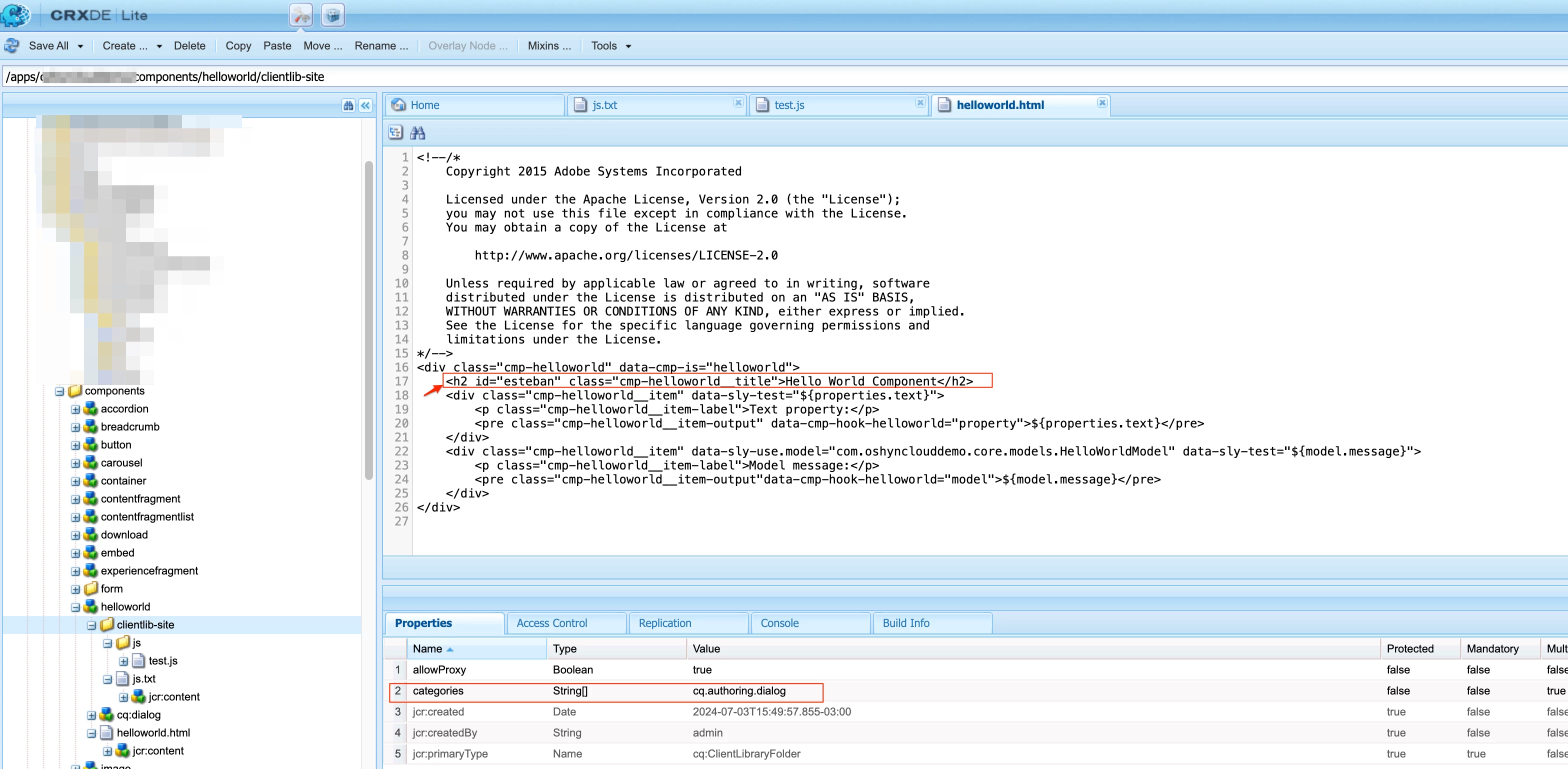
I added an ID into the HTML for simplicity, you can grab any element using selectors:

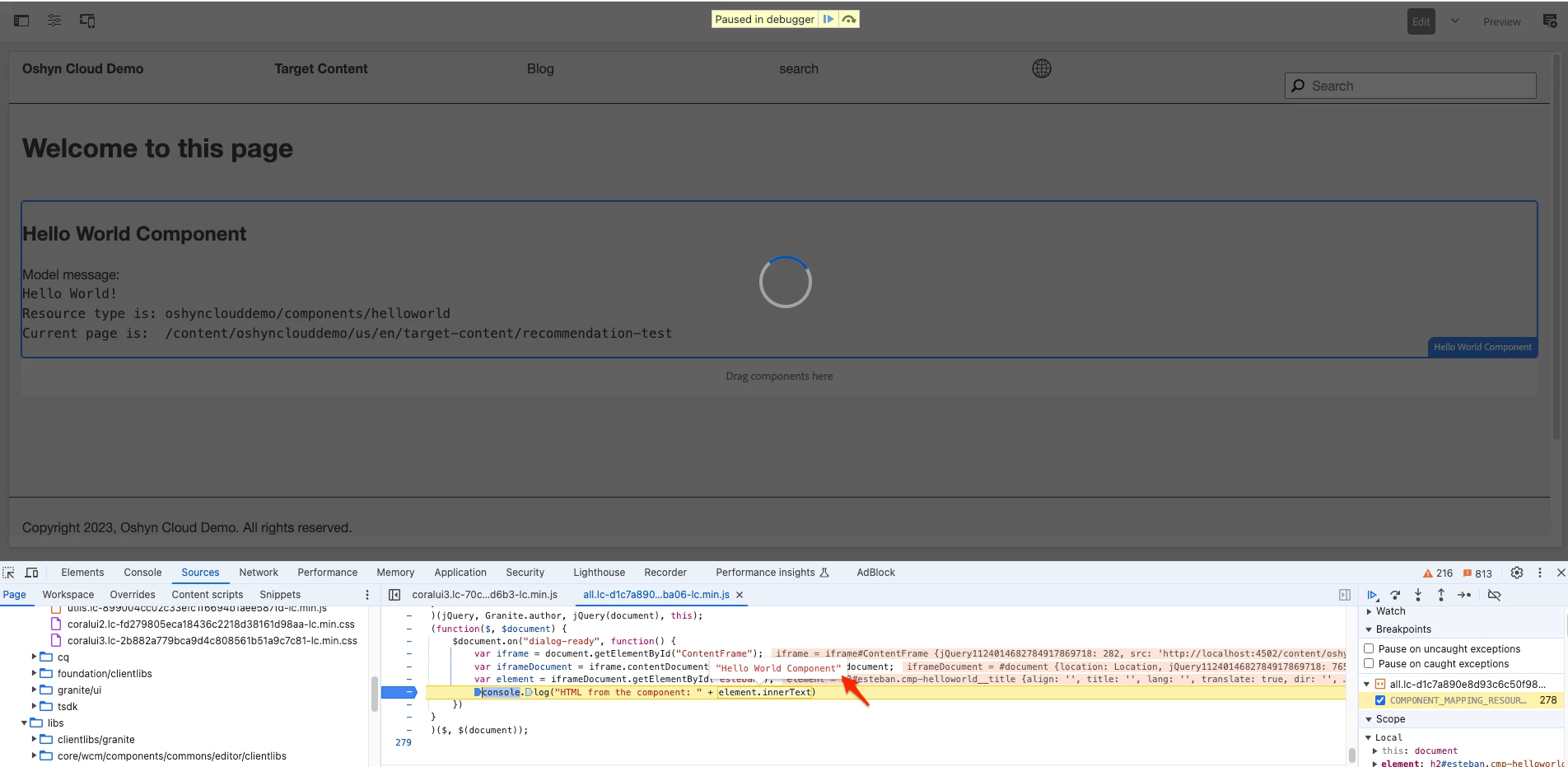
This is the result:


Hope this helps


1 reply

EstebanBustamante
Community Advisor and Adobe Champion
September 19, 2024

Hi, 

I don't think you can share that data because the context is different due to security concerns. An alternative is to build a servlet that contains the logic you need to do the validation and then invoke it from your JavaScript, which loads in the dialog. Something like this: https://aemsimplifiedbynikhil.wordpress.com/2018/07/30/call-any-servlet-in-touchui-dialog-aem-6-3/ 


Hope this helps.

Esteban Bustamante
Kamal_Kishor
Community Advisor
Community Advisor
September 19, 2024

@estebanbustamante : Thanks for your response. It looks that would be the way to do it.

On second thought, since all the information is available on the page, I was hoping there is a javascript way to do it. I was really hoping window.parent.document will provide what I need.

I am checking if someone who is good with JS can confirm if there is a way to do it with javascript somehow.

thank you.

EstebanBustamante
Community Advisor and Adobe Champion
EstebanBustamanteCommunity Advisor and Adobe ChampionAccepted solution
Community Advisor and Adobe Champion
September 19, 2024

You can do this if you really want to stick with JS:


(function ($, $document) { "use strict"; $document.on("dialog-ready", function() { // The page that you see in Preview is embed in an iFrame with below ID const iframe = document.getElementById('ContentFrame'); // Accessing the content of the iframe const iframeDocument = iframe.contentDocument || iframe.contentWindow.document; // Now you can grab an element by its ID or any other selector const element = iframeDocument.getElementById('esteban'); console.log("HTML from the component: " + element.innerText); }); })($, $(document));

I added an ID into the HTML for simplicity, you can grab any element using selectors:

This is the result:


Hope this helps


Esteban Bustamante