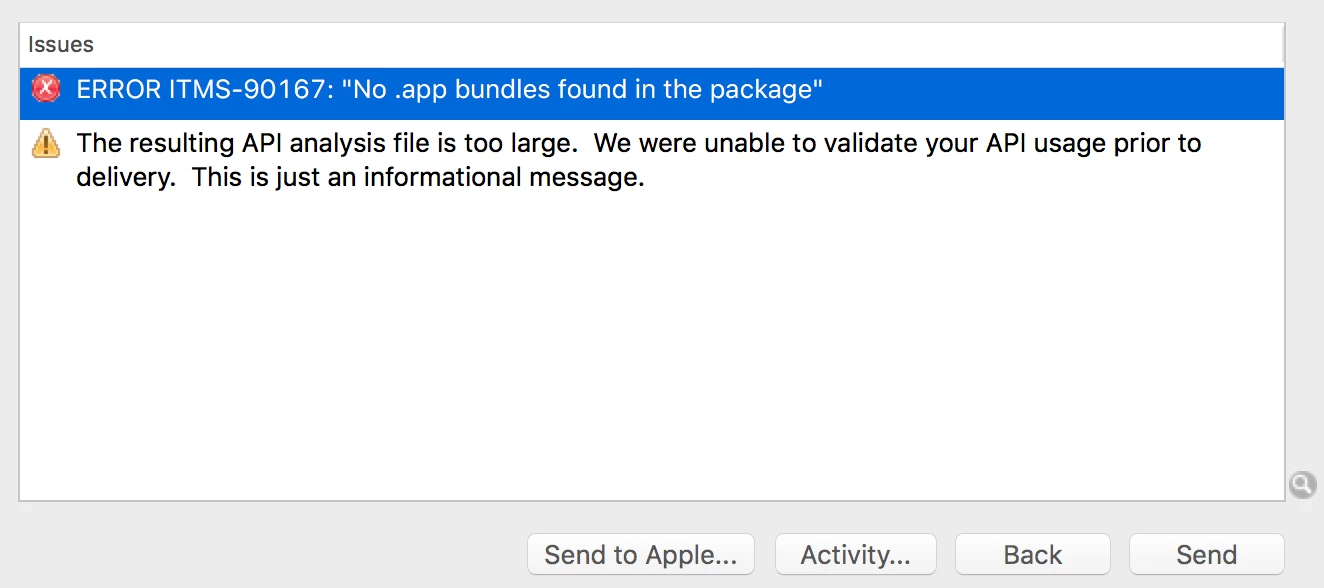
Error ITMS-90167: "No .app bundles found in the package" | Community
Skip to main content
This post is no longer active and is closed to new replies. Need help? Start a new post to ask your question.
Best answer by ZellmanAtAdobe

You should choose the iPhone Distribution certificate for App Store distribution.

You should not have to recreate the provision files.

6 replies

Adobe Employee
January 3, 2017

Hi lkjdfaslkdfas,

Please make sure that you are using Application Loader included with Xcode 8. The version of Application Loader should be 3.6 or higher.

lkjdfaslkdfas
Level 3
January 3, 2017

Hello,

Since i've updated to the latest application loader I now get these errors

Adobe Employee
January 3, 2017

Please make sure you have "release.2016.14" or later of the AEM Mobile Signing Tool. To download the latest signing tool, you may follow directions here: Signing iOS and Android apps for AEM Mobile​.

Then, use the AEM Mobile Signing Tool to sign the application you downloaded from the Apps section of the On-Demand Portal. Be sure that the Certificate you choose matches the Mobile Provision you choose. This relationship was established when you generated the mobile provision in the Certificates, Identifiers & Profiles page on developer.apple.com.

lkjdfaslkdfas
Level 3
January 3, 2017

Hi,

I am still getting the same error.

When I use the signing tool I have (2) certificates: iPhone Developer and iPhone Distribution.

does this make sense?

I already have my app on the app store, but made a tweak to it for notifications.

So trying to get this uploaded to the store again.

Do i need to recreate the provision files?

ZellmanAtAdobeAdobe EmployeeAccepted solution
Adobe Employee
January 3, 2017

You should choose the iPhone Distribution certificate for App Store distribution.

You should not have to recreate the provision files.

lkjdfaslkdfas
Level 3
January 4, 2017

thank you! no more errors!