Ability to download PDF with annotations annotated in the Document Cloud PDF viewer | Community
Skip to main content
estelito
March 2, 2023
Investigating

Ability to download PDF with annotations annotated in the Document Cloud PDF viewer

  • March 2, 2023
  • 3 replies
  • 1541 views
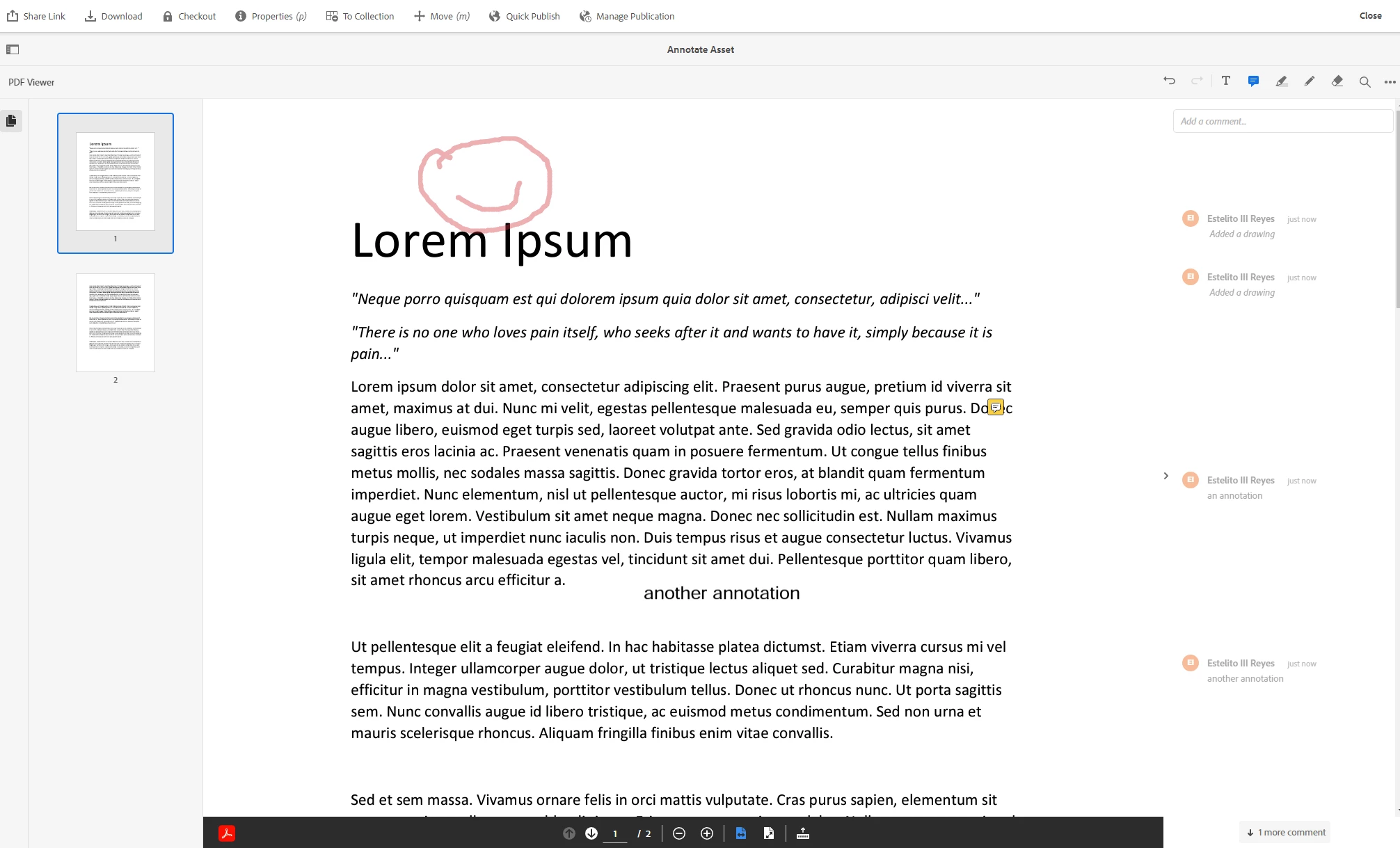
Request for Feature Enhancement (RFE) Summary: Using the features provided by Document Cloud PDF Viewer as outlined in this link: https://experienceleague.adobe.com/docs/experience-manager-cloud-service/content/assets/manage/manage-pdf-documents.html?lang=en#multi-page, we can annotate on PDFs (and other document formats converted to PDF).

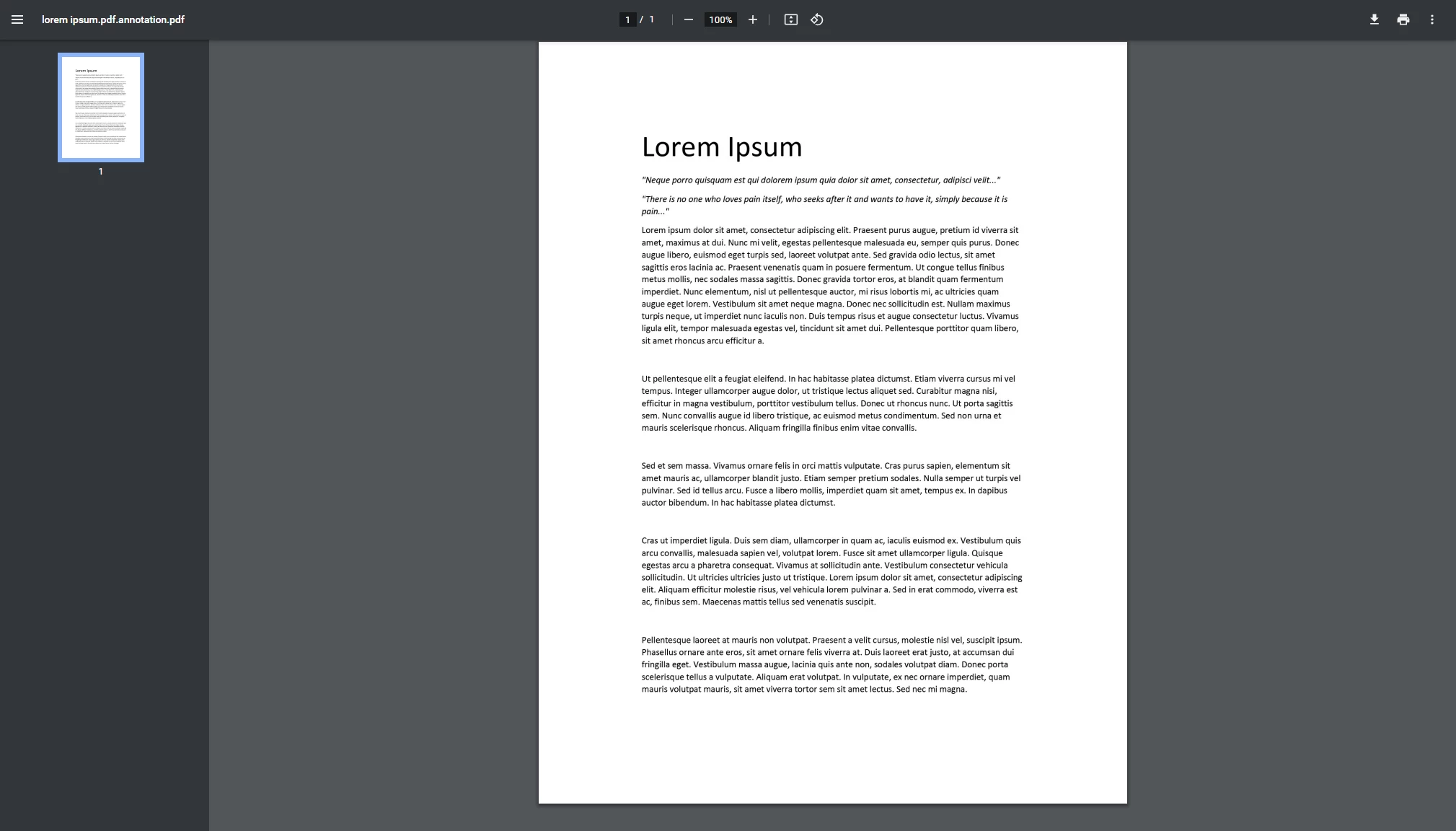
However, the annotations can only be viewed by someone who has access to AEM. In the case that someone who doesn't have access to AEM needs to get a summary of the annotations to a particular document, it is currently not possible to download the annotated PDF as displayed by the Document Cloud PDF Viewer. There is no download/print/export button available, and even the "Print" button on the main toolbar for an asset won't print the pdf in full (that one only prints the first page rendition of the asset).


Use-case: Users without access to AEM needs to get a copy of the asset (PDF or converted to PDF) with the annotations that was added in AEM.
Current/Experienced Behavior: Cannot download the PDF with annotations.
Improved/Expected Behavior: Provide or enable a "Download" / "Print" / "Export" function in order to get a copy of the PDF with the annotations
Environment Details (AEM version/service pack, any other specifics if applicable): AEM Cloud, latest version
Customer-name/Organization name: <redacted>
Screenshot (if applicable):

the document cloud pdf viewer with annotations that we want to get a download/copy of.


the output of clicking on the "Print" button in an asset's toolbar


Code package (if applicable):  

3 replies

kautuk_sahni
Community Manager
Community Manager
April 19, 2023

@estelito 

Thanks for proposing this idea

This has been reported to the engineering under the internal reference ASSETS-23560. The product team will triage this request to verify feasibility based on the prioritization model. This post will be updated according to the Jira request status.

Kautuk Sahni
Adobe Employee
April 26, 2023

Thanks for the feedback @estelito - we discussed this use-case internally and in order to optimize the workflow, it would be great to get some additional details from you on the expectations:

  • how common is this use-case where a user would need to export the updated PDF with annotation embedded on a weekly basis?
  • Currently these annotations are not actually written back to the PDF file in AEM; is there a use case to manage this annotated version of the file in the DAM or could it be generated on the fly?
  • What's the typical range of file sizes and number of pages for your PDF files typically? 
estelito
estelitoAuthor
August 14, 2023


  • how common is this use-case where a user would need to export the updated PDF with annotation embedded on a weekly basis?
    I would say the commonality of this use case is not that common, it's more of wanted to be an option to have the capability to export the updated PDF on the fly as mentioned in the next question. They have a mix of different document types being used, not just PDF.
  • Currently these annotations are not actually written back to the PDF file in AEM; is there a use case to manage this annotated version of the file in the DAM or could it be generated on the fly? 
    On the fly would be the best use case for this, as it's going to be sent to someone not having AEM Access, so there's no need to maintain a version of the PDF if only annotations were added to it.
  • What's the typical range of file sizes and number of pages for your PDF files typically? 
    Typical range of file sizes fall under the supported file size of the Document Cloud PDF API which I think was 100MB. We advise user not to use any PDF greater than 100MB