Level 5
July 17, 2025
Solved

AF Core Component templates, theme is configured through a default config folder reference property sling:configRef not working

  • July 17, 2025
  • 1 reply
  • 1330 views

AF Core Component templates, theme is configured through a default config folder reference property sling:configRef not working(unlike AF foundation af templates, theme configuration for AF core component af templates is not exposed via template editor.)

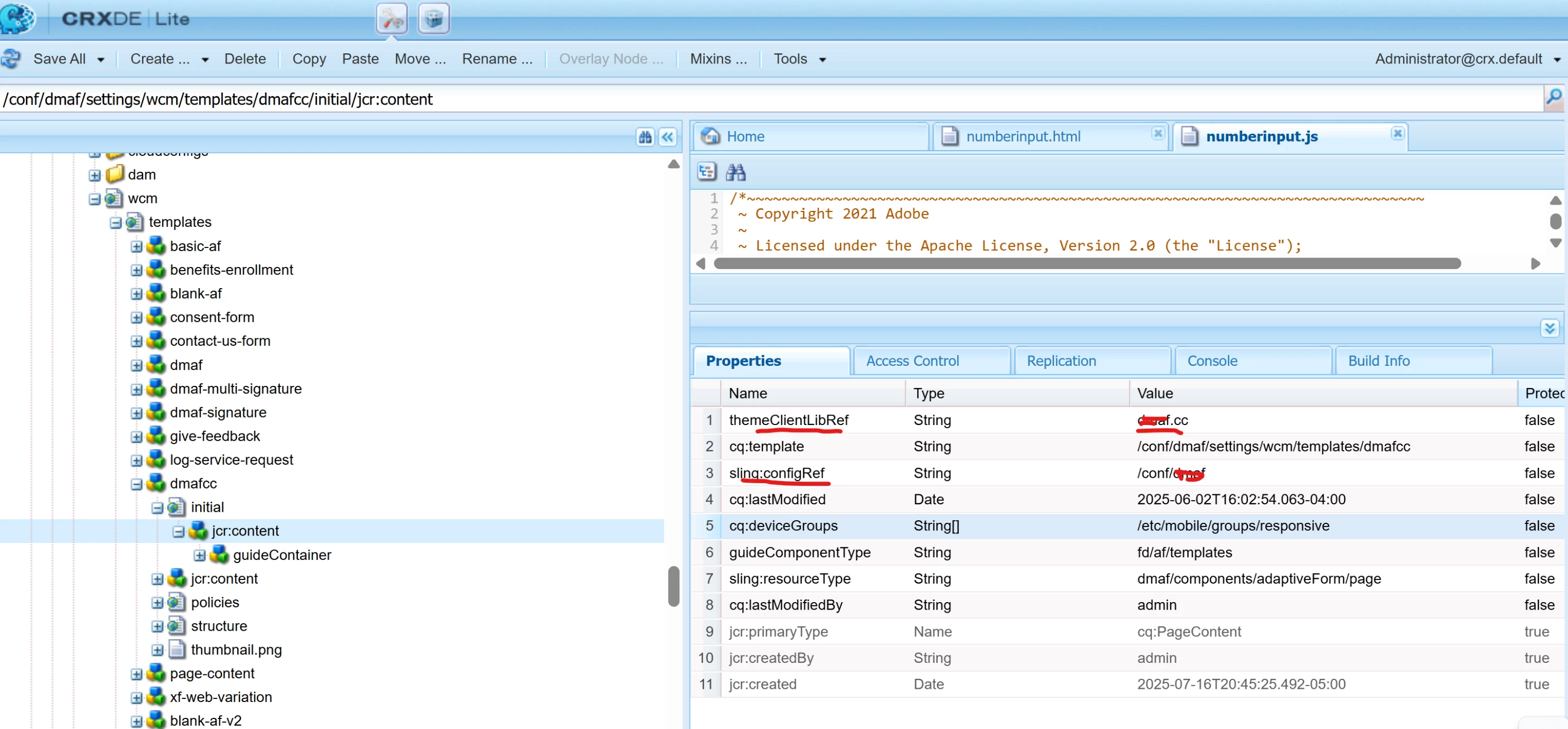
For core component templates, theme is configured through a default config folder reference property sling:configRef at <template>/initial/jcr:content node level.
Refer below screenshot for <template>/initial/jcr:content 


Best answer by pankajpr

Yes, at present the form creation wizard for 6.5 doesn't pick theme from the theme configured in the templates, it keeps canvas theme selected by default. User needs to change theme if he/she wants to use another theme.

1 reply

Sakshi5
Adobe Employee
Adobe Employee
July 23, 2025

@varaande In templates, theme is aligned, how site page templates refer to theme, and it can't be changed. But you can change the theme once you create the form.

varaandeAuthor
Level 5
July 23, 2025

@sakshi5 

If I understand correctly, it's currently not possible to set a custom theme client library at the core component template level in such a way that authors automatically inherit it when using the template—unless they explicitly select a different one.

We’ve observed that the default theme client library continues to point to:

/libs/fd/af/themes/corecomponents/canvas3-theme/clientlibs/forms-clientlib-site which resolves to "adaptiveform.theme.canvas3".


Below screen "Theme Client Libary " my intention to set to "dmaf.cc" Adative form Core Component Template level instead choose from dropdown list.


Sakshi5
Adobe Employee
Adobe Employee
July 24, 2025

This solution is for AEM Forms on Cloud:
@varaande You can create templates with theme, by creating themes similar to reference themes we share, and create a sling:configs with child com.adobe.aem.wcm.site.manager.config.SiteConfig having property siteTemplatePath referring to apps path of theme zip (theme which you have created), under /conf/forms and link it with template, but this can be done via developer persona and not authour persona:
https://experienceleague.adobe.com/en/docs/experience-manager-core-components/using/adaptive-forms/sample-themes-templates-form-data-models-core-components 

Authour persona can choose the theme at time of form creation.