


AEM Cloud Service - Composite Multifield in Content Fragments Editor | AEM Community Blog Seeding
AEM Cloud Service - Composite Multifield in Content Fragments Editor by Sreekanth Choudry Nalabotu
Abstract
Goal
Adobe Experience Manager 2022.6.7904.20220629T070041Z-220600

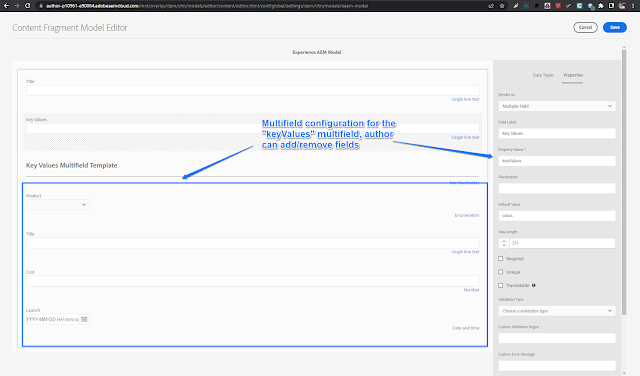
Create a Composite Multifield for Content Fragments Editor. Authors can edit the configuration of the multifield adding new fields or remove existing...

Solution
1) Create the project eaem-cf-composite-mf

mvn -B org.apache.maven.plugins:maven-archetype-plugin:3.2.1:generate -D archetypeGroupId=com.adobe.aem
-D archetypeArtifactId=aem-project-archetype -D archetypeVersion=36 -D aemVersion=cloud
-D appTitle="Experience AEM CS CF Composite Multifield" -D appId="eaem-cf-composite-mf" -D groupId="apps.experienceaem.assets"
-D frontendModule=none -D includeExamples=n -D includeDispatcherConfig=n


2) Create a helper thirdparty loadash client library /apps/eaem-cf-composite-mf/lodash with property categories="[eaem.lodash]"


3) For the keyValues composite multifield create a clientlib /apps/eaem-cf-composite-mf/clientlib-mf with categories="[dam.cfm.authoring.contenteditor.v2]" and dependencies="[eaem.lodash]". Add the following code..
Read Full Blog
AEM Cloud Service - Composite Multifield in Content Fragments Editor
Q&A
Please use this thread to ask the related questions.