Getting Error while generating Access Token (ACS- API) | Community
Skip to main content
Level 4
August 4, 2017
Solved

Getting Error while generating Access Token (ACS- API)

  • August 4, 2017
  • 20 replies
  • 29750 views

Hi ,

I am trying to Test the transactional messaging via Adobe Campaign Standard through API call.

We have gone through the following references regarding usage of Adobe Campaign Standard APIs:

https://helpx.adobe.com/campaign/kb/working-with-acs-api.html

https://console.adobe.io/integrations

https://www.adobe.io/apis/cloudplatform/

https://docs.campaign.adobe.com/doc/standard/en/api/ACS_API.html

  • We have done the integration with ACS using Adobe I/O and have got the API Key (Client ID), Technical account ID, Technical account email, Organization ID, Client secret.
  • Using these values we generated a JWT Token (Java).
  • Further with the JWT Token, we were able to generate the values Access Token, Token Type, and expires_in(Java).
  • Finally, we were able to invoke the event in ACS, following which we received an Email.

Now the issue that we are facing is that We are receiving this error while trying to generate the access token using JWT and payload.

Server returned HTTP response code: 400 for URL: https://ims-na1.adobelogin.com/ims/exchange/jwt/
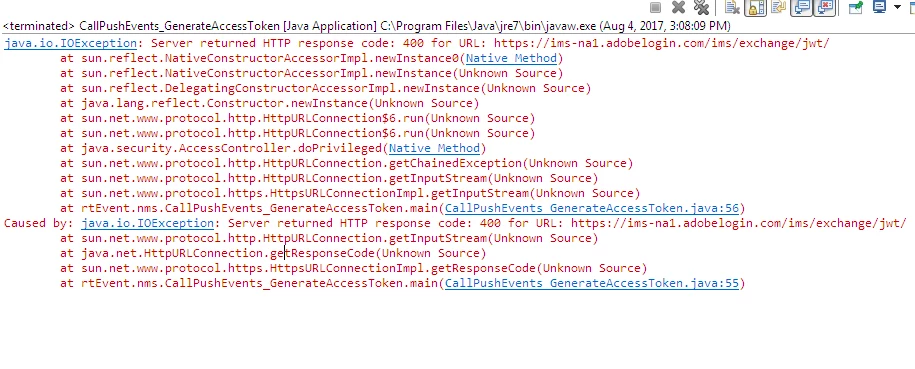
We checked it using POSTMAN. We are getting the below error. But using the Same JWT token we were able to generate access token earlier. We did not change anything in our code.
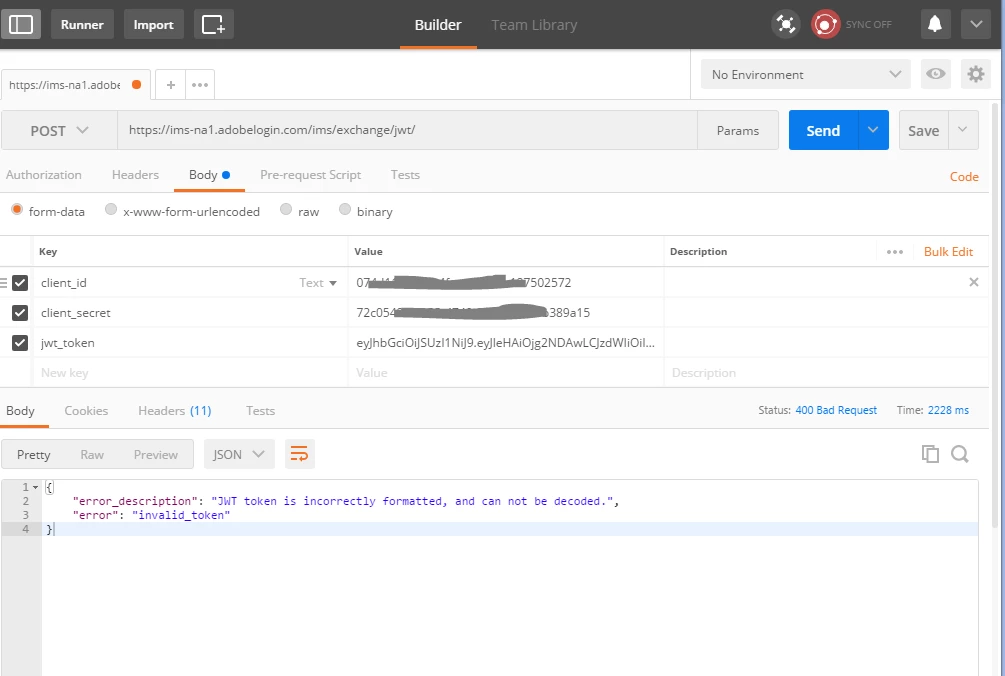
Any guess, what might be wrong here? W are stuck on this .

Any suggestion/help would be great.

Thanks

Senthil
This post is no longer active and is closed to new replies. Need help? Start a new post to ask your question.
Best answer by Senthil24

Hi Florent,

The issue is resolved now. I opened a case with spphelp@adobe.com. They helped us with this.

While trying to create the JWT Token in Adobe IO console. I was copying the key without the following(only the key part of it ).

------BEGIN PRIVATE KEY-----

-----END PRIVATE KEY-----

So it turns out that the entire content of the private key has to be copied in order to generate the JWT Token.I am able to generate it now.

Though the issue of JWT token is resolved via Adobe IO console. The initial issue is still not resolved.

When I am programmatically generating the JWT token, on further using this to generate the access token it is giving me errors.

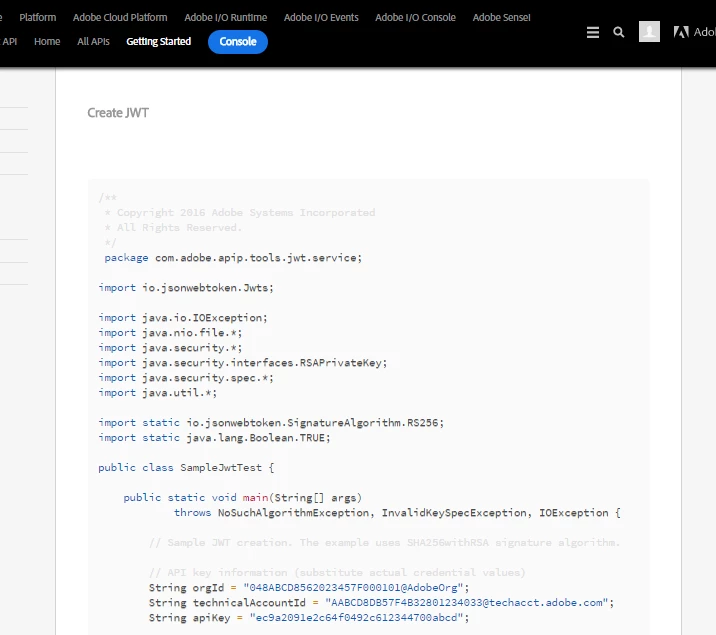
Note : JWT token generated through Adobe IO console is different from the JWT Token generated via a java program. ( Ref. Adobe document,

Service Account Integration )

It's under the topic Create JWT. Adding a snip for reference. Please let me know if there is any update on this.

20 replies

florentlb
Level 10
August 4, 2017

Hi Senthil,

Can you try to generate private/public keys using this (and then generating a new JWT token):

openssl req -nodes -text -x509 -newkey rsa:2048 -keyout secret.pem -out certificate.pem -days 356

  openssl pkcs8 -topk8 -inform PEM -outform DER -in secret.pem  -nocrypt > secret.key

instead of what is mentioned in the docs:

openssl req -x509 -sha256 -nodes -days 365 -newkey rsa:2048 -keyout private.key -out certificate_pub.crt

There seems to be a known issue in some cases with this one.

Let me know,

Florent

Senthil24Author
Level 4
August 4, 2017

Thanks florent .

I have used this command to generate public and private keys .. from Service Account Integration

Amit_Kumar
Level 10
August 4, 2017

Hi Senthil,

Did it work for you? If you are still facing the problem, let us know.

Regards,

Amit

Senthil24Author
Level 4
August 4, 2017

I tried creating the JWT token from Adobe IO Console. And I am faced with below error. I have used these commands to create private and public keys.

# create the certificate and private key using openssl

$ openssl req -nodes -text -x509 -newkey rsa:2048 -keyout secret.pem -out certificate.pem -days 356

# convert private key to DER format

$ openssl pkcs8 -topk8 -inform PEM -outform DER -in secret.pem  -nocrypt > secret.key

As far as using java to create tokens is concerned. I am able to create a JWT token with the same payload but that 's not working when I am using it to create the access token.

Senthil24Author
Level 4
August 10, 2017

We are still facing this problem.

Any pointers will really help.

-Thanks

Senthil

florentlb
Level 10
August 11, 2017

Hi Senthil,

I just tried with my current implementation and it worked. I noticed I have one more line than you have in the payload:

    "https://ims-na1.adobelogin.com/s/ent_user_sdk": true,

    "https://ims-na1.adobelogin.com/s/ent_campaign_sdk": true,

This may not be the cause so can you also make sure that the private key is well formed?

  • Starts with: -----BEGIN RSA PRIVATE KEY-----
  • Ends with: -----END RSA PRIVATE KEY-----

Let me know,

Florent

Senthil24Author
Level 4
August 11, 2017

Hi Florent,

Regarding the extra lines in the payload. Aren't these values generated automatically after the integration is completed? We don't have to manually add/delete anything, I believe.

And I checked my private key contents.

  • It starts with -----BEGIN PRIVATE KEY-----
  • It ends with -----END PRIVATE KEY-----

The word RSA is missing in both begin and end statements in my private key file.

I used these commands to generate the certificate and private keys(using Cygwin terminal).

Reference :  https://www.adobe.io/apis/cloudplatform/console/authentication/jwt_workflow.html

# create the certificate and private key using openssl

$ openssl req -nodes -text -x509 -newkey rsa:2048 -keyout secret.pem -out certificate.pem -days 356

# convert private key to DER format

$ openssl pkcs8 -topk8 -inform PEM -outform DER -in secret.pem  -nocrypt > secret.key

Is there any other way(commands) to generate these keys?

-Thanks

Senthil

florentlb
Level 10
August 11, 2017

Hi Senthil,

From what you describe, that should work. I'm surprised it doesn't. I'll try to investigate more on this.

In the meantime, do you have a way to try again from another machine?

  • Generate the key
  • Upload the new certificate
  • Generate the JWT

I'm sorry that you're having this problem.

Let me know if you can try this.

Florent.

vraghav
Adobe Employee
Adobe Employee
August 11, 2017

Hi Senthil,

Referring to the original problem statement you provided a screenshot from Postman. It shows that the JWT cannot be decoded.

For that just above the key-value section you have opted for form-data. Instead you need to use x-www-form-urlencoded. You will not get the error then.

Regards,
Vipul

Senthil24Author
Level 4
August 14, 2017

Hi Florent,

I tried it from a different machine(created new certificate (uploaded and updated in the IO integration) and secret key. Again the same error occurred.

Is it possible that the key generation command that you are using is a different one? because the content of my private key file doesn't the word RSA in it.

-Senthil