Unable to login - Cannot load navigation interface definition - Unable to create an image from a memory block | Community
Skip to main content
emmam40477668
November 16, 2021
Solved

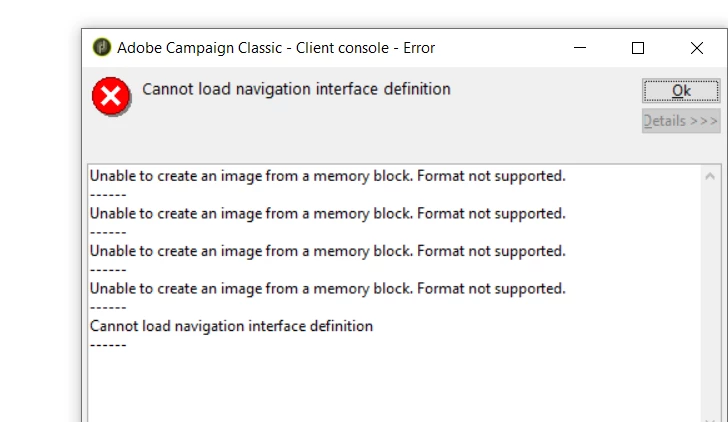
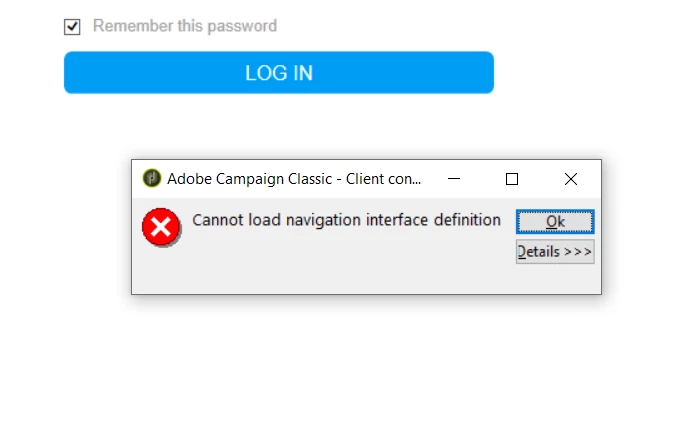
Unable to login - Cannot load navigation interface definition - Unable to create an image from a memory block

  • November 16, 2021
  • 1 reply
  • 2406 views

Hi, 

We having issues to login to the console (Adobe Campaign Classic v7). Since we're not able to login we can't do a soft cache clear. How do we solve the problem?
This post is no longer active and is closed to new replies. Need help? Start a new post to ask your question.
Best answer by david--garcia

Try the clear hard cache, otherwise uninstall and reinstall the client, if the issue is isolated to a single user then is likely the cache has become corrupted.

1 reply

david--garcia
Level 10
November 16, 2021

Can you provide your ACC client/server version, also has there been any recent upgrades? was this working before and all of a sudden stopped working? can you try installing the client console on a different machine and see if it works? is this a hosted or on-premise installation?


Try hard clearing the cache by:

https://helpx.adobe.com/ie/campaign/kb/how-to-perform-soft-and-hard-cache-clear-when-the-issues-are-mac.html

Clear hard cache

  • On the client console, choose File > Clear the local cache.

  • Logout and close the client console (rich client).

  • Go to the following locations, based on your operating system version:

    • Windows 7: C:\Users\<Username>\AppData\Roaming\Neolane\NL_5\
    • Windows XP: C:\Documents and Settings\<Username>\Application Data\Neolane\NL_5

    Here you will see many xml files named nlclient-config-<alphanumerical value>.xml.

  • Delete these xml files and associated folders.

    Caution:

    Do not delete nlclient_cnx.xml file.


  • Sign in to client console.

emmam40477668
November 16, 2021

Thanks. It's 9032 version and the installation is on prem. No recent upgrades and this suddenly happend for one of our user. Is the best solution to do a clear hard cache?

david--garcia
david--garciaAccepted solution
Level 10
November 16, 2021

Try the clear hard cache, otherwise uninstall and reinstall the client, if the issue is isolated to a single user then is likely the cache has become corrupted.