Solved
Unable to get Monitoring Logs
Hi,
We are using the Adobe campaign classic hybrid instance of the 8978 version.
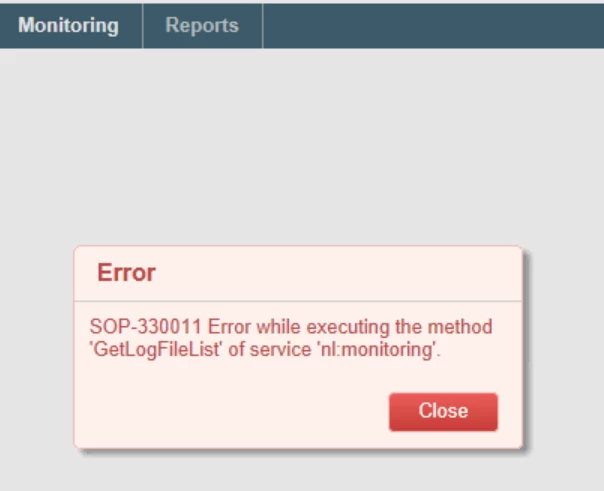
We are unable to see the Monitoring logs under the Home tab. When I click on web@default, I see the following message.
In the Command Prompt, I used "nlserver monitor -missing" to check all missing process. One of which was "syslog" .
Next, I used the command to start the syslog - "nlserver start <MODULE>@<INSTANCE> -verbose" which gives the following error: Only one usage of each socket address is normally permitted.
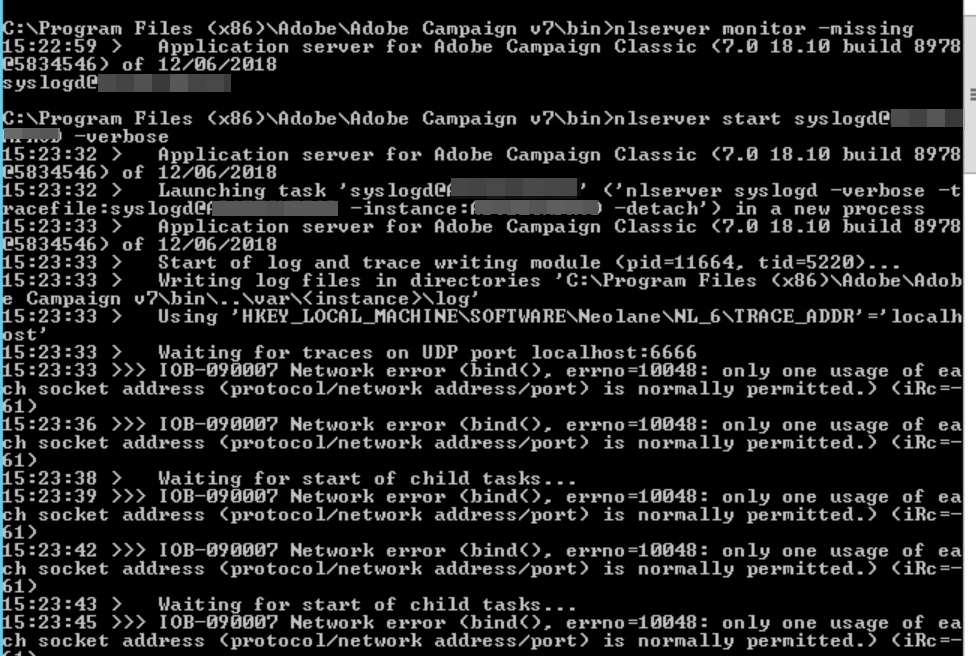
The error seems like there is a conflict with the socket address. I couldn't find anything within the HKEY_LOCAL_MACHINE\Software\Neolane\NL_6\TRACE_ADDR.
Any idea how we could resolve this error?
Thanks,
Ishani