Solved
seed addresses import
I have a list of seeded address in an excel. How can i import all the seeds to the seeded address folder here. Do we have a process for this.
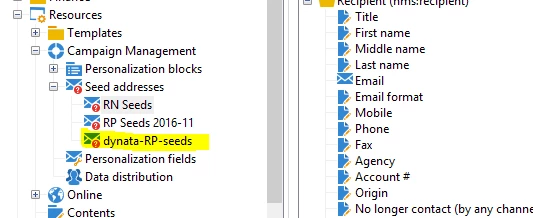
Want to import into this folder :
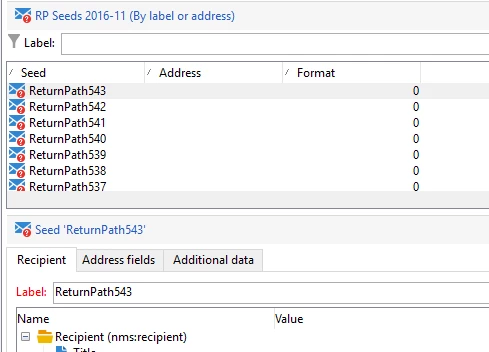
already existing seeds format:
I have a list of seeded address in an excel. How can i import all the seeds to the seeded address folder here. Do we have a process for this.
Want to import into this folder :
already existing seeds format:
Hi @ramaswami - we use ReturnPath seeds as well and I have set up an Import job to process the list when they release a new Seed List.
Save the Excel file as a CSV file (the one you have opened in Excel is probably already a CSV). Then create yourself a new Simple Import job with the following Field Mappings (Seed Folder Internal Name is the internal name of your seed folder and Seed Label is ReturnPath<%= source.recordIndex %>)
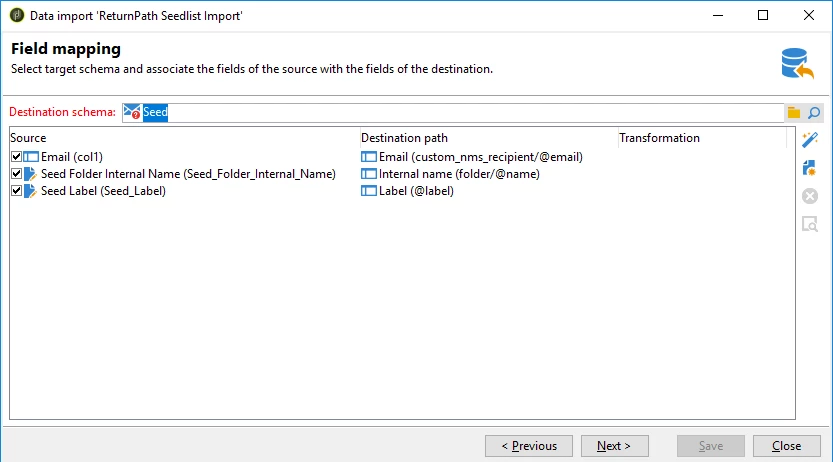
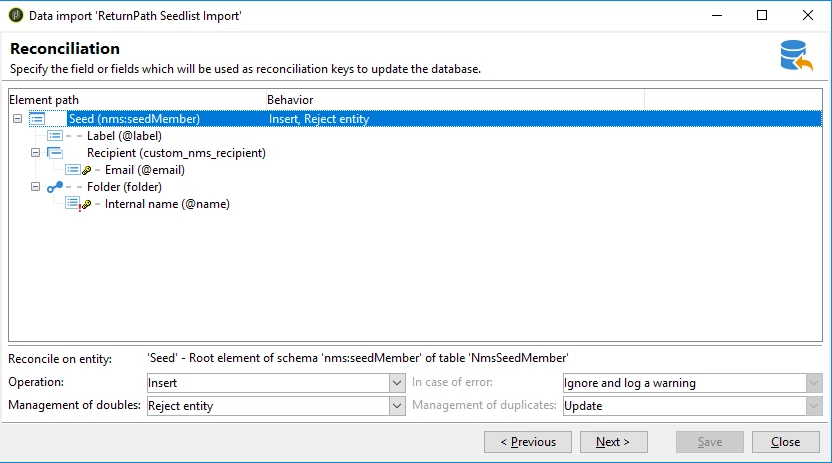
Once you have the Import Job ready to go, then delete all the existing seeds in the Seed folder and run the import job.
Cheers
Enter your E-mail address. We'll send you an e-mail with instructions to reset your password.