내 커뮤니티 업적 표시줄을 확대합니다.

Mark Solution

활동이 없어 이 대화는 잠겼습니다. 새 게시물을 작성해 주세요.

해결됨

MS Dynamics Connector - Workflow error

Avatar

Level 2

I'm integrating Dynamics 365 with Campaign and completed the following steps:

- Configured Dynamics 365 external account

- Run Microsoft CRM configuration wizard

- Imported Dynamics 365 Schema into Campaign

- Updated the database in Campaign

Now I'm trying to create a workflow to import contacts from Dynamics 365 to Campaign however when I edit the CRM Connector process, set External account to Microsoft Dynamics CRM, Remote object to Contact and try to save it I receive the following error:

JST-310000 Error while compiling script '/crm/connectorDataMgt.js' line 6313: illegal character (line=' } `' token='`'). SCR-160032 JavaScript: error while compiling script '/crm/connectorDataMgt.js'.
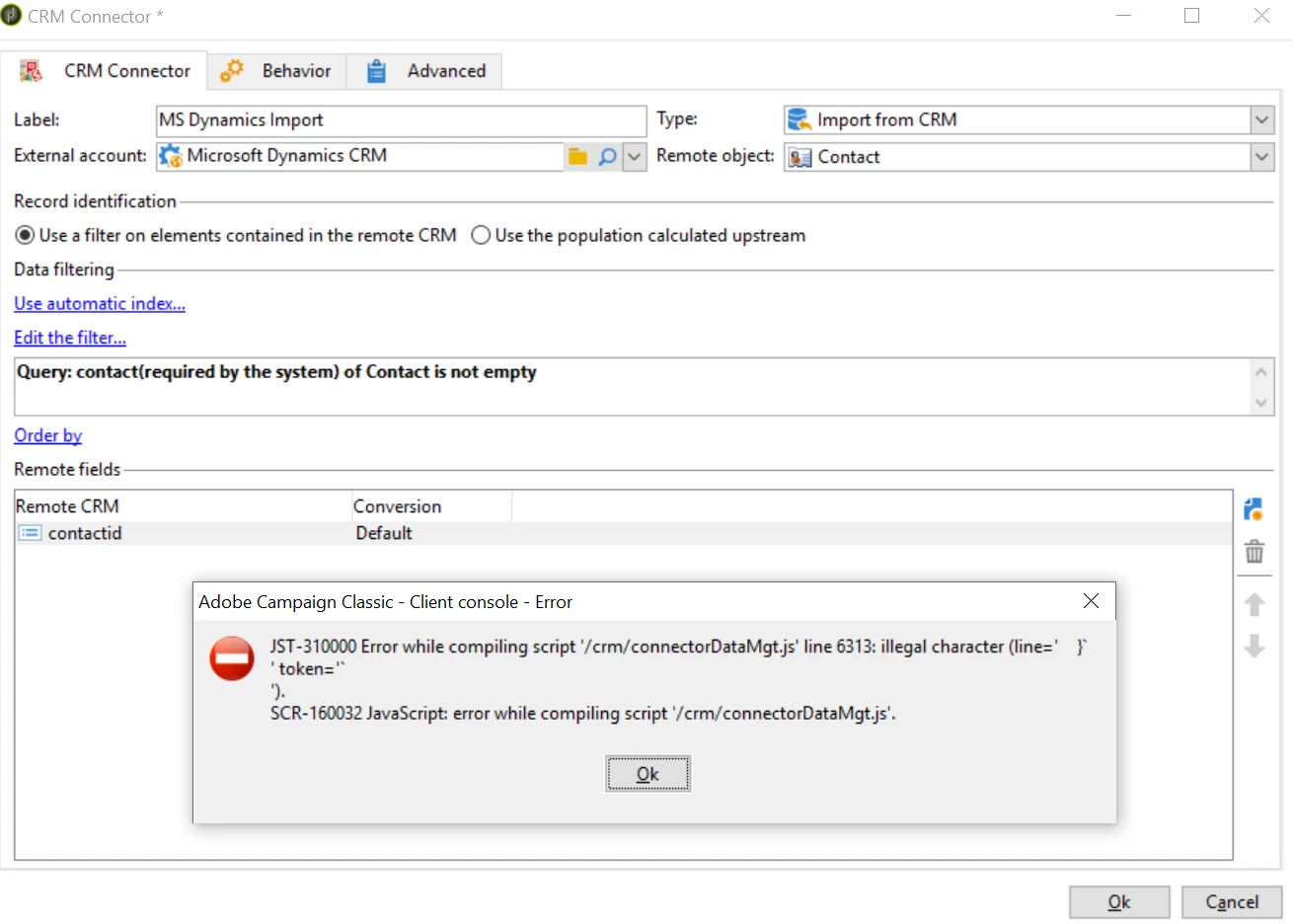
Capture.PNG

1 채택된 해결책 개

Avatar

정확한 답변 작성자:
Level 2

Hello,

As shown in the error, Kindly look into the line number 6313 of connectorDataMgt.js in Javascript codes under administration. There could be apostrophe (') character in that line. If its editable for you then remove that character & save else ask the Adobe support to remove that character.

Let me know once if it is going to resolve the issue or not.

Thanks,

Shyam

원본 게시물의 솔루션 보기

2 답변 개

Avatar

정확한 답변 작성자:
Level 2

Hello,

As shown in the error, Kindly look into the line number 6313 of connectorDataMgt.js in Javascript codes under administration. There could be apostrophe (') character in that line. If its editable for you then remove that character & save else ask the Adobe support to remove that character.

Let me know once if it is going to resolve the issue or not.

Thanks,

Shyam

Avatar

Level 2

Yes, I could see the apostrophe in the mentioned file, but these kind of objects cannot be modified manually in ACC.

The issue had to be resolved by AC support team.