How can I connect AEM to Adobe Campaign Classic both installed locally | Community
Skip to main content
Level 2
January 26, 2021
Question

How can I connect AEM to Adobe Campaign Classic both installed locally

  • January 26, 2021
  • 2 replies
  • 2192 views

Hello,

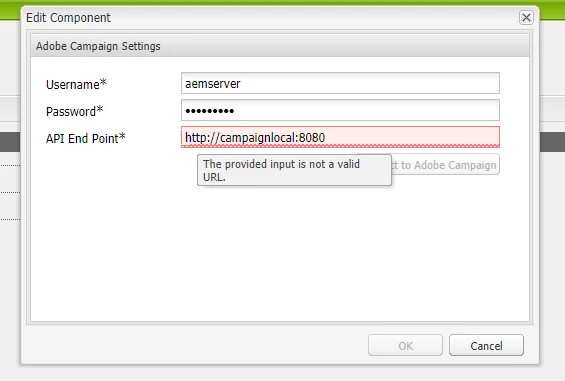
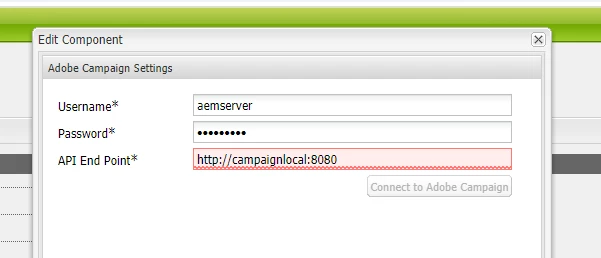
I have installed Adobe Campaign Classic 9032 and AEM 6.5.0 both locally on my computer. I was able to connect to AEM from Adobe campaign but cannot connect to Adobe campaign from AEM. This is because the connexion url (http://<dns>:8080) of my local environment is not recognized and the validation button is greyed. I tried using http://localhost:8080 but the credentials are not recognized in that case (screenshots below).


Who has tried that configuration before?

Thanks,

Nbe

This post is no longer active and is closed to new replies. Need help? Start a new post to ask your question.

2 replies

Craig_Thonis
Adobe Employee
Adobe Employee
January 26, 2021

Hello,


Just to confirm, do you have both an AEM authoring and publishing instance?  Additionally have you walked through the documentation below?


https://experienceleague.adobe.com/docs/experience-manager-65/administering/integration/campaignonpremise.html?lang=en#configuring-adobe-experience-manager


nbisoftAuthor
Level 2
February 19, 2021

Hey @sukrity_wadhwa, I did not solve completely the issue. For now, I changed the dns of Adobe Campaign so that he look like an url. But I still have this message on AEM 

"Missing or Invalid Adobe Campaign webservice config." meaning I am still missing Something.


So if you have an idea of what to do next... I would be glad to hear. Thanks


Sukrity_Wadhwa
Community Manager
Community Manager
February 15, 2021
Hi @nbisoft, Were you able to resolve this query or do you still need more help here? Do let us know. Thanks!
Sukrity Wadhwa