Hello @paulwotton,
you can change the delivery label, or delivery code depending on any shared date in your segment coming from the targetData. It is undocumented feature but works since forever.
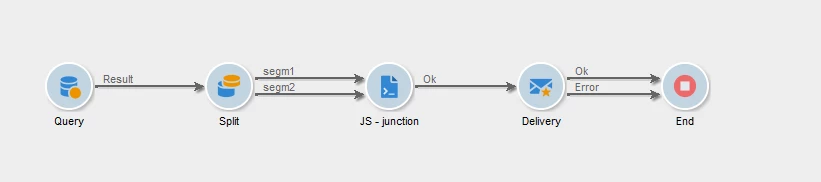
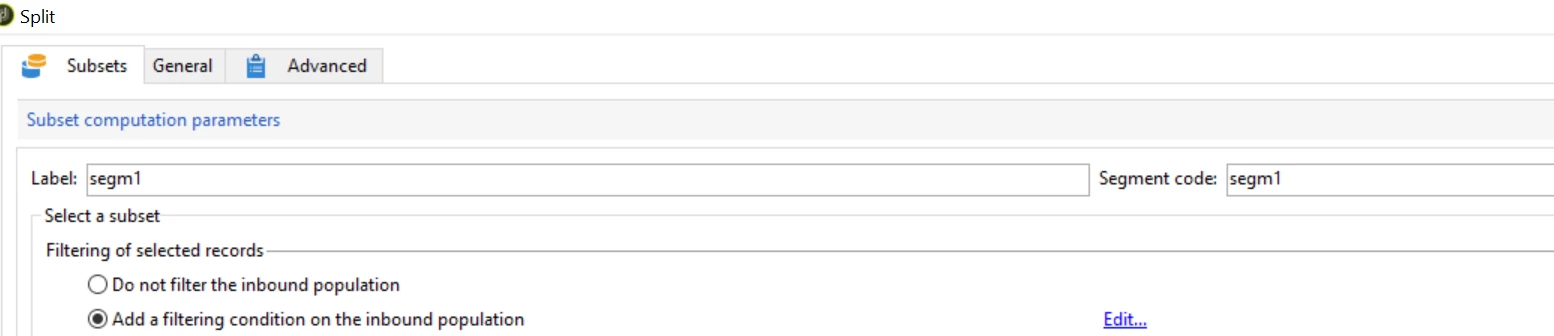
- split your target in any segments with split add your segment code to the segment code section in split
- feed all the transitions into empty JS script activity
- connect JS activity with you delivery activity, that is under the 'folder tree icon'
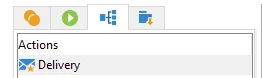
- in delivery modification script query your segment code from the target data to make delivery of same content but differentiate with delivery code or label or anything you that is required
var getSegmentName = function(name){
    if( name === undefined)
      logError("Argument 'name' is required.");

    try{
      var res = sqlSelect("targetData,@" + name + ":string",
          "select " + name + " from " + vars.tableName + " GROUP BY " + name);
      return res.targetData[0]['@'+ name].toString();
    }catch(e){
      logWarning("Segment name '" + name + "' does not exist in the targeting table.");
      return false;
    }
}
var mySegment = getSegmentName("sSegmentCode");
delivery.deliveryCode = delivery.deliveryCode + mySegment;
delivery.label = delivery.label + mySegment;

//do not forget establish the link as for this type of activity link is not created automatically
delivery.operation_id = instance.operation_id;
delivery.workflow_id = instance.id;
Notes:
When you run this workflow it will create as many deliveries as many split transitions you have created.
Your workflow should end up looking like:
Segments are set in split as follwing:
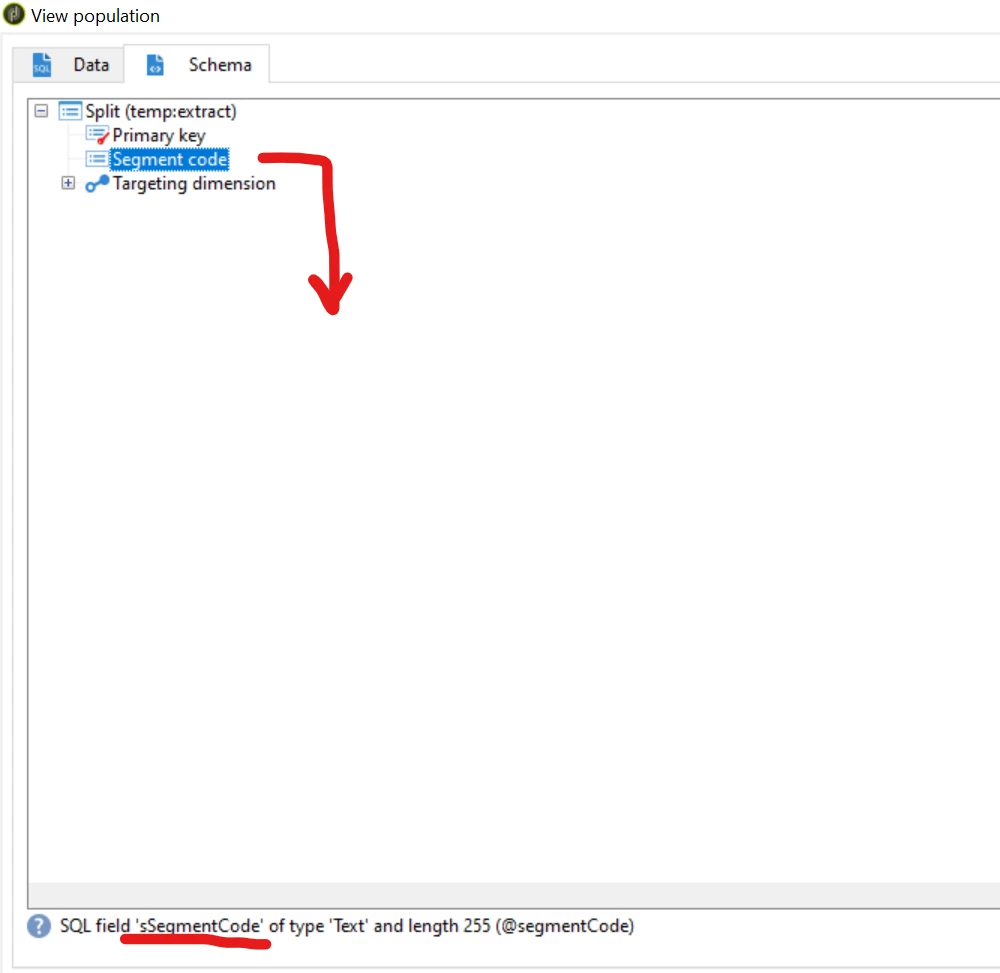
SQL fields:
The SQL field names you want to add to the delivery can be found when you explore the population schema in your workflow.
Marcel Szimonisz
MarTech Consultant
for more tips visit my blog
https://www.martechnotes.com/