
Solved
Adobe Campaign Trigger Installation
Hello guys,
Im installing the pipeline for Adobe Campaign Classic. Where can I find appName?
<pipelined autoStart="true" appName="adobecampaign_triggers" authPrivateKey="@qQf146pexBksGvo0esVIDO(…)"/>
Thanks
Hello guys,
Im installing the pipeline for Adobe Campaign Classic. Where can I find appName?
<pipelined autoStart="true" appName="adobecampaign_triggers" authPrivateKey="@qQf146pexBksGvo0esVIDO(…)"/>
Thanks
Hi @luca_lattarini - the appName property was the Application ID value used with the old legacy oAuth analytics connectors.
If you are looking for the value you can find it in the Legacy OAuth Applications tab in Analytics
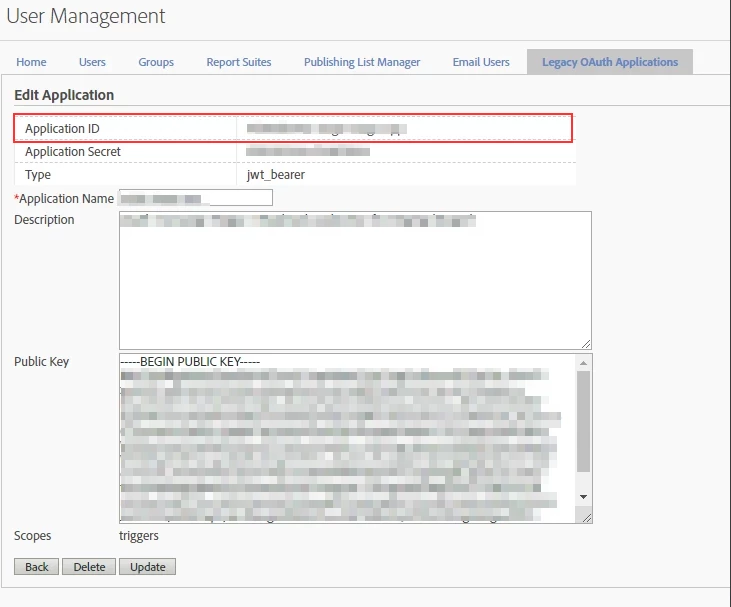
As this authentication mechanism is being retired you need to port the auth mechanism over to Adobe.io: https://experienceleague.adobe.com/docs/campaign-classic/using/integrating-with-adobe-experience-cloud/experience-triggers/configuring-adobe-io.html?lang=en
Cheers
Darren
Enter your E-mail address. We'll send you an e-mail with instructions to reset your password.