Why can't I sort the Analytics Workspace Project List after searching or applying a filter? | Community
Skip to main content
MichaelHarrison37
Level 2
August 2, 2023
Solved

Why can't I sort the Analytics Workspace Project List after searching or applying a filter?

  • August 2, 2023
  • 1 reply
  • 1186 views

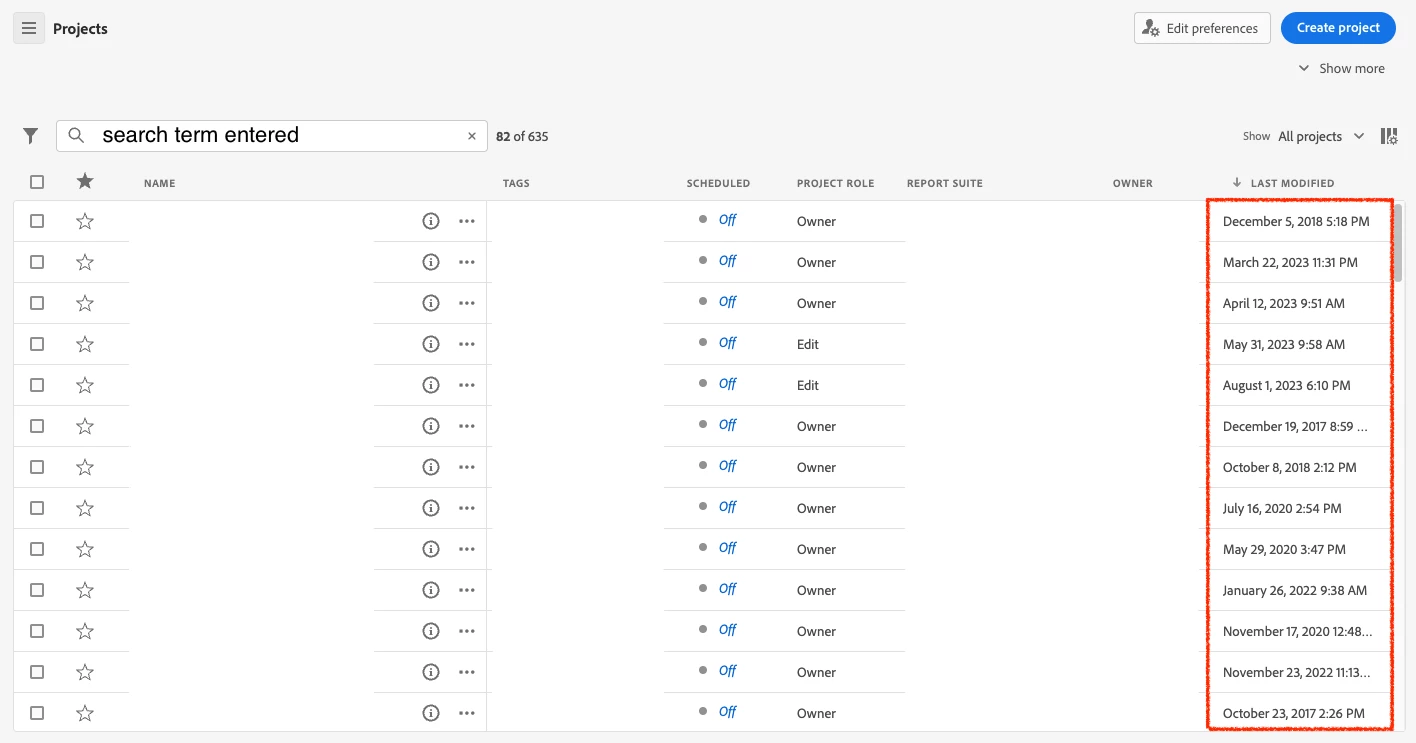
When I enter a search term into the Workspace Project List, why do I suddenly lose the ability to sort the list? It's particularly frustrating that I can't seem to sort by "Last Modified". Is there a workaround for this?
 

This post is no longer active and is closed to new replies. Need help? Start a new post to ask your question.
Best answer by Jennifer_Dungan

LOL, I've noticed this too.. I think Adobe switches the sort to a "Relevancy" order, superseding your selected sort, but it is rather annoying...


I don't know if there's any workaround... maybe you should log an idea about providing sort options during searches? Since there is no column for "relevance" I think the UI would have to change (at least for search... maybe something like a dropdown sort order next to the search field only when using the search??)

1 reply

Jennifer_Dungan
Community Advisor and Adobe Champion
Jennifer_DunganCommunity Advisor and Adobe ChampionAccepted solution
Community Advisor and Adobe Champion
August 2, 2023

LOL, I've noticed this too.. I think Adobe switches the sort to a "Relevancy" order, superseding your selected sort, but it is rather annoying...


I don't know if there's any workaround... maybe you should log an idea about providing sort options during searches? Since there is no column for "relevance" I think the UI would have to change (at least for search... maybe something like a dropdown sort order next to the search field only when using the search??)

MichaelHarrison37
Level 2
August 4, 2023

@jennifer_dungan: Yeah, I thought about adding it as an Idea right out of the gate, but this seems more of a bug than anything. I feel weird creating an Idea that is basically "fix this bug and make sorting work the way everyone expects it to". 🙃

Jennifer_Dungan
Community Advisor and Adobe Champion
August 4, 2023

True... but if you feel it's a bug (and you may have to convince support of that sometimes 😉 ), then the best option is to log a ticket with Client Care (since they don't think they look at this forum unless you link to a specific post).


Usually, other users like myself and a few dedicated Adobe employees monitor this to help out users, and the Idea area a lot of the product people watch to look for ideas to add to the product based on popularity.