What is the purpose of Path Reports column in Traffic Variables? | Community
Skip to main content
Level 2
January 23, 2024
Solved

What is the purpose of Path Reports column in Traffic Variables?

  • January 23, 2024
  • 2 replies
  • 1685 views

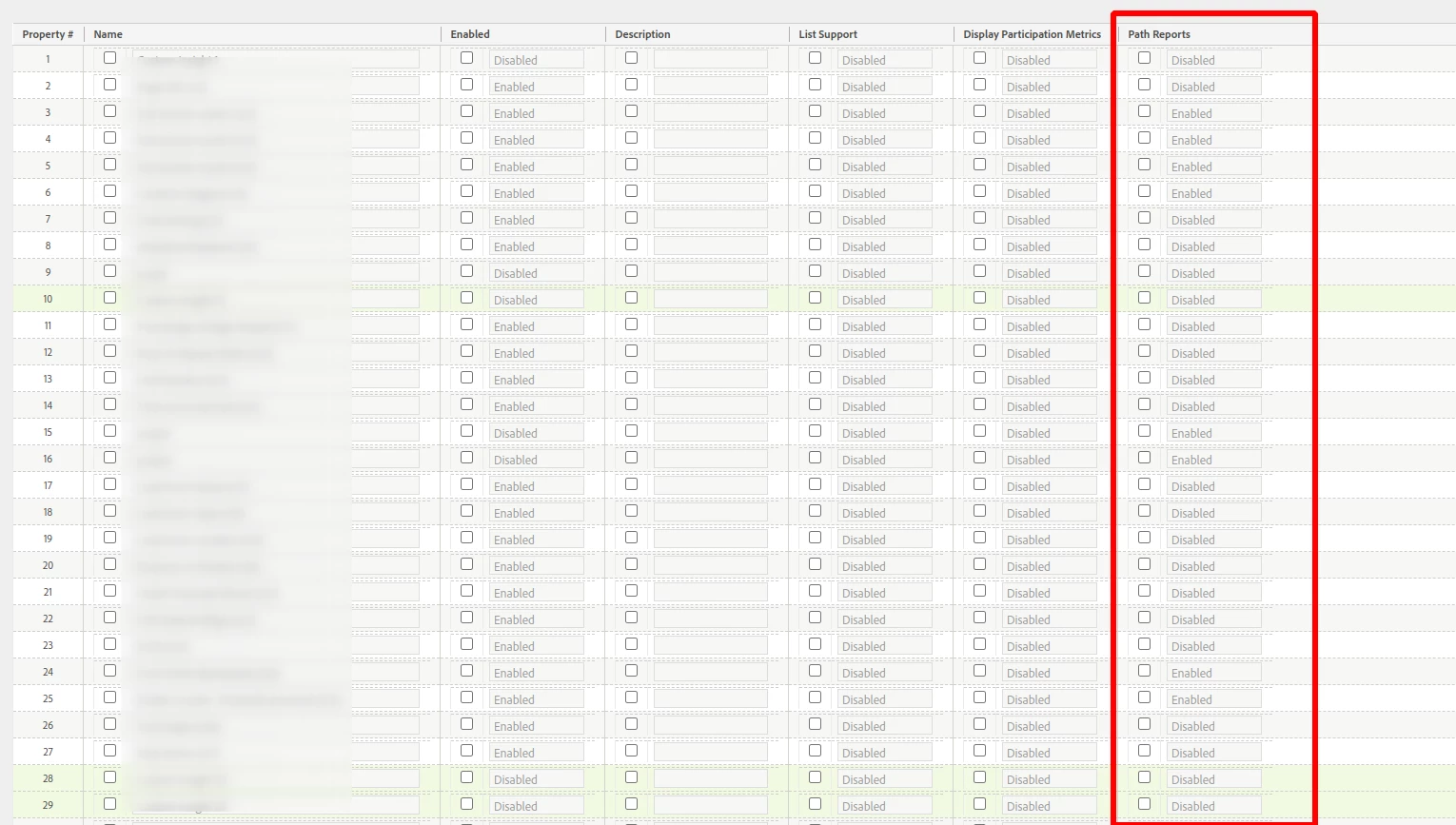
I am trying to create props in Adobe Analytics and I am seeing this column called Path Reports in the table 

What is the purpose of keeping the Path Reports enabled for a prop? 
 

This post is no longer active and is closed to new replies. Need help? Start a new post to ask your question.
Best answer by Jennifer_Dungan

Nothing now.. I expect that column to disappear soon 🙂


Up until recently, when the old Reports Interface was still active, this column would enable the prop to appear in the "Paths" menu.  


See this post: https://experienceleaguecommunities.adobe.com/t5/adobe-analytics-questions/what-are-the-steps-to-enable-pathing-in-adobe-analytics/td-p/644154


The flow diagram in Workspace allows you to use any dimension or metric in the flow (yes, you can replace a step in the flow with a metric, you just can't build from a metric since that wouldn't be much of a flow...). However, in the old interface, you had to choose in advance which dimension would have flow enabled  from the start, and there was no ability to mix dimensions.


2 replies

Jennifer_Dungan
Community Advisor and Adobe Champion
Jennifer_DunganCommunity Advisor and Adobe ChampionAccepted solution
Community Advisor and Adobe Champion
January 23, 2024

Nothing now.. I expect that column to disappear soon 🙂


Up until recently, when the old Reports Interface was still active, this column would enable the prop to appear in the "Paths" menu.  


See this post: https://experienceleaguecommunities.adobe.com/t5/adobe-analytics-questions/what-are-the-steps-to-enable-pathing-in-adobe-analytics/td-p/644154


The flow diagram in Workspace allows you to use any dimension or metric in the flow (yes, you can replace a step in the flow with a metric, you just can't build from a metric since that wouldn't be much of a flow...). However, in the old interface, you had to choose in advance which dimension would have flow enabled  from the start, and there was no ability to mix dimensions.


SupunDAuthor
Level 2
January 28, 2024

Thanks @jennifer_dungan for the answer and for the reference post!

leocwlau
Community Advisor and Adobe Champion
January 23, 2024

It was in the old days where no Analytics Workspace and no Flow visualization, we needed to enable this option for path and fallout reports on traffic variables (prop only and no path report for eVar) in Adobe Analytics.

However, with all the new features being implemented, we can use fallout visualization to report on eVar without any pre-configuration.