Unable to View Segment Definitions When Clicking on the Info Icon | Community
Skip to main content
Level 2
April 16, 2025
Solved

Unable to View Segment Definitions When Clicking on the Info Icon

  • April 16, 2025
  • 1 reply
  • 1021 views

Hi,


From the past couple of weeks, I am not seeing the 'Segment Definitions' When Clicking on the Info Icon.
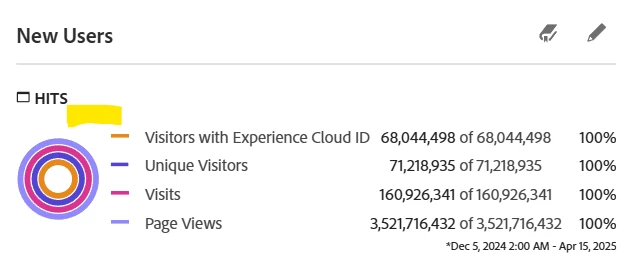
 

Thanks in Advance.


Best answer by Harveer_SinghGi1

You can access the support portal here - https://experienceleague.adobe.com/home?lang=en&support-tab=home#support

Please note that you need to be a supported user for your organization to raise support requests with Adobe.

Cheers!

1 reply

Harveer_SinghGi1
Community Advisor
Community Advisor
April 17, 2025

Hi @prashatwinkle ,

I'm also seeing the same thing and I've noticed this is happening only for the segments not owned by the logged in user. If you check for the segments that you have created you should be able to see the definition in segment preview.

Looks like something changed around the access to information available in preview pop-up. This is something that can be raised with Adobe.

Cheers!

Level 2
April 17, 2025

Hi @harveer_singhgi1 , Thanks for the response. I am facing this issue even with my own segments. Could you please provide the link where I can raise it with the Adobe.

Harveer_SinghGi1
Community Advisor
Harveer_SinghGi1Community AdvisorAccepted solution
Community Advisor
April 17, 2025

You can access the support portal here - https://experienceleague.adobe.com/home?lang=en&support-tab=home#support

Please note that you need to be a supported user for your organization to raise support requests with Adobe.

Cheers!