Beantwortet
Unable to send GA4 data with adobeDataLayer using GTAG extension
Hello!
I am having difficulty sending data to GA4 using the adobeDataLayer and Acronym's GTAG extension. My rule is successfully fired after the adobeDataLayer.push but an error is causing the GTAG extension to fail. For example, here is the add_to_cart push.
adobeDataLayer.push({
'event': 'add_to_cart',
'ecommerce': {
'items': [{
'item_name': 'Donut Friday Scented T-Shirt', // Name or ID is required.
'item_id': '67890',
'price': '33.75',
'item_brand': 'Google',
'item_category': 'Apparel',
'item_category2': 'Mens',
'item_category3': 'Shirts',
'item_category4': 'Tshirts',
'item_variant': 'Black',
'item_list_name': 'Search Results',
'item_list_id': 'SR123',
'index': 1,
'quantity': '2'
}]
}
});
The extension is configured to use ACDL as the dataLayer name.
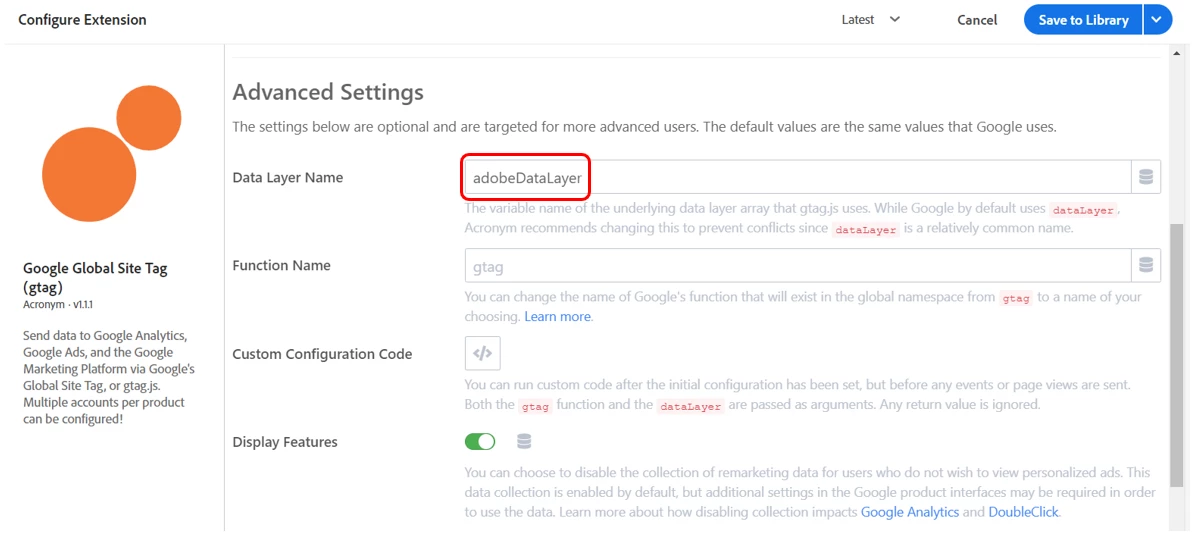
The add to cart rule successfully fires but an error is preventing data from being sent to GA4.
 Any ideas how to resolve this issue?
Thanks!