
Unable to Download Data from Dimensions Section Due to Error | Community
Skip to main content
Dhanu_6
Level 2
October 28, 2024
Solved

Unable to Download Data from Dimensions Section Due to Error

  • October 28, 2024
  • 3 replies
  • 1627 views

Hi team, I’m having trouble downloading data directly from the dimensions section, as it keeps giving me an error. Is there a contact link or email address I can use to report this issue?
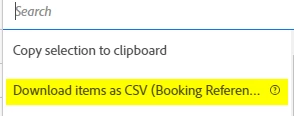
This is the error message:

 

Kind Regards

Dhana

This post is no longer active and is closed to new replies. Need help? Start a new post to ask your question.
Best answer by FarazHusain

50K is the hard-limit to download CSV data from a freeform table. If you want to export more data, you can use DW or report builder to create similar workspace. 


If your dimension exceeds 50,000 items, download the file with different sort metrics applied or apply a filter. For example, sort descending by Visits in one download and then ascending by Visits in a second download. This tip can help you retrieve longer-tail items.


Please see - https://experienceleague.adobe.com/en/docs/analytics/analyze/analysis-workspace/curate-share/download-send


3 replies

FarazHusain
Adobe Employee
Adobe Employee
October 28, 2024

This is a known bug. You can reach out to the support admin to log a ticket to Adobe Customer Support. 

Dhanu_6
Dhanu_6Author
Level 2
October 28, 2024

Thanks, I'll go ahead with that.

BrendanLo1
Level 2
October 28, 2024

I have a user experiencing this issue as well. They were able to download the entire project as a CSV, though.

Dhanu_6
Dhanu_6Author
Level 2
October 28, 2024

Hi, thanks good to know other teams across the platforms are facing this as well. I needed to download 27,000 rows of data, but with a maximum limit of 400 rows per download, it's been tedious to download and combine all the sheets into one file.

Amruthesh_AG
Community Advisor
Community Advisor
October 28, 2024

@dhanu_6  This error you will get some times when you try to download more than 50,000 items data.


Dhanu_6
Dhanu_6Author
Level 2
October 28, 2024

Hi, that makes sense. So, it means I won’t be able to download data beyond 50,000 items. I'm curious about what happens after reaching that limit. Will I be able to download more data after a few days? Does it refresh?

FarazHusain
Adobe Employee
FarazHusainAdobe EmployeeAccepted solution
Adobe Employee
October 28, 2024

50K is the hard-limit to download CSV data from a freeform table. If you want to export more data, you can use DW or report builder to create similar workspace. 


If your dimension exceeds 50,000 items, download the file with different sort metrics applied or apply a filter. For example, sort descending by Visits in one download and then ascending by Visits in a second download. This tip can help you retrieve longer-tail items.


Please see - https://experienceleague.adobe.com/en/docs/analytics/analyze/analysis-workspace/curate-share/download-send