Time Spent per Visits(seconds) vs Total Seconds Spent / (Visit - Bounce) | Community
Skip to main content
Adobe Employee
November 2, 2021
Solved

Time Spent per Visits(seconds) vs Total Seconds Spent / (Visit - Bounce)

  • November 2, 2021
  • 1 reply
  • 1246 views

Hello,


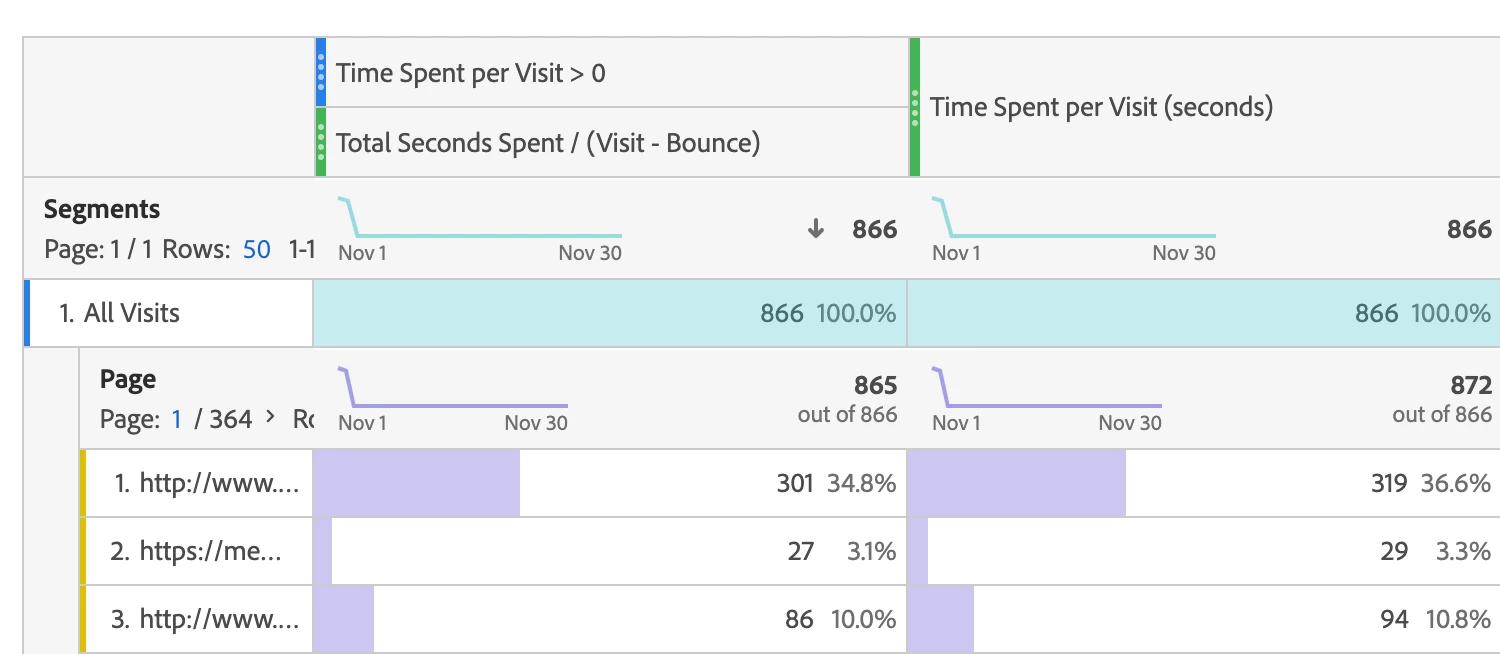
I'm comparing the metric "Time Spent per Visits (Seconds)" with the calculated metric "Total Seconds spent / (Visit - Bounce)


I understand that these two metrics cannot have the same result because the visits in the calculated metric include some of the visits that do not have the timestamp values. Thus, I created a segment : Visit container where time spent per visit - granular is greater than 0. By applying this segment to the calculated metric, I could get the same result between the two metrics. 


However, if I add the dimension to the metrics, they again show different result. Why? Can anyone kindly advise? Thank you so much!


This post is no longer active and is closed to new replies. Need help? Start a new post to ask your question.
Best answer by Garretth

Without being able to fiddle with the workspace table myself my best attempt at answering this is that

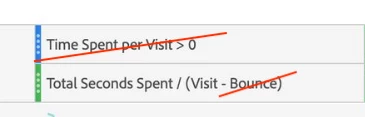
the column on the left is resulting in Total Seconds Spent / Visit because all of the bounces are getting excluded by so the segment "time spent per visit > 0", which makes sense because there are not two hits to calculate time spent for in the case of a bounce.

resulting in Total Seconds Spent/ Visit which is the same as the metric on the right column.


The remaining discrepancies are due to the difference in calculation between Total Seconds Spent which is a hit based metric, and Time Spent Per Visit which is a visit based metric. The visit based metric is going to attribute to each page in the visit linearly, from what I understand of the documentation. Whereas the total Seconds Spent is on a hit to hit level, so it will be a more granular attribution of time. 

I hope that helps clear up some of the confusion


1 reply

GarretthAdobe EmployeeAccepted solution
Adobe Employee
November 2, 2021

Without being able to fiddle with the workspace table myself my best attempt at answering this is that

the column on the left is resulting in Total Seconds Spent / Visit because all of the bounces are getting excluded by so the segment "time spent per visit > 0", which makes sense because there are not two hits to calculate time spent for in the case of a bounce.

resulting in Total Seconds Spent/ Visit which is the same as the metric on the right column.


The remaining discrepancies are due to the difference in calculation between Total Seconds Spent which is a hit based metric, and Time Spent Per Visit which is a visit based metric. The visit based metric is going to attribute to each page in the visit linearly, from what I understand of the documentation. Whereas the total Seconds Spent is on a hit to hit level, so it will be a more granular attribution of time. 

I hope that helps clear up some of the confusion