Third Party Cookie disable in Experience Cloud Identity Service via Launch | Community
Skip to main content
Level 2
March 29, 2023
Solved

Third Party Cookie disable in Experience Cloud Identity Service via Launch

  • March 29, 2023
  • 2 replies
  • 2908 views

Hello Community,

I am looking to turn off/disable the demdex.net cookie on our sites for security reasons and wondering how I could do that. I've found below document online which says I need to set the "disableThirdPartyCookies" flag to "true" but can someone please show me the steps on how I can add this flag to Experience Cloud ID Service extension via Launch?  https://experienceleague.adobe.com/docs/id-service/using/id-service-api/configurations/disable-cookies.html?lang=en#


Much appreciated!
This post is no longer active and is closed to new replies. Need help? Start a new post to ask your question.
Best answer by Jennifer_Dungan

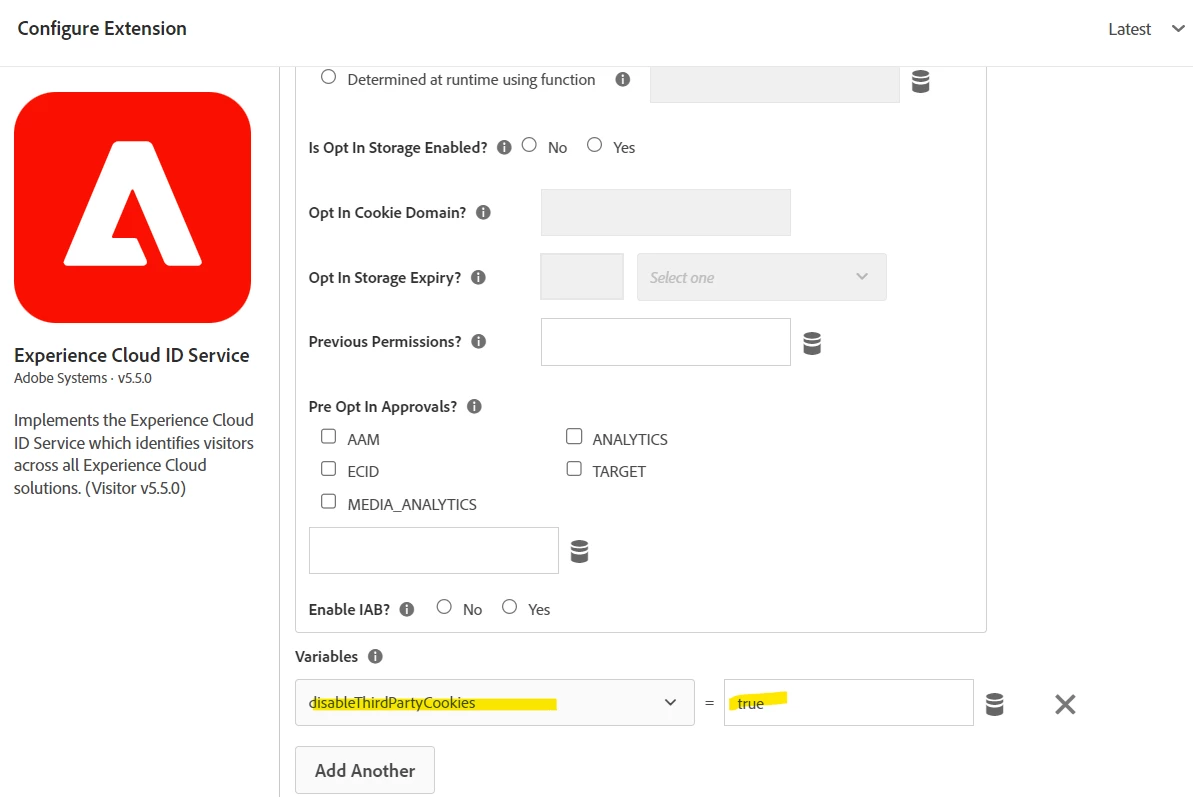
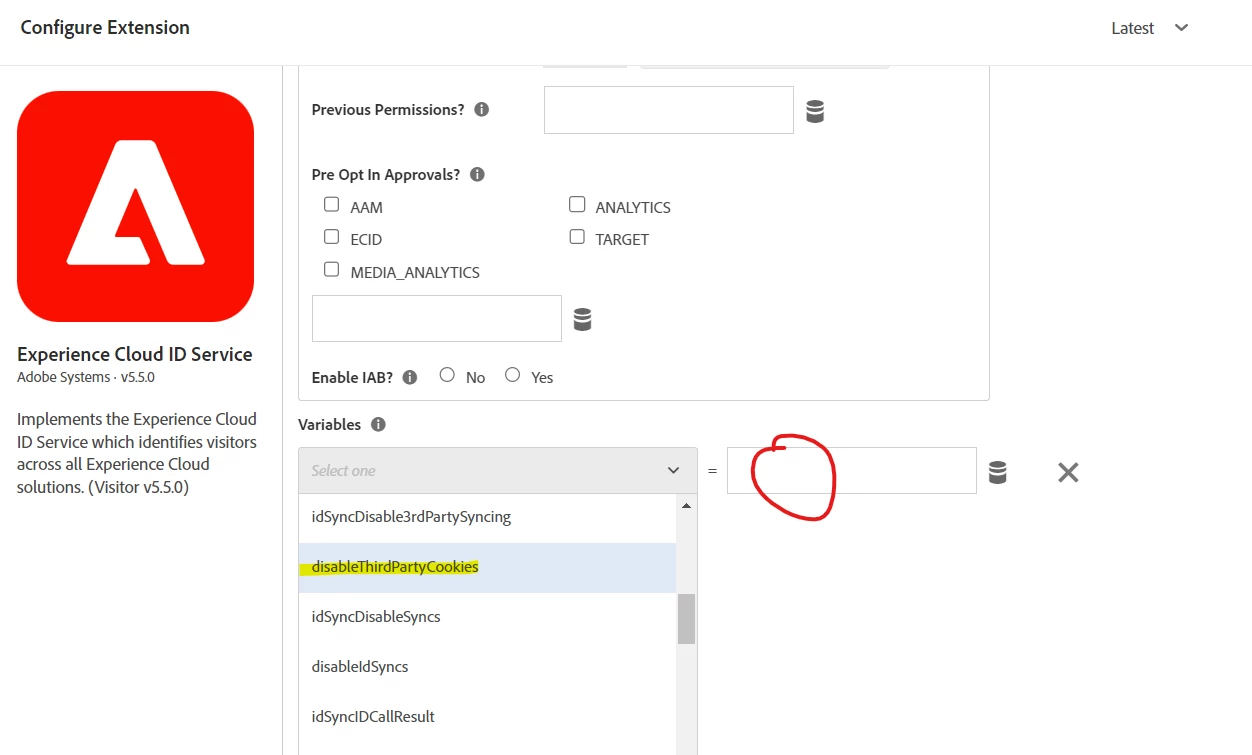
I believe you would set this in your Experience Cloud ID Service extension:


I haven't done this myself, but this looks like the setting, and I have set other parameters this way.


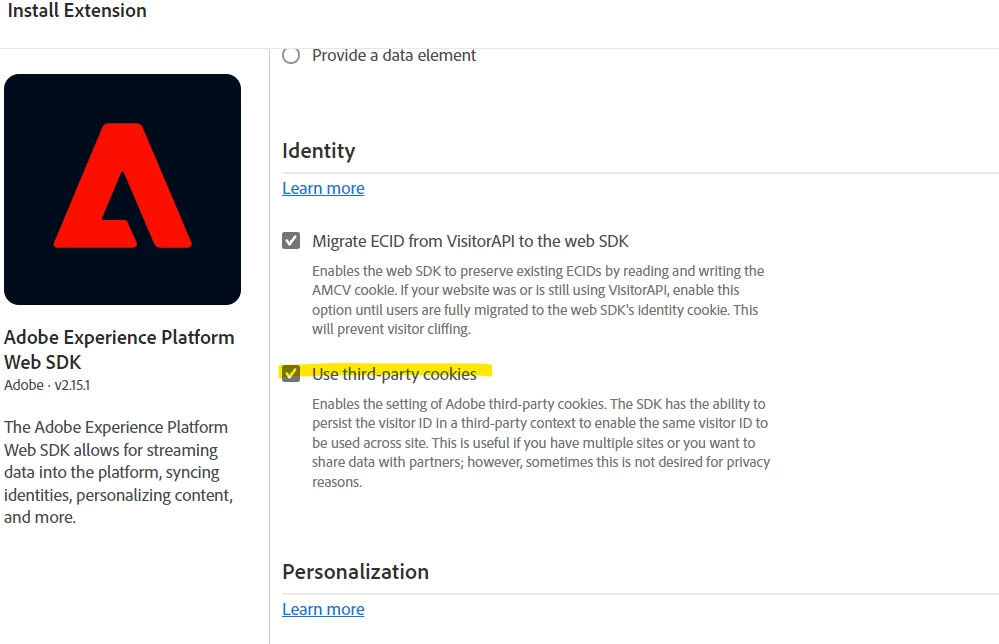
If you are using the Web SDK, (I have not yet), I see a checkbox for third party cookies, so try starting there?


2 replies

Jennifer_Dungan
Community Advisor and Adobe Champion
Jennifer_DunganCommunity Advisor and Adobe ChampionAccepted solution
Community Advisor and Adobe Champion
March 29, 2023

I believe you would set this in your Experience Cloud ID Service extension:


I haven't done this myself, but this looks like the setting, and I have set other parameters this way.


If you are using the Web SDK, (I have not yet), I see a checkbox for third party cookies, so try starting there?


vallusAuthor
Level 2
March 30, 2023

Thanks Jennifer! Appreciate it!

Jennifer_Dungan
Community Advisor and Adobe Champion
March 30, 2023

Any time 🙂

Amruthesh_AG
Community Advisor
Community Advisor
January 9, 2024

Follow below steps to block all the third party cookie call when consent is not accepted.

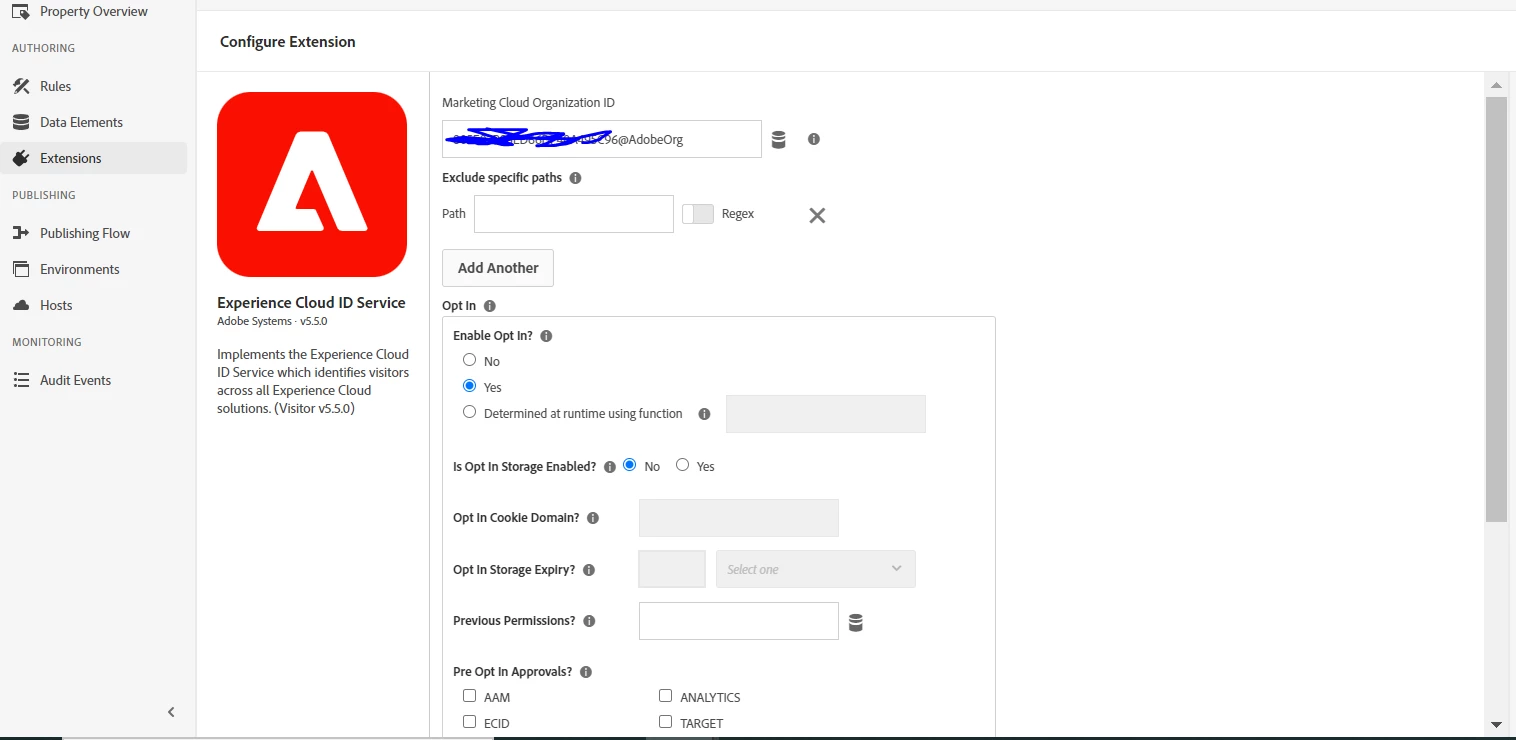
1. Update Experience Cloud ID Service Enable Opt In? as YES


2.. Create a rule with event as window load.

2. In action select action type a custom code and place below custom code.


var visitor = Visitor.getInstance ("Organisation id@AdobeOrg",{
trackingServer: "INSERT-TRACKING-SERVER-HERE", // same as s.trackingServer

//For CNAME support only. Exclude these variables if you're not using CNAME
marketingCloudServer: "INSERT-TRACKING-SERVER-HERE",

//Function variable
disableThirdPartyCookies: true
});