Setting up components for virtual reporting suite | Community
Skip to main content
March 15, 2024
Solved

Setting up components for virtual reporting suite

  • March 15, 2024
  • 2 replies
  • 1264 views

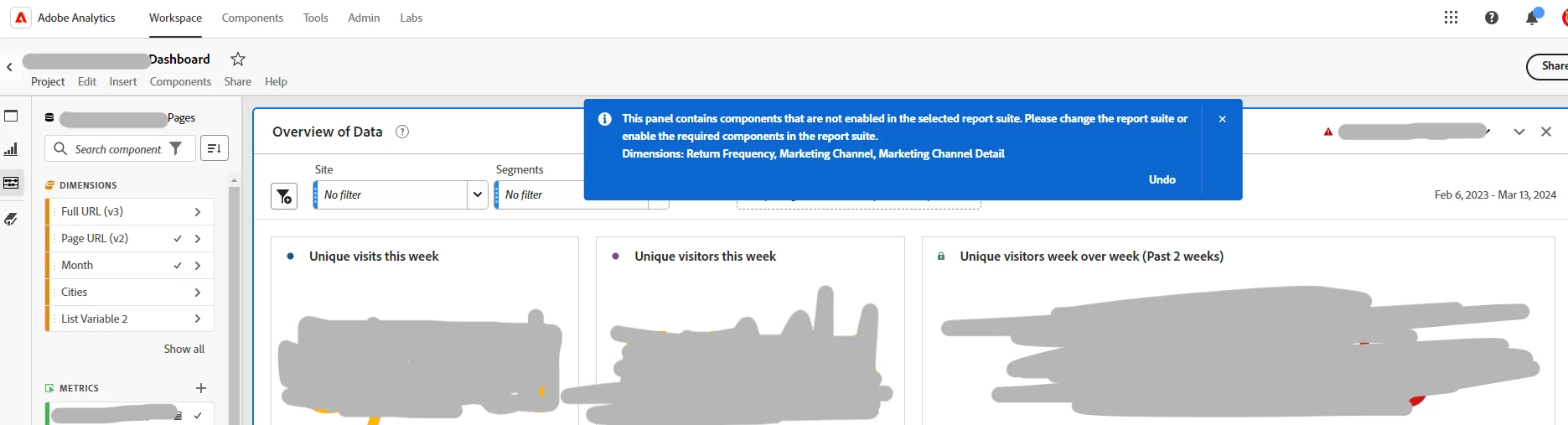
I'm setting up a virtual reporting suite for an external vendor however, when I try to create the required dashboard for their use case, I'm presented with the error message that select components (marketing channel, marketing channel details and return frequency are not components I'm able to grant permission to/share with this VRS. What am I missing or where should I troubleshoot next? Thank you in advance! 
This post is no longer active and is closed to new replies. Need help? Start a new post to ask your question.
Best answer by Josh__Stephens

If you want to give the VRS access to all components, uncheck the Allow Curation option.  The VRS should have all components of the parent report suite, including any new components.

2 replies

Krishna_Musku
Community Advisor
Community Advisor
March 15, 2024

I don't have admin rights to go through your scenario, But this documentation might help you with your scenario


Marketing channel permissions:

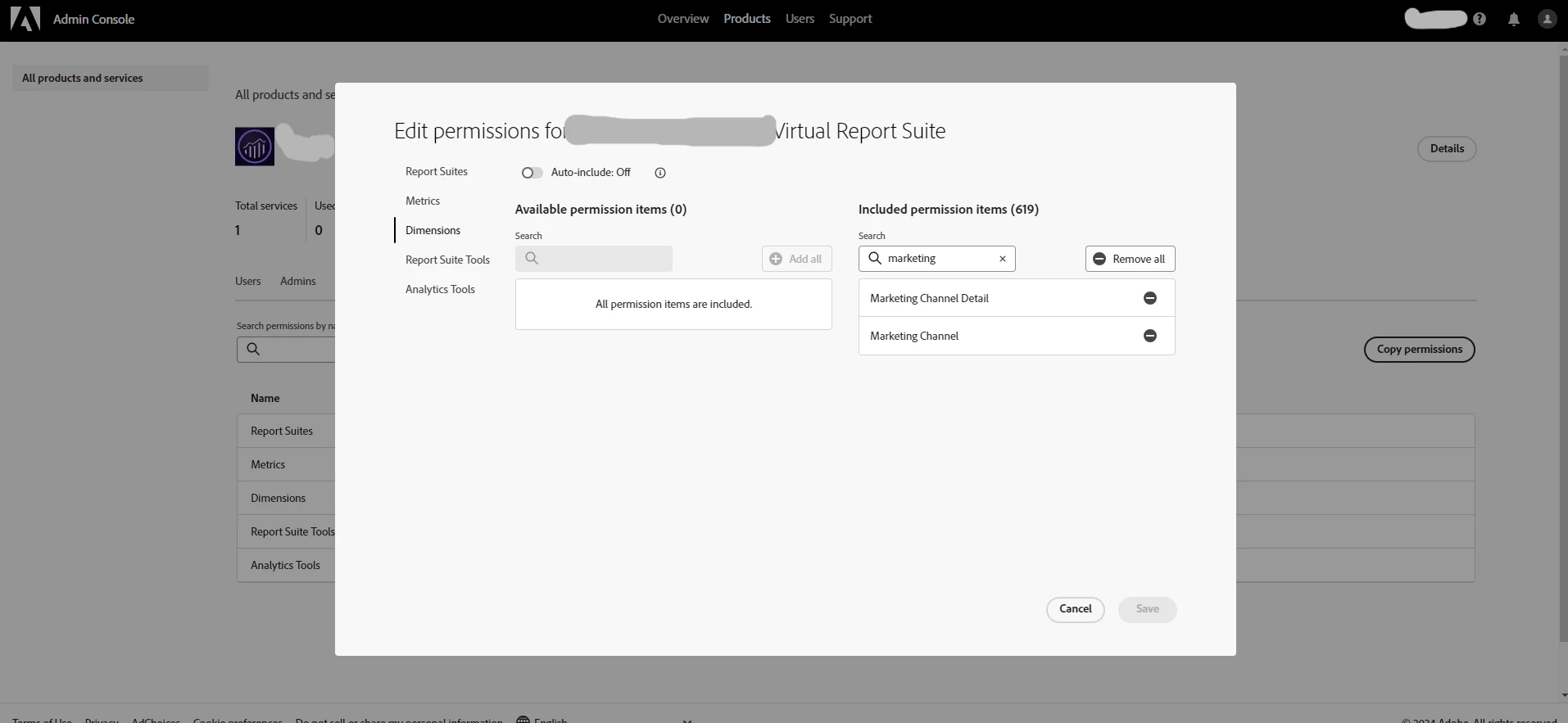
https://experienceleague.adobe.com/en/docs/analytics/components/marketing-channels/c-channel-report-access

Manage Marketing Channels:

https://experienceleague.adobe.com/en/docs/analytics/admin/admin-tools/manage-report-suites/edit-report-suite/marketing-channels/c-channels

Josh__Stephens
Community Advisor
Community Advisor
March 15, 2024

hi @jlatin 

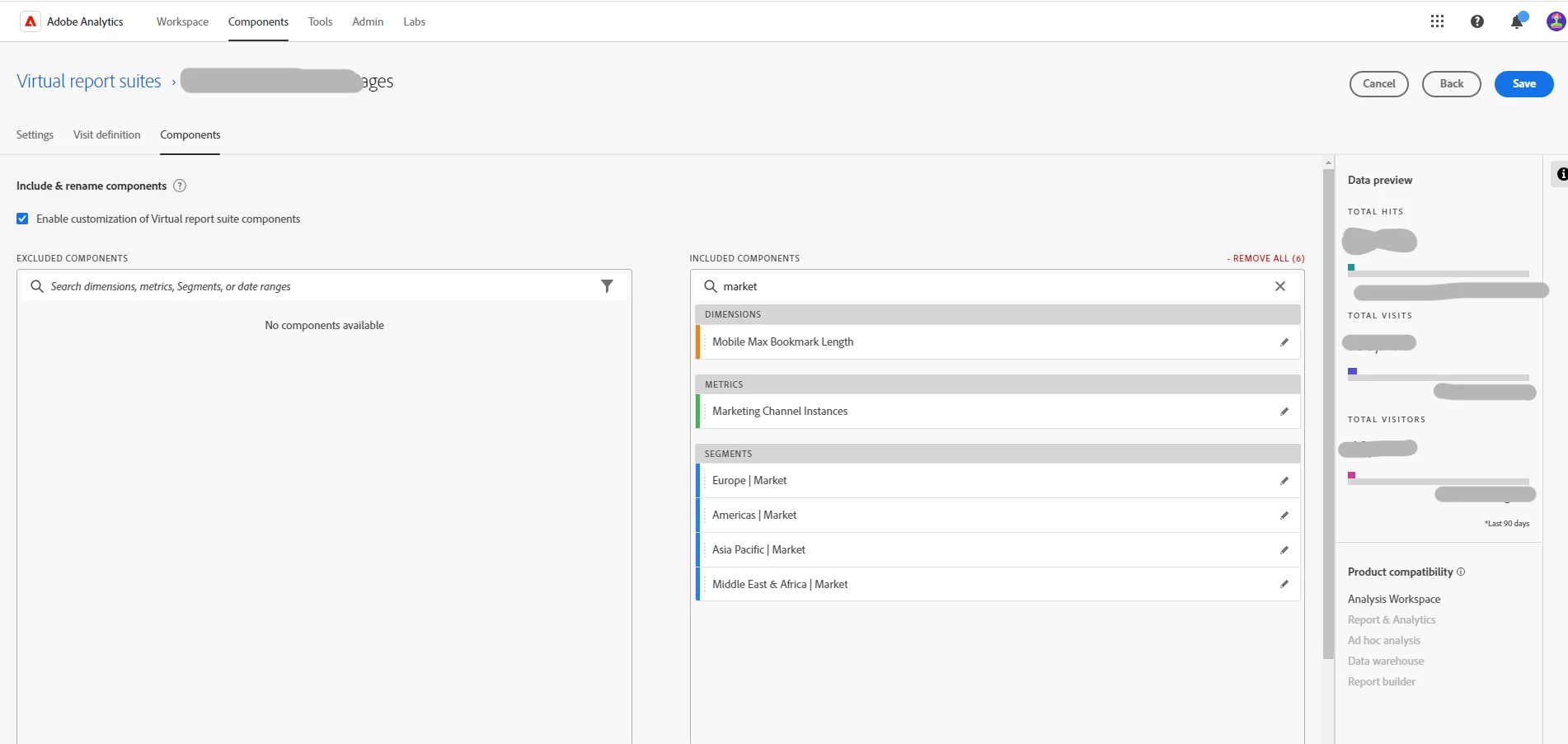
In your VRS curation screen, be sure you have the dimensions in the included components.  I see the Marketing Channel Instances metric, but it doesn't look like the Marketing Channel dimension is included.


Also, I see the segments available as components.  If you want to limit what information can be viewed in the VRS, be sure that the appropriate segment(s) are set on the VRS itself.  Otherwise, there'd be an unfiltered view of all data unless one of the allowed segments is added.

jlatinAuthor
March 15, 2024

In your VRS curation screen, be sure you have the dimensions in the included components.  I see the Marketing Channel Instances metric, but it doesn't look like the Marketing Channel dimension is included.


This is the strange part that I can't figure out, these three dimensions aren't in my list of dimensions I can add to the VRS. I'm presented only with marketing channel instances metric but no marketing channel, marketing channel details or return frequency dimensions are visible options to add to the VRS. I've added all available components to the VRS but it's as if these three don't exist. I believe those are OOTB dimensions so I can't figure out why they're not appearing.  

Josh__Stephens
Community Advisor
Josh__StephensCommunity AdvisorAccepted solution
Community Advisor
March 15, 2024

If you want to give the VRS access to all components, uncheck the Allow Curation option.  The VRS should have all components of the parent report suite, including any new components.