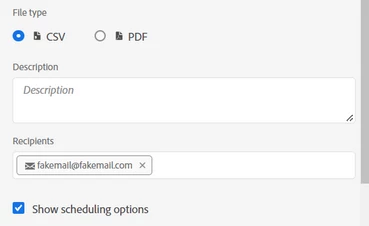
Nope, but there is a trick to making it work.
I am going to assume that you entered an email or a group of emails, and you got an error message about the recipient list being empty... or you added some internal users and an external email and that email didn't stick...
When you type in (or paste in an email) that isn't tied to an account, you have to hit enter to make it stick. The email address should get the grey bounding box and an email icon applied, then you can schedule the workspace.
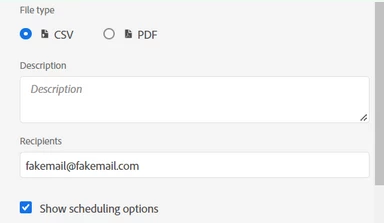
Initial State of entering an email:
After you enter an email, and hit "enter":