Segment for Visits with 2+ Distinct Page Views | Community
Skip to main content
djc286
Level 2
December 19, 2017
Solved

Segment for Visits with 2+ Distinct Page Views

  • December 19, 2017
  • 8 replies
  • 7821 views

I'm trying to design a segment that tracks the number of visits to a section of a webpage that views two distinct pages within that section. I've tried using the Appox Count Distinct and Greater Than/GTOET and Less Than/LTOET functions and all either result in a 0, 1, or capture all visits to that section of the page.


Any ideas on segments/calculated metrics that can be used together to achieve this?

This post is no longer active and is closed to new replies. Need help? Start a new post to ask your question.
Best answer by Gigazelle

You could exclude all single access visits, since a 'single access' is a visit containing a single unique page name value. If they have two page names that are the same, they would be considered a single access, and would be excluded from the segment.

8 replies

PratheepArunRaj
Community Advisor and Adobe Champion
December 20, 2017

Dear DJ,

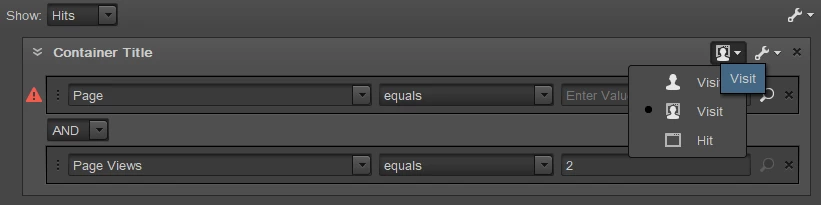
Use 'Visit' container to satisfy the condition like below.

Thank You!

Arun

Thank You, Pratheep Arun Raj B (Arun) | Xerago | Terryn Winter Analytics
djc286
djc286Author
Level 2
December 21, 2017

Thanks Arun. I actually need to ensure it's not two views of the same page. Is there some kind of distinct/unique function that would allow us to know that within one visit, there's two views of unique pages within their blog within one visit?

Gigazelle
Adobe Employee
GigazelleAdobe EmployeeAccepted solution
Adobe Employee
January 3, 2018

You could exclude all single access visits, since a 'single access' is a visit containing a single unique page name value. If they have two page names that are the same, they would be considered a single access, and would be excluded from the segment.

djc286
djc286Author
Level 2
January 3, 2018

A good thought and would get us closer, but since the blog lives within a larger site environment, there is a way to view one blog page and one non-blog page (and it happens a non-negligible amount) so those folks would still be included, correct?

Gigazelle
Adobe Employee
Adobe Employee
January 16, 2018

You would want to classify your site into "blog" and "non-blog" categories, then segment out whichever ones you don't want to be part of the data set.

djc286
djc286Author
Level 2
January 17, 2018

Thanks, we'll give that a shot!

mubarakd5726232
Level 4
January 18, 2018

I'd suggest another possible solution ..

Use getPreviousValue  .. and then trigger an event 'distinct x count' if value is different to the current page 

so .. assuming your pagenames are distinct (or you have article id or similar)

1st PV : getPreviousValue cookie would be empty so you'd set it to current page (distinct value) .. and would trigger distinct count

2nd PV : assuming they refresh the page it you wou;dn't trigger the event as previousValue would be same as current

3.rd PV : view another page .. you'd trigger event.

You could then create a Visit segment where 'distinct x count is y or greater than y

..sure not perfect as if they view the first page again after viewing a different page in between it would increment the count.  There is a solution for this too but it start getting a little more complex

edwardg5146728
Level 2
March 6, 2024

Hi, came across this as I was looking to do the same thing.
There is in fact a possible solution using Classifications. 
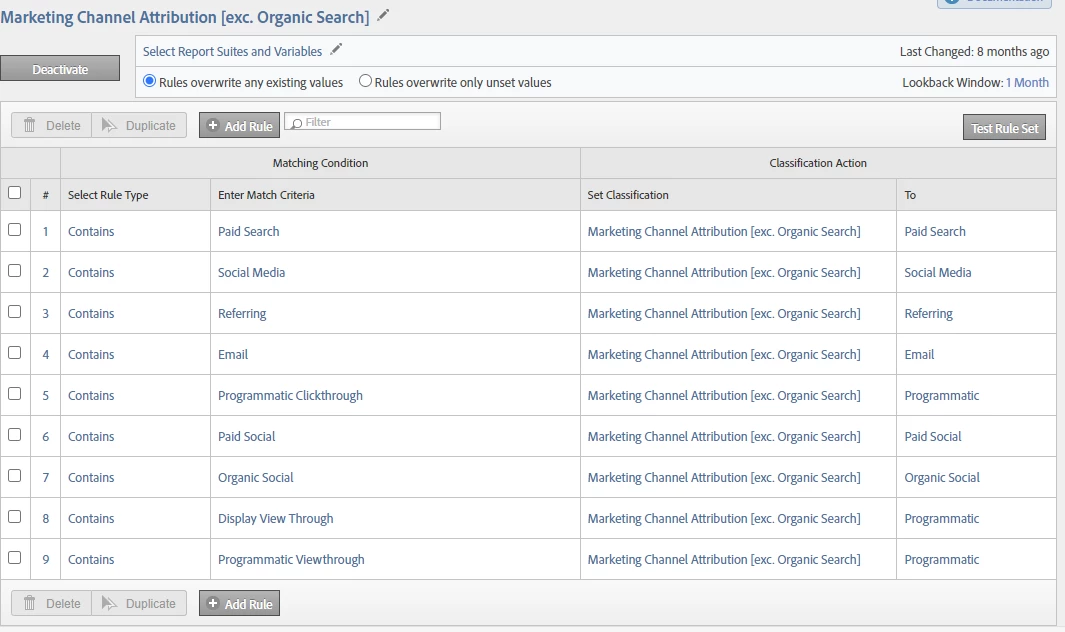
You could create a classification of your Page URL which only classifies the pages in your section. The classification value needs to be unique for each page (see example below....in that case I wanted to combine Programmatic). The easiest option would be to just return the Page URL again (minus any query string parameters).
Depending on the number of URLs, you may want to achieve this with a classification import but it could be done via Rule Builder.

You could then build a segment using Distinct Count > 1 for your new classification.

Because the values in the classification dimension for any pages that aren't in your section will be None, they won't be included in the distinct count. Hence you'll only count pages from your own section.