Segment creation: how to capture visit about 2 specific following pages and then exit | Community
Skip to main content
Level 3
September 2, 2022
Question

Segment creation: how to capture visit about 2 specific following pages and then exit

  • September 2, 2022
  • 2 replies
  • 1172 views

Hi, 

I want to create a segment about people that seen page A then page B and after exit.
I used the new panel available in Analytics : 'Next or previous item' to create the segment automatically but so I have only page A then page B.

So it looks like that:
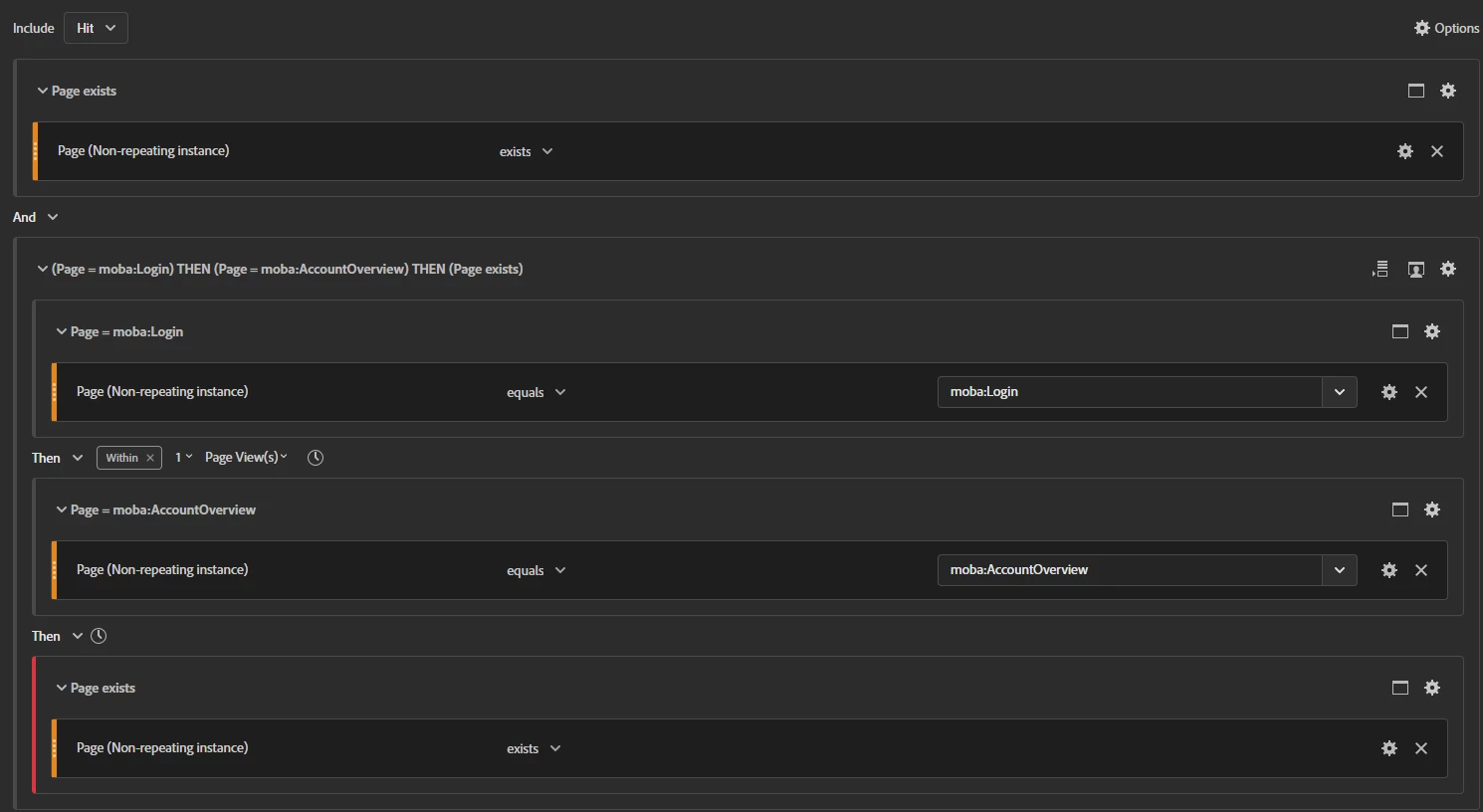
 

First container is on hit level and the second group is on visit with the option 'Only After sequence'.
It works but I still have to define the fact that page B has to be the last one of the visit.

So I added the exit page has to be page B and I don't won't to have any page view after:
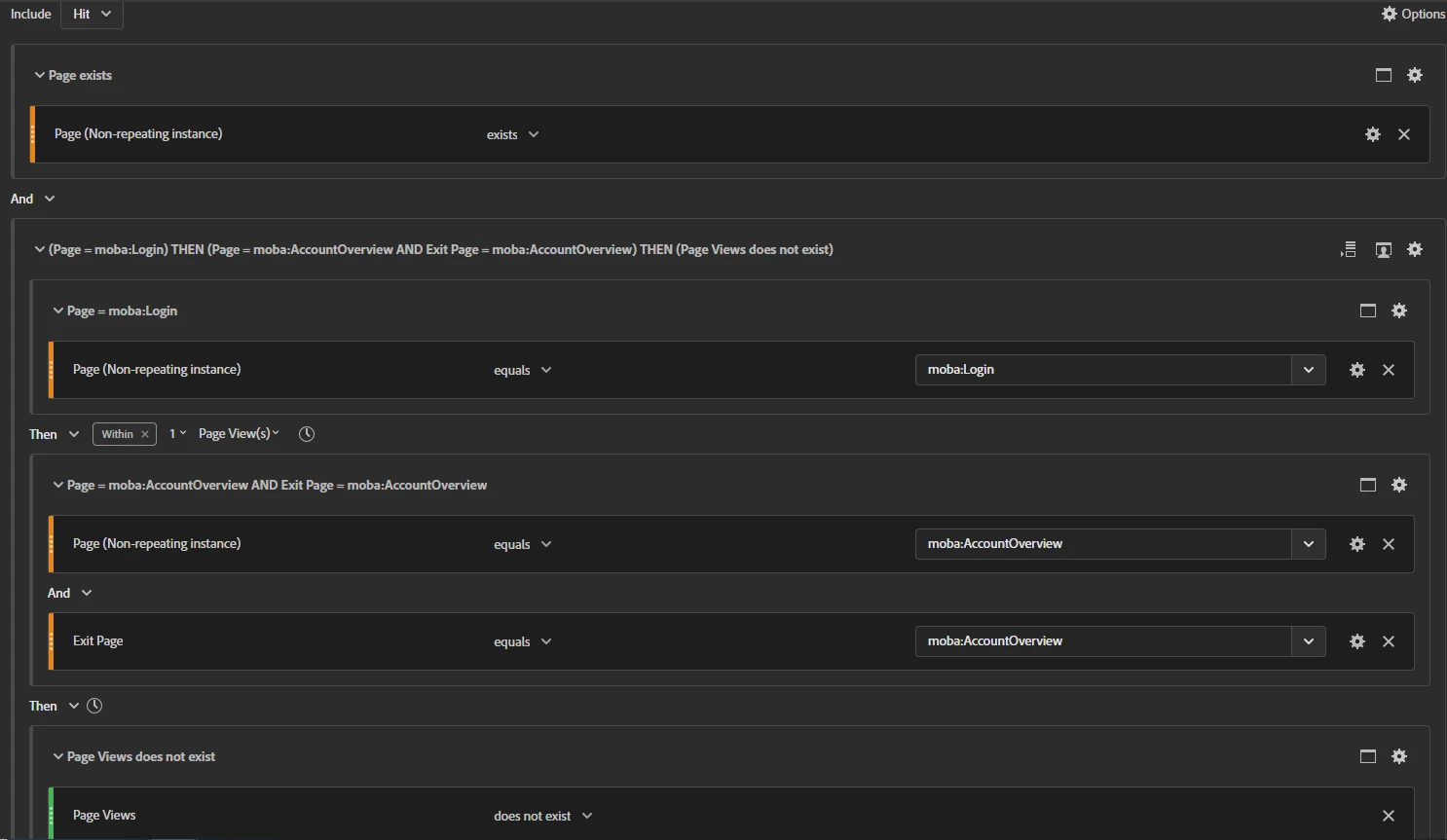
Segment gives me result but when I want to check it thanks to a flow, I see it's not acting as I want.

Do you have any idea what I'm missing?

Thanks a lot for your help


Robin


This post is no longer active and is closed to new replies. Need help? Start a new post to ask your question.

2 replies

yuhuisg
Community Advisor
Community Advisor
September 2, 2022

How about working from a Fallout visualisation first?

  1. Add a Fallout visualisation.
  2. Remove the "All Visitors" step.
  3. Add Page = A as the first step.
  4. Add Exit Page = B as the second step.
  5. Change the first step's "Eventual Path" to "Next hit".
  6. Right-click the green part of the second step, then choose "Create segment from touchpoint".
  7. Save the segment.


Level 3
September 2, 2022

Thanks but don't think it will work.
Exit page if I'm not wrong is populated for all hits of the visit. So all page of the session will have this info.
The segment looks like this:

I have to found a way to explain that the page B after page A has to be the last one.

To avoid people going: page A -> page B -> page C -> page B


Robin

yuhuisg
Community Advisor
Community Advisor
September 2, 2022

Good point. 👍

How about this? (I haven't tried it myself.)

  • Visit container:
    • Page equals any of Page A
    • THEN within 1 Hit(s)
    • Exit Page equals any of Page B
  • AND
  • EXCLUDE Visitor container:
    • Page equals any of Page A
    • THEN within 1 Hit(s)
    • Exit Page equals any of Page B
    • THEN within 1 Hit(s)
    • Page exists
LoorthuRaj_29
September 14, 2022

Try this

and the result should be like this,


Level 3
September 14, 2022

By excluding the container on Hit, I think we just exclude the next hit from the segment, but we keep the other info of the visit.

So we don't exclude, we just limit the amount of hits in the visit.

I tried this but not always easy to check the result.

Thanks