See Unique Variables where CTR = 0 | Community
Skip to main content
July 6, 2018
Solved

See Unique Variables where CTR = 0

  • July 6, 2018
  • 12 replies
  • 7120 views

I have a variable dimension that shows all the search terms used on my intranet. I also have a calculated metric that shows clicks on search results divided by searches for that term (CTR).

I'd like to be able to see all search terms that have an absolute CTR of 0 in my workspace. Whenever I use the If/Then or Equals calculated metrics, though, it shows me any query that got 0 clicks at least once. So for example, if there are 1,000 instances of searches for Google, but in only 999 of those instances did the user click on search results, it will still show me the search term of Google in my workspace because of the one time there wasn't a click for that instance of the query. Meanwhile, I'm trying to see all search terms that resulted in absolutely no clicks (as an example, 1,000 instances of searches for ABC and in 0 of those instances were there any clicks).

Does anyone have any ideas? Appreciate the help!

This post is no longer active and is closed to new replies. Need help? Start a new post to ask your question.
Best answer by Gigazelle

The only thing I can think of would be to just pull CTR by search term, sort it ascending, then count the number of terms that have a zero value. You might even be able to automate it using a combination of Report Builder and Excel formulas.

Bring in the top few thousand keywords (enough that you know you have all of the CTR 0 values), then make a formula in excel that takes the CTR column and counts the number of cells with a value of 0. Then, whenever you need that number, open Excel and refresh the workbook.

I know it's pretty hacky, but hey, it should get you your data

12 replies

PratheepArunRaj
Community Advisor and Adobe Champion
July 9, 2018

Dear Cgarzi,

We have a calculated metric to understand who started a lead but not completed. The same case stands for you as well : Who searched but not clicked.

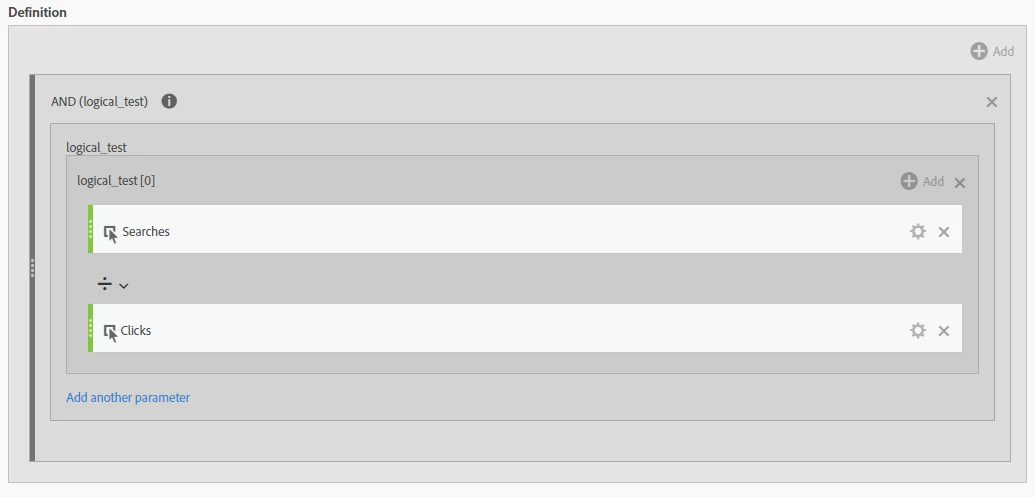
Create a Metric with 'And' Logic for Searches and Clicks.

If there are no clicks, 0 will result.

If there are clicks, 1 will results.

Now you can easily identify the Searches without clicks.

Thank You

Arun

Thank You, Pratheep Arun Raj B (Arun) | Xerago | Terryn Winter Analytics
cgarzi11Author
July 9, 2018

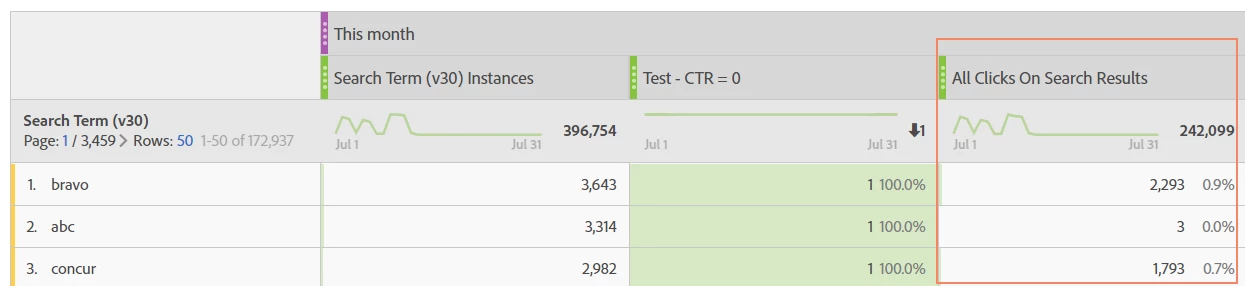
Thank you, Arun, this is helpful-- I went ahead and created this metric. However, I want the workspace to only show instances of 0. Right now, my workspace is showing both 0 and 1 instances (true/false):

I'm trying to get a count of how many 0 CTR queries we have each month.

PratheepArunRaj
Community Advisor and Adobe Champion
July 10, 2018

Dear Cgarzi,

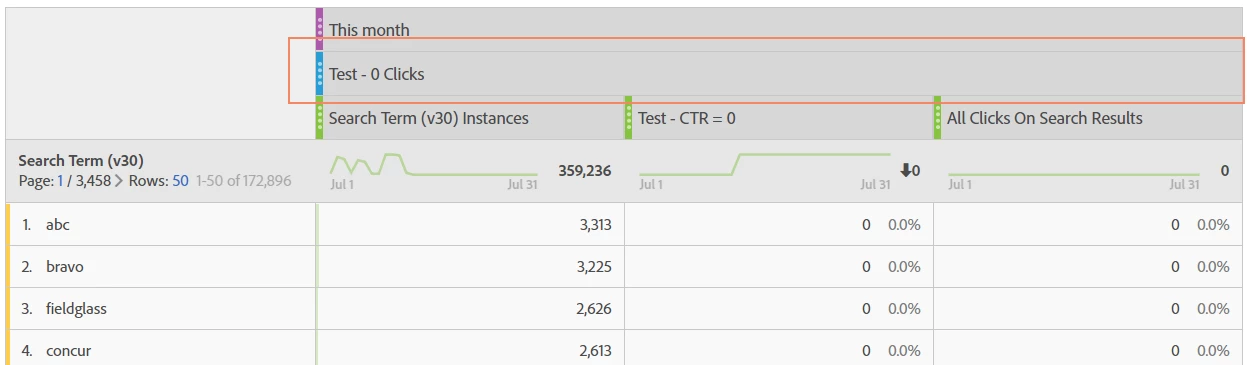
Metric will definitely show both 1 and 0s. Go ahead, create a segmentation with Metric = 0 and apply it to your free form table in the workspace.

Thank You

Arun

Thank You, Pratheep Arun Raj B (Arun) | Xerago | Terryn Winter Analytics
cgarzi11Author
July 10, 2018

Aren't we not able to create segments from custom metrics?

Gigazelle
Adobe Employee
Adobe Employee
July 11, 2018

You could create an exclude segment where clicks on search = 1.

PratheepArunRaj
Community Advisor and Adobe Champion
July 12, 2018

Dear Cgarzi,

Wondering we cannot create Segment on Calculated Metrics.

Its okay! Go ahead and create a segment like below, you will get what you need.

Thank You

Arun

Thank You, Pratheep Arun Raj B (Arun) | Xerago | Terryn Winter Analytics
cgarzi11Author
July 12, 2018

If I do that, I am still going to see any term that had at least one search that resulted in no clicks. For example, if 1,000 searches for Bravo occurred, and only 999 resulted in clicks on search results, Bravo would still appear using that segment. I'm looking for a way to see and count unique search terms that received 0 clicks, 100% of the time they were searched for.

cgarzi11Author
July 12, 2018

Sadly, this doesn't work in my situation because it does not filter out any search terms where the CTR is over 0. As an example, 100 searches might occur for "Paper," and only get clicks 99 times. Because there was 1 time that a "paper" search did not have a click, according to this segment the term "paper" would still show in the row.

I really appreciate you trying to help on this-- it has been stumping me for almost three months!

Gigazelle
Adobe Employee
Adobe Employee
July 12, 2018

Dang, I see your plight, and unfortunately I don't have a solid solution for you there. However, I would highly recommend adding your vote to this idea: Use Calculated metrics inside segments

Be sure to comment with this use case, that if you were able to make a segment based on your calc metric value that you'd be able to get your answer with virtually no hassle. Maybe even include a link to this thread in your comment

cgarzi11Author
July 13, 2018

Darn! I had already voted for the idea, but I went ahead and added my use case and a link to this question.

Any chance you can think of a creative workaround? I know it's a long shot but I'll take anything right now.