Searching Dimensions Items for multiple items | Community
Skip to main content
user_2007
August 8, 2018
Solved

Searching Dimensions Items for multiple items

  • August 8, 2018
  • 3 replies
  • 1597 views

hello,

after two hours, gave up on finding it in the Help. Please advise:

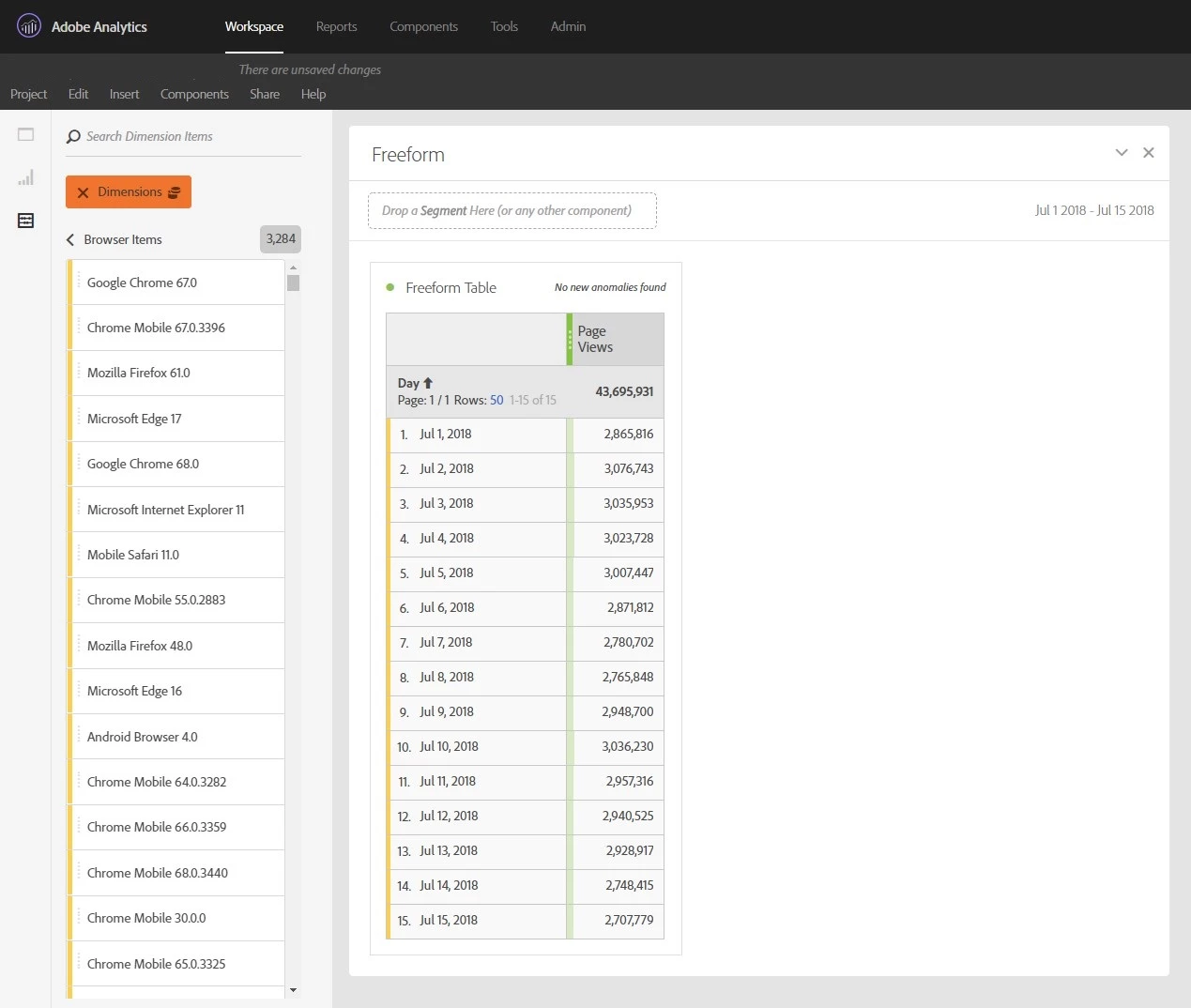
on the screen below, in the box Search Dimension Items, I'm trying to search for something, in SQL terms, Browser LIKE "Moz%" or Browser IN ('Safari 11.1.2','Microsoft Edge 16','Microsoft Edge 17'). Only single items work for me though. I thought the Syntax for Dimension Expressions section should help me but it appears to me that it describes something else, or else I'm too dense to get the hang of it
not sure if this better be posted as a separate question:

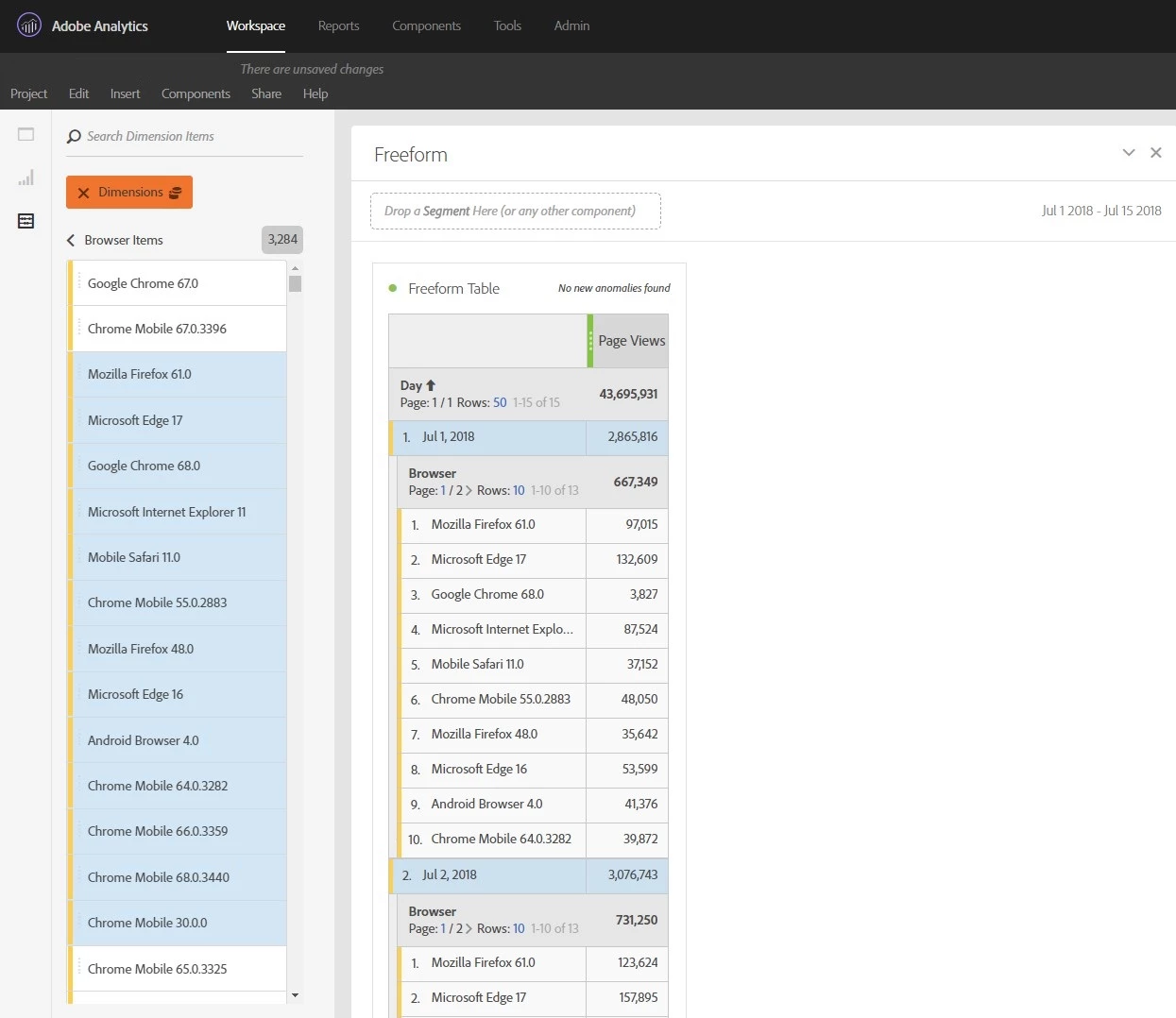
with the above example, if I select a range of Browser Items and drop it on the Day column in the Freeform table to break down by days, I'm getting what is shown on the screen below. For each Day, the default view gives me only ten rows of Browsers. If I choose to Download CSV now, the report will only contain those ten rows per day. How do I change the Rows to the max value here for all days at once, instead of clicking on Rows for each Day? Or, even better, how do I increase the default setting for this value?
thanks for your help,

-Sasha

This post is no longer active and is closed to new replies. Need help? Start a new post to ask your question.
Best answer by Pablo_Childe

This is a case where datawarehouse is a better option. Easy to select date granularity and as many secondary metrics as you like. Also base it with desired segment. Then get email or ftp a nicely usable file.

In workspace, You would need to highlight each line item manually to allow a max 400 results per line. Then you could use right click expand all items. Try your method in workspace expand a bunch and start to add some more metrics will slow down to a crawl...

Workspace Nice tool, wrong one for this job...

GLTU

3 replies

Gigazelle
Adobe Employee
Adobe Employee
September 6, 2018

SQL-like commands aren't available in workspace, however you could use a segment to combine similar items.

  1. Create a segment, name it 'Mozilla browsers'
  2. Under segment criteria, drag over the browsers dimension, and set the rule to 'contains Mozilla'
  3. Save the segment
  4. Drag the segment as either a dimension or dimension breakdown
Pablo_Childe
Community Advisor
Pablo_ChildeCommunity AdvisorAccepted solution
Community Advisor
September 7, 2018

This is a case where datawarehouse is a better option. Easy to select date granularity and as many secondary metrics as you like. Also base it with desired segment. Then get email or ftp a nicely usable file.

In workspace, You would need to highlight each line item manually to allow a max 400 results per line. Then you could use right click expand all items. Try your method in workspace expand a bunch and start to add some more metrics will slow down to a crawl...

Workspace Nice tool, wrong one for this job...

GLTU

Pablo_Childe
Community Advisor
Community Advisor
September 7, 2018

The segment you define could do some simple regex if it helps...

