[SAINT CLASSIFICATION] Unable to view uploaded classification data in workspace | Community
Skip to main content
manovinayaka757
Level 3
December 11, 2017
Solved

[SAINT CLASSIFICATION] Unable to view uploaded classification data in workspace

  • December 11, 2017
  • 1 reply
  • 1479 views

CASE:

evar31 - used to track user ID

Classification enabled with one more additional field
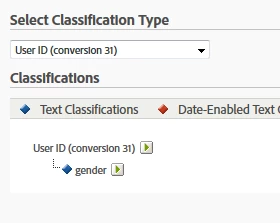
I downloaded the import template, added a valid data row  "User ID" and gender to .tab file
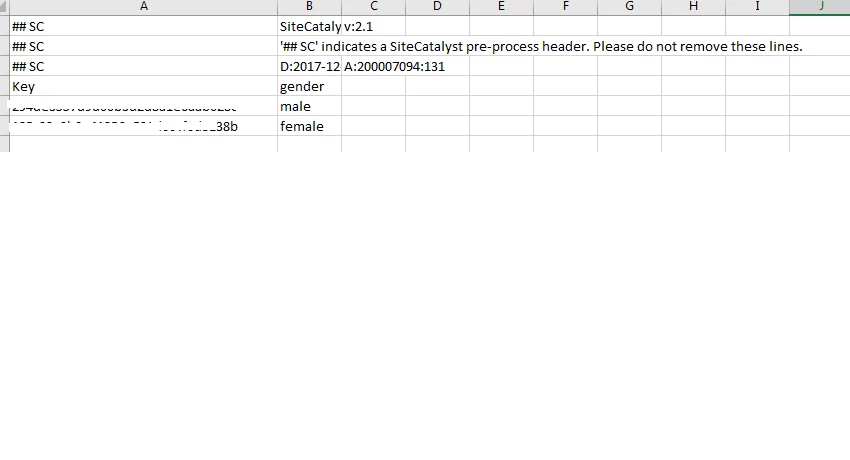
Data import showed success with one row added.

PROBLEM:

After data import I went to check the "gender" in the workspace, but could only see "unspecified"
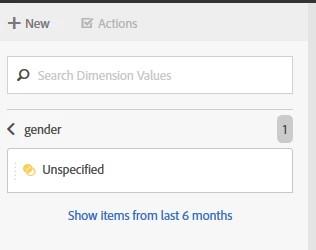
Please let me know if there is something that I missed, or should I wait for some time for the data to take effect.

Regards,

Mano

This post is no longer active and is closed to new replies. Need help? Start a new post to ask your question.
Best answer by PratheepArunRaj

Dear Mano,

Classification will usually take 24 Hours to 48 Hours to reflect. Kindly wait, you can see the results.

Meanwhile kindly check whether you have uploaded the classifications in correct 'Report Suite'.

Thank You!

Arun

1 reply

PratheepArunRaj
Community Advisor and Adobe Champion
PratheepArunRajCommunity Advisor and Adobe ChampionAccepted solution
Community Advisor and Adobe Champion
December 11, 2017

Dear Mano,

Classification will usually take 24 Hours to 48 Hours to reflect. Kindly wait, you can see the results.

Meanwhile kindly check whether you have uploaded the classifications in correct 'Report Suite'.

Thank You!

Arun

Thank You, Pratheep Arun Raj B (Arun) | Xerago | Terryn Winter Analytics