Resized Line Visualizations appear with scroll bars | Community
Skip to main content
May 31, 2023
Solved

Resized Line Visualizations appear with scroll bars

  • May 31, 2023
  • 2 replies
  • 2315 views

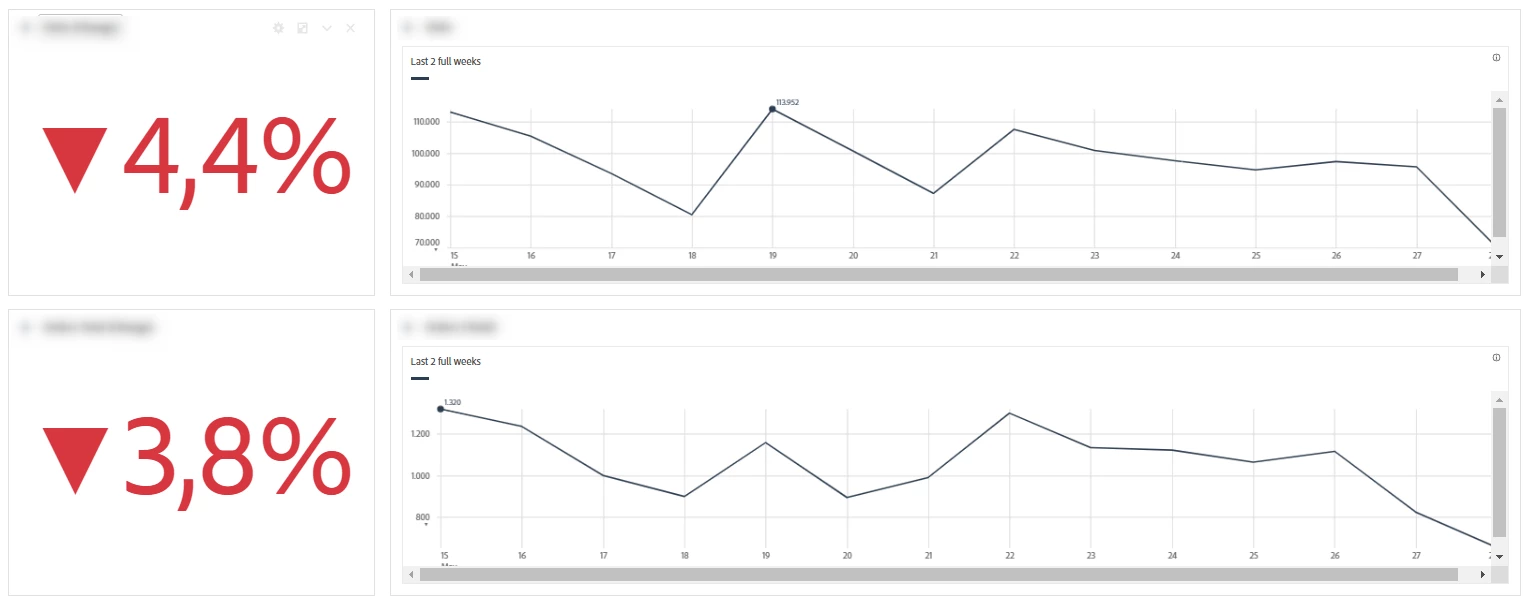
Since a month or so line visualizations that are manually resized to fit a panel and previously were scaled responsively now appear with scroll bars. Is this a bug that is expected to be fixed?

This is very unfortunate as also the visualizations in scheduled projects now have the scroll bars and the data is not completely visible

 

This post is no longer active and is closed to new replies. Need help? Start a new post to ask your question.
Best answer by Jennifer_Dungan

Image from above so people don't have to download:


That's odd.. if I create a new scaled down visualization it looks fine... I don't see a lot of "legend items" that might cause the scrollbars..


Have you tried re-scaling it? Making it smaller than back to this size? It might just be that this version got corrupted and is now saved with scroll bars???

2 replies

Jennifer_Dungan
Community Advisor and Adobe Champion
Jennifer_DunganCommunity Advisor and Adobe ChampionAccepted solution
Community Advisor and Adobe Champion
May 31, 2023

Image from above so people don't have to download:


That's odd.. if I create a new scaled down visualization it looks fine... I don't see a lot of "legend items" that might cause the scrollbars..


Have you tried re-scaling it? Making it smaller than back to this size? It might just be that this version got corrupted and is now saved with scroll bars???

SanjaBornAuthor
June 1, 2023

Unfortunately it is not a single project that has this issue. It is all across our projects.

It seems to be affecting visualizations with adjusted height. Returning to default height (using the icon) removes the scroll bars, but then the visualization does not align with the other elements in the project (that is why it was resized in the first place).

Resizing it anew also doesn't fix it. Every height different from the default one results in the scroll bars.

Displaying/hiding the legend items or adding more elements to the visualization also has no effect.


Jennifer_Dungan
Community Advisor and Adobe Champion
June 1, 2023

Hmmmm.. 


You may have to reach out to client care so that they can look at your actual reports....


I have resized graphs and don't have that issue... and it seems that the attempt to make it full, then resize back down isn't working 😞

September 20, 2023

Same problem here for a while. Just submitted a case.

Level 2
September 20, 2023

Hi All,


I raised this with Adobe client care, went back and forth until they finally said it's not a bug and said to raise it with my Account Rep. My Adobe account rep advised that it's a known issue and they will resolve in an upcoming release. Pain in the @$$

September 21, 2023

I agree, that is annoying.. also, its clearly a bug! I hope it gets resolved soon.


I will add this thread to my current case with Client Care.