
Report Suite Dropdown Missing on Multiple Pages | Community
Skip to main content
KyleViz
Level 2
February 23, 2023
Solved

Report Suite Dropdown Missing on Multiple Pages

  • February 23, 2023
  • 3 replies
  • 1179 views

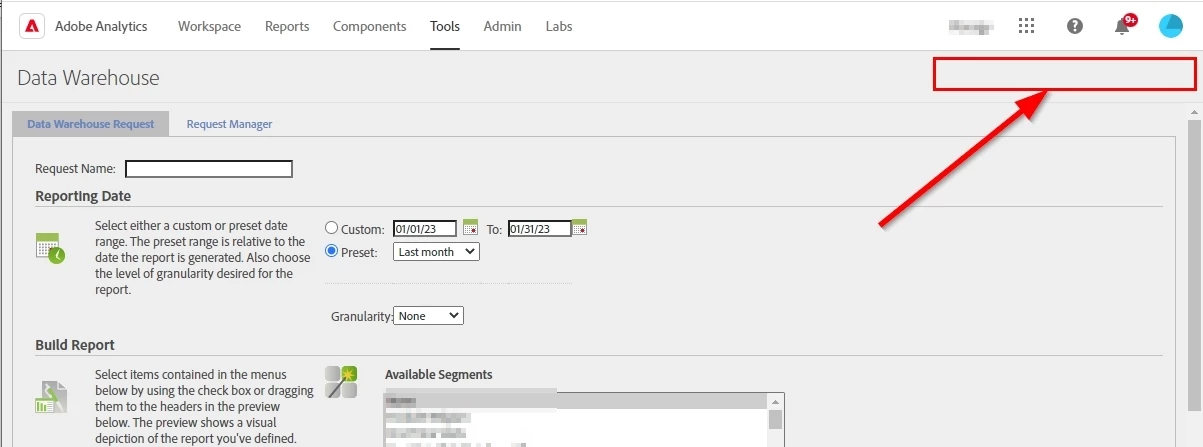
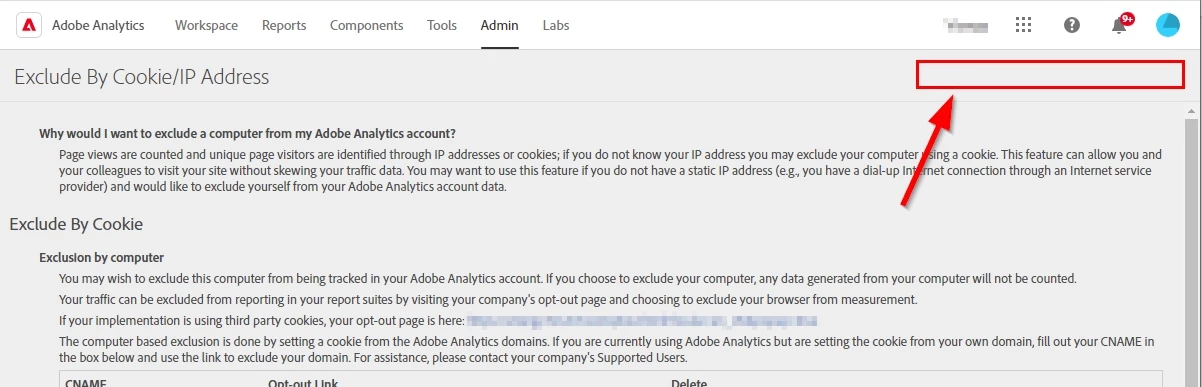
When going to the Tools > Data Warehouse page or the Admin > Exclude By IP page, we no longer see the report suite dropdown in the top right of the page. This prevents us from knowing what report suite we are using and changing to others. Is this a known issue currently?


This post is no longer active and is closed to new replies. Need help? Start a new post to ask your question.
Best answer by PratheepArunRaj

Dear @kyleviz ,

Seems like a cache issue or a bug.

Try clearing your cache and loading it in an incognito to verify. If it is still persisting, raise a ticket with Customer Care.

Thank You, Pratheep Arun Raj B (Arun) | NextRow DigitalTerryn Winter Analytics


3 replies

mubarakd5726232
Level 4
February 23, 2023

Thank you, thought I was going mad in not seeing an obvious way to select the report suite for a data warehouse request when I was sure i'd done so previously !. 

mubarakd5726232
Level 4
February 27, 2023

Showed up for me the following day .. so suspect Adobe spotted and fixed.
ps. Had tried across multiple devices/browsers.

PratheepArunRaj
Community Advisor and Adobe Champion
PratheepArunRajCommunity Advisor and Adobe ChampionAccepted solution
Community Advisor and Adobe Champion
February 27, 2023

Dear @kyleviz ,

Seems like a cache issue or a bug.

Try clearing your cache and loading it in an incognito to verify. If it is still persisting, raise a ticket with Customer Care.

Thank You, Pratheep Arun Raj B (Arun) | NextRow DigitalTerryn Winter Analytics


Thank You, Pratheep Arun Raj B (Arun) | Xerago | Terryn Winter Analytics
KyleViz
KyleVizAuthor
Level 2
February 27, 2023

It is thankfully showing for me this morning without having done anything.
