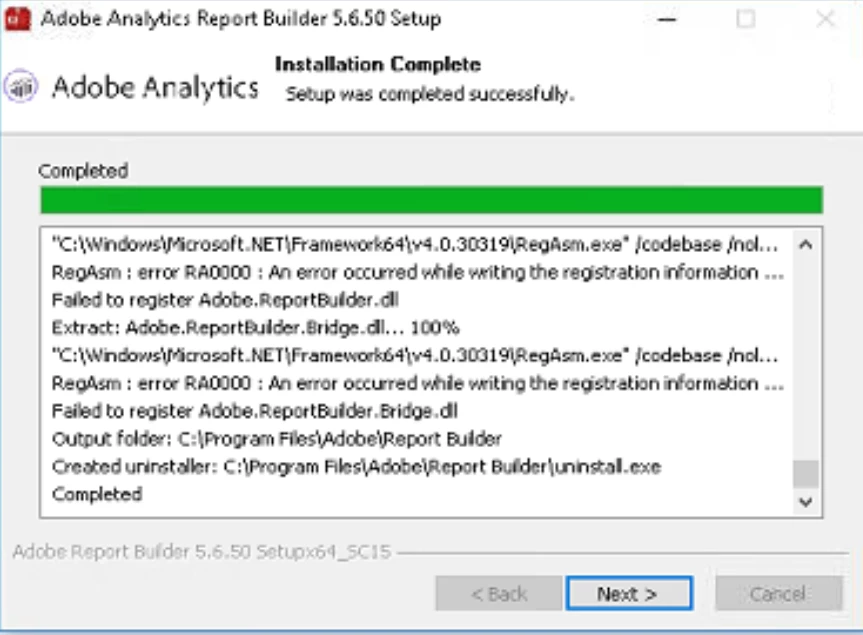
Report Builder - Add-In Not Enabled, Using MS Office 365 ProPlus
Hi All,
Adobe Analytics Report Builder is installed on my PC, however it is not opening within Microsoft Excel (Version is MS Office 365 ProPlus) ...
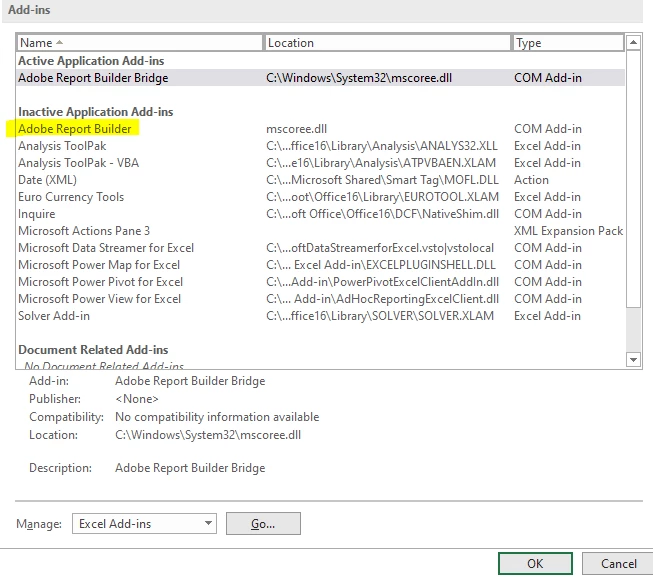
Within the list of Excel Add-Ons this is what we see:
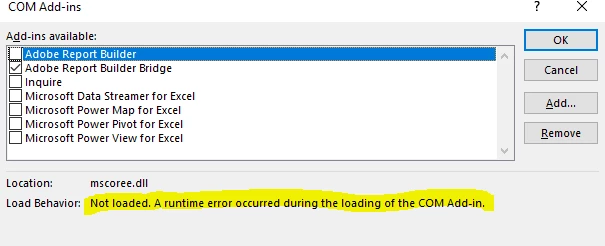
We have tried re-enabling the COM Add-In in the below manner:

However each time we attempt to it fails and then displays the following message:
Our Investigation So Far:
Tech Support's recommendation was to do a Microsoft Office repair, un-install the current report builder and then re-install it.
This however has not improved or resolved the issue.
Their most recent hypothesis is that the issue could be to do with my MS Office Version - 365 ProPlus - and that maybe it's not compatible with Report Builder...
Is that the possible cause?
At this point, we are in high-need of having this tool for work, so would greatly appreciated advice on how to resolve this.
Thanks!