Power BI & Report Builder | Community
Skip to main content
July 16, 2019
Solved

Power BI & Report Builder

  • July 16, 2019
  • 5 replies
  • 4654 views

I'm looking to publish my formatted Report Builder tables to Power BI. This works - fantastic!

However, I want to be able to select which Power BI Workspace this dataset is published to - am I missing something here as I don't see an option.

Thanks,

Jack

This post is no longer active and is closed to new replies. Need help? Start a new post to ask your question.
Best answer by Balaji_V

Hi Jack,

If you want to move the Report builder tables to power BI use (Power Pivot add in) for more detail refer below link;

Get data using the Power Pivot add-in - Excel

In Power BI Desktop, you can connect to Adobe Analytics and use the underlying data just like any other data source in Power BI Desktop
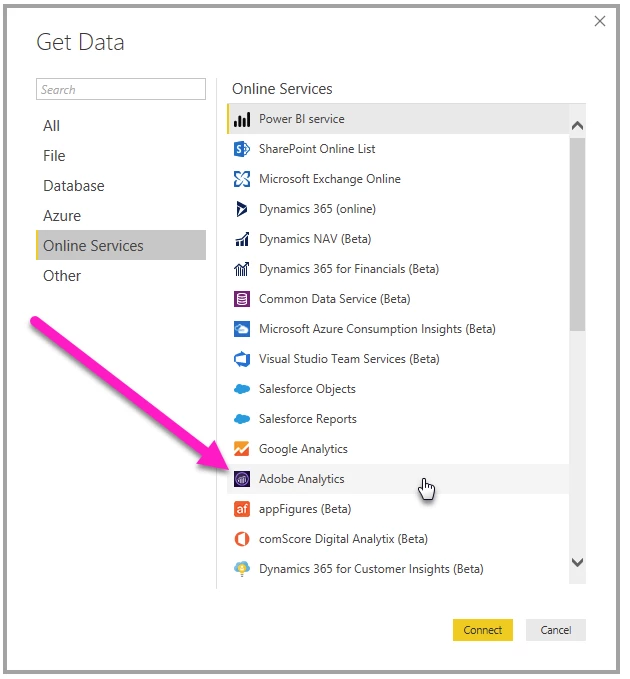
Steps to connect refer below link;

Connect to Adobe Analytics in Power BI Desktop - Power BI | Microsoft Docs

Note: If you don't have Power BI, then your data get stored in Cloud (Maybe your customer data shared is not secured)

Please check the steps to share datasets in Power BI

Create and share datasets (Preview) - Power BI - Power BI | Microsoft Docs

and Use dataset across workspace in Power BI

Use datasets across workspaces (Preview) - Power BI - Power BI | Microsoft Docs

Hope this helps

Thanks,

Balaji

5 replies

Balaji_V
Balaji_VAccepted solution
Level 4
July 17, 2019

Hi Jack,

If you want to move the Report builder tables to power BI use (Power Pivot add in) for more detail refer below link;

Get data using the Power Pivot add-in - Excel

In Power BI Desktop, you can connect to Adobe Analytics and use the underlying data just like any other data source in Power BI Desktop

Steps to connect refer below link;

Connect to Adobe Analytics in Power BI Desktop - Power BI | Microsoft Docs

Note: If you don't have Power BI, then your data get stored in Cloud (Maybe your customer data shared is not secured)

Please check the steps to share datasets in Power BI

Create and share datasets (Preview) - Power BI - Power BI | Microsoft Docs

and Use dataset across workspace in Power BI

Use datasets across workspaces (Preview) - Power BI - Power BI | Microsoft Docs

Hope this helps

Thanks,

Balaji
Balaji_V
Level 4
July 17, 2019

Hi Jack,

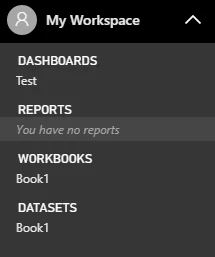
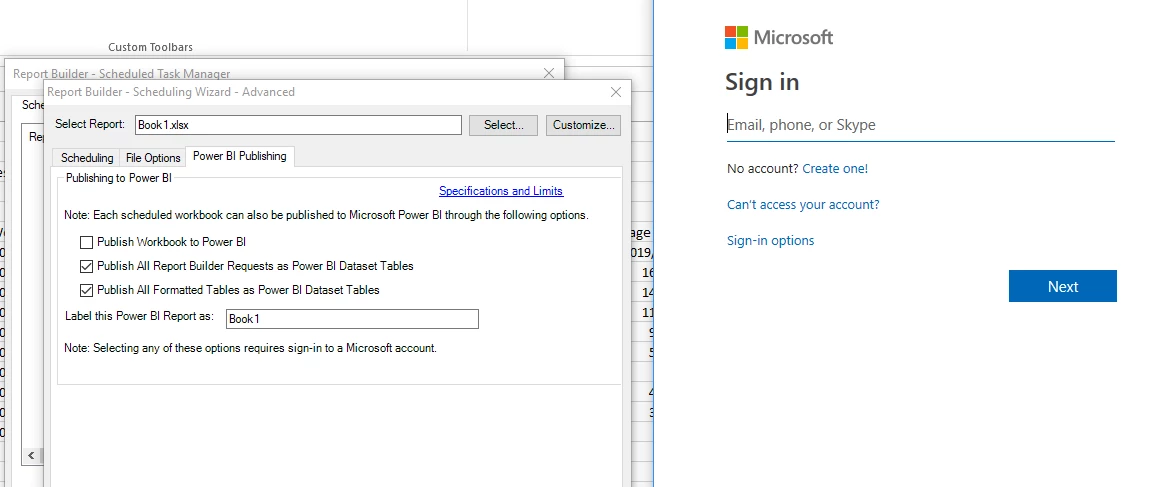
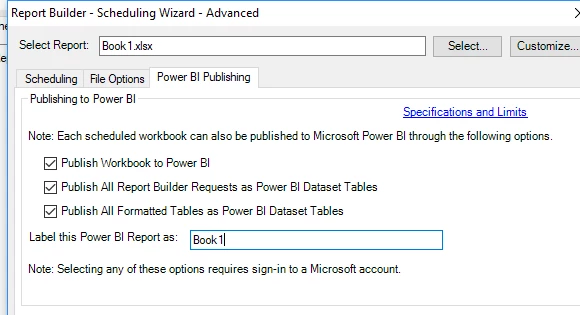
While publishing the report to Power BI, User needs to select the checkbox as given below and Label the Power BI name same as the dataset you have in Power BI.

In the Power BI tool

Please let me know your feedback.

Thanks,

Balaji

July 17, 2019

Hi Balaji,

Yes I can do this. However I want to publish the dataset to a different Workspace I have access to in Power BI (not my personal one).

Do you know of a way of doing this?

Thanks,

Jack

November 13, 2020

Hi,

I am having the same issue. Have you figured out a solution to this? 


Thanks,
Brendan

Balaji_V
Level 4
July 17, 2019

Hi Jack,

From my understanding, we cannot publish the dataset to other account unless we have the destined Power BI workspace credential.

Below refer the screen below, If you want to publish to another user account then use the account credential while singning into Power BI account in the popup screen. by doing this you can do this.

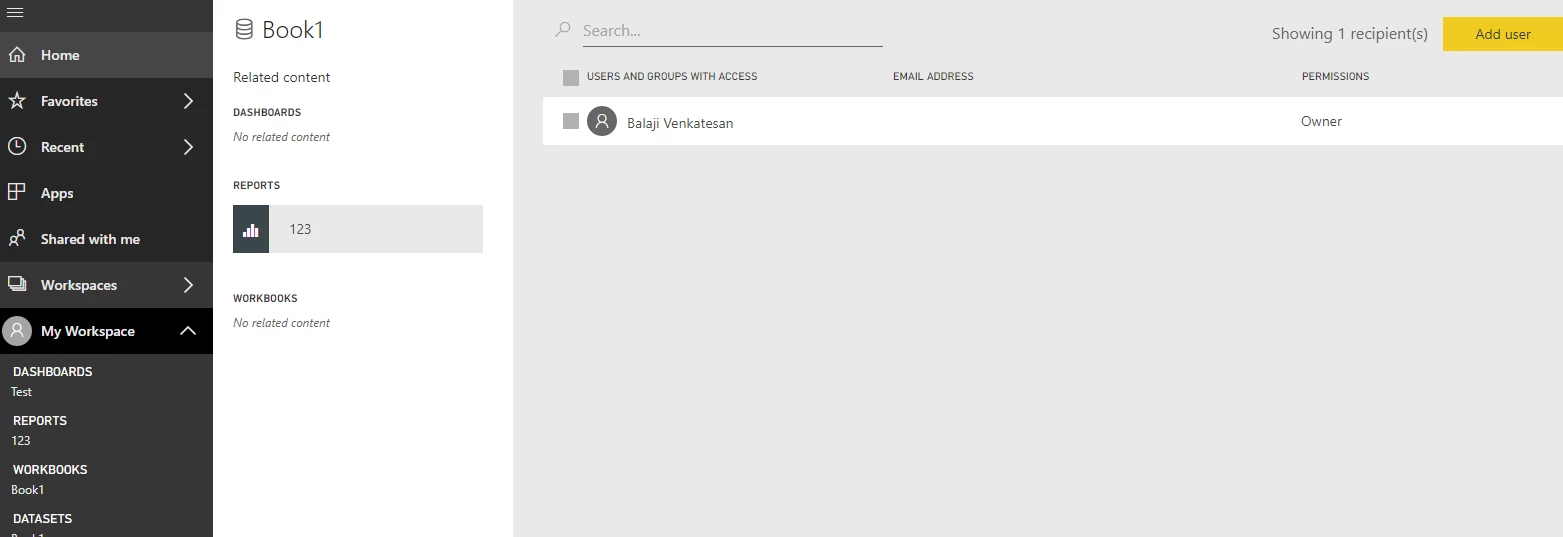
else publish the dataset to your own account and you can share the dataset to the other Power BI account holders (Refer; Screenshot). check the link for more details Create and share datasets (Preview) - Power BI - Power BI | Microsoft Docs

Thanks,

Balaji

kumararajak
July 17, 2019

Dear Jack,

Adding to Balaji_V​ comment, this may help you in future with desktop

Check details here: Connect to datasets in the Power BI service from Power BI Desktop - Power BI | Microsoft Docs

Regards,

Kumararaja K