Placement of Adobe Launch script in CDN | Community
Skip to main content
Level 7
February 12, 2024
Solved

Placement of Adobe Launch script in CDN

  • February 12, 2024
  • 1 reply
  • 2417 views

Hi Team,


Asking this query, out of my curiosity.

I was checking the integration between AEM application with Adobe Launch, Adobe Analytics.

DevOps team will create script in Launch, then that script is used in AEM application. So that, every time when page loads, Adobe launch script will execute and it will pass the data to Analytics. Wanted to know, where this Adobe Launch script is placed? is it in Akamai CDN?

I am new to Adobe Analytics. While reading the study material, I heard about placement of Adobe Launch script in some CDN.   

This post is no longer active and is closed to new replies. Need help? Start a new post to ask your question.
Best answer by Jennifer_Dungan

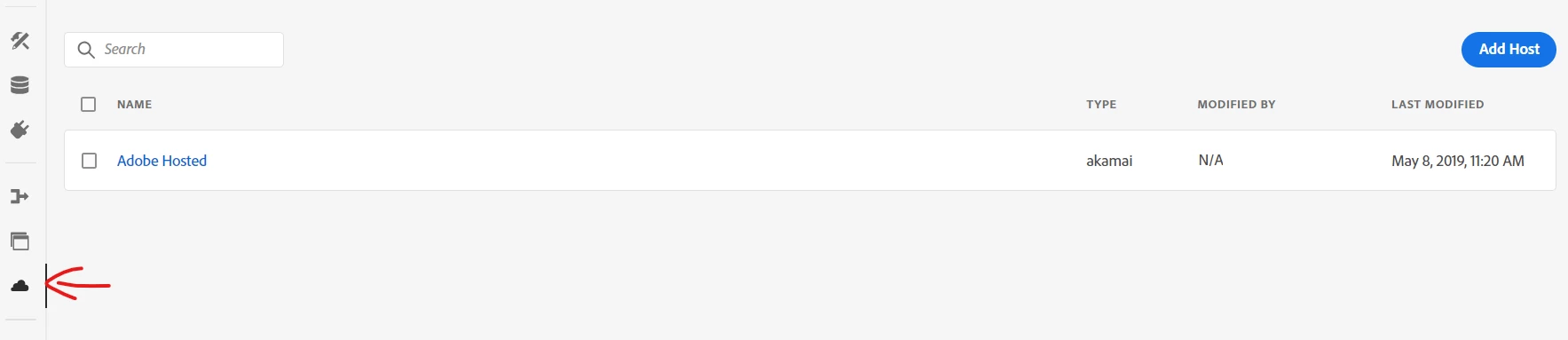
The Adobe Launch script initially (without any extra effort) can be hosted by Adobe's Akamai servers, which is a CDN (assets.adobedtm.com). This is the default host / environment configuration. However, you aren't limited to this.


Within the Hosts area of launch, you will have the default "Adobe Hosted", but you can add your own host:


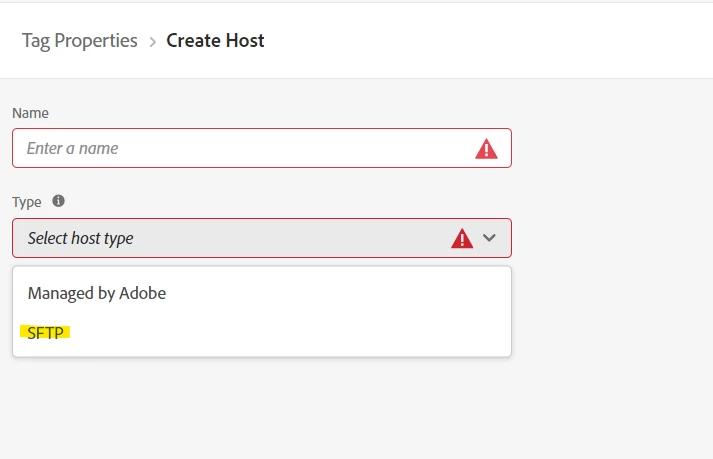
At present, the only "custom" solution is SFTP:


This is actually the solution we use. I use the Adobe Hosted for Dev, and our SFTP Host for Staging and Production.


This is because our SFTP isn't connected directly to our site.. When I deploy code to staging or production, the files are uploaded to an SFTP server.. then we have a Jenkins job that will take the files in SFTP and deploy them to our Web Servers...  so continuing to use Adobe's host for Dev means I can test code quicker and easier within Dev and QA, and then I can verify the "final builds" and deployment process with Staging; and of course, then our production file is hosted on our own server and CDN.


This is up to you, whether or not to pursue a process to host your files in your own infrastructure, and you don't necessarily need to have an extra deployment step between uploading to SFTP and then to your web servers.. that will be something you would have to talk about with your own DevOps team.

1 reply

Jennifer_Dungan
Community Advisor and Adobe Champion
Jennifer_DunganCommunity Advisor and Adobe ChampionAccepted solution
Community Advisor and Adobe Champion
February 12, 2024

The Adobe Launch script initially (without any extra effort) can be hosted by Adobe's Akamai servers, which is a CDN (assets.adobedtm.com). This is the default host / environment configuration. However, you aren't limited to this.


Within the Hosts area of launch, you will have the default "Adobe Hosted", but you can add your own host:


At present, the only "custom" solution is SFTP:


This is actually the solution we use. I use the Adobe Hosted for Dev, and our SFTP Host for Staging and Production.


This is because our SFTP isn't connected directly to our site.. When I deploy code to staging or production, the files are uploaded to an SFTP server.. then we have a Jenkins job that will take the files in SFTP and deploy them to our Web Servers...  so continuing to use Adobe's host for Dev means I can test code quicker and easier within Dev and QA, and then I can verify the "final builds" and deployment process with Staging; and of course, then our production file is hosted on our own server and CDN.


This is up to you, whether or not to pursue a process to host your files in your own infrastructure, and you don't necessarily need to have an extra deployment step between uploading to SFTP and then to your web servers.. that will be something you would have to talk about with your own DevOps team.

Level 7
February 12, 2024

Thanks a lot @jennifer_dungan  for your effort and dedication to reply to my query with detailed explanation. Will trouble you soon 🙂 , since I have just entered to  Adobe Analytics field. Will explore much in this feature soon.

Jennifer_Dungan
Community Advisor and Adobe Champion
February 12, 2024

Well I look forward to helping you, and I can assure you, it's no trouble at all. Welcome to the world of Adobe Analytics!