Percent change Request | Community
Skip to main content
calvint58827894
July 23, 2024
Solved

Percent change Request

  • July 23, 2024
  • 2 replies
  • 1410 views

Hi,


We are facing an issue to generate the growth percentage by comparing date range data in Adobe Analytics. According to the Adobe Analytics QA site, it suggests using Metrics: Percent change (as shown in the attached image) to pull YOY%.


Percent Change
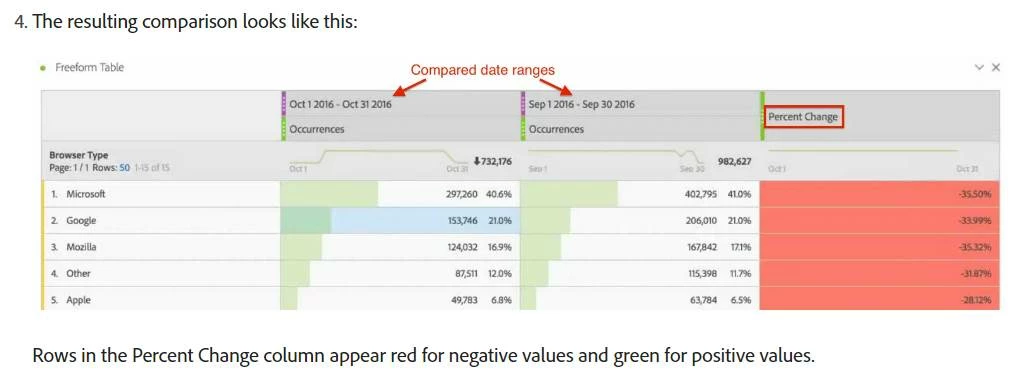
https://experienceleague.adobe.com/zh-hant/docs/analytics/analyze/analysis-workspace/components/calendar-date-ranges/time-comparison


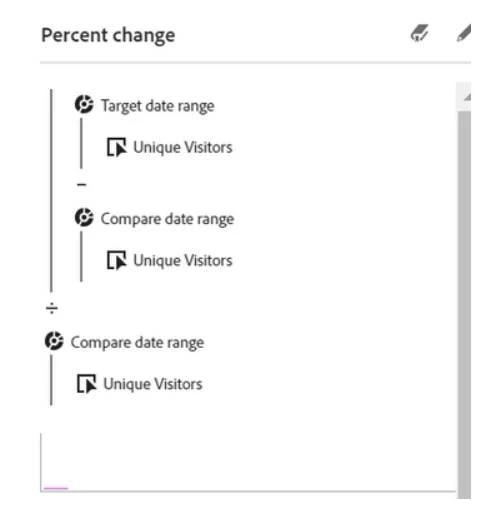
Following the provided tutorial steps, I am unable to locate the Percent Change option. I have also attempted to recreate it based on the definition provided. It seems like Adobe Analytics lacks the necessary "Target date range" and "Compare date range" settings. As a result, I cannot successfully create the Metrics: Percent Change report.
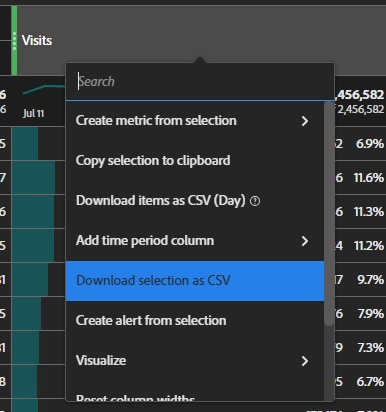
Percentage metrics definition
 

Could you please assist in identifying why Percent Change is unavailable or suggest an alternative method to generate YOY% reports?

Your help in resolving this matter would be greatly appreciated.

Thank you for your attention.
This post is no longer active and is closed to new replies. Need help? Start a new post to ask your question.
Best answer by Jennifer_Dungan

I think you may have missed a step or 2... the documentation seems to make a lot of assumptions (and also fails to mention one particular "gotcha")... also, given your

 It seems like Adobe Analytics lacks the necessary "Target date range" and "Compare date range" settings

that you are having some confusion over the steps... "Target date range" and "Compare date range" are generated custom date ranges that are created when you use the Percent Change feature, they don't exist outside of that....


Since your screenshot is very cropped, so I can't see your breakdown, but by any change is your breakdown a Time Dimension (Day, Week, Month, etc)? This was the gotcha I was referring to... some breakdowns the function isn't available on...


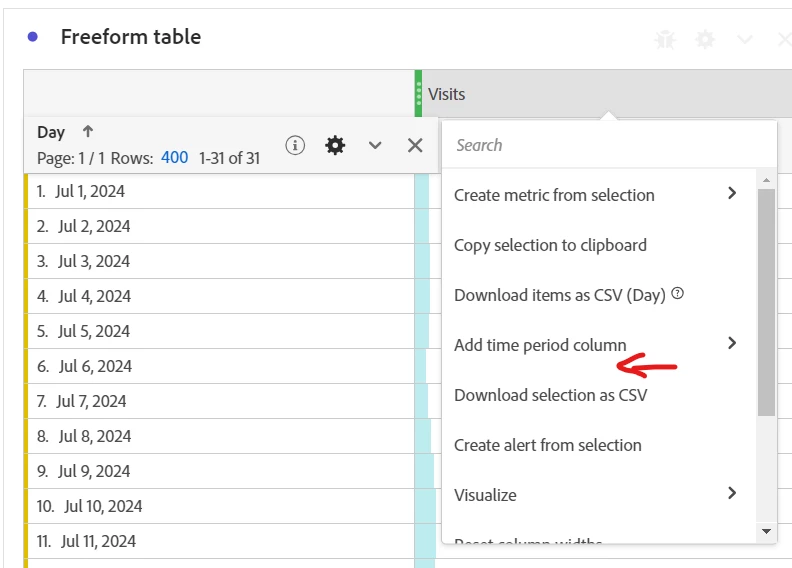
Compare Time Periods won't appear in some some contexts, since it won't work... the calculation applies date ranges inside the calculation (which would contradict the time period of your breakdowns):

(you can see here in this context it's missing for me as well)


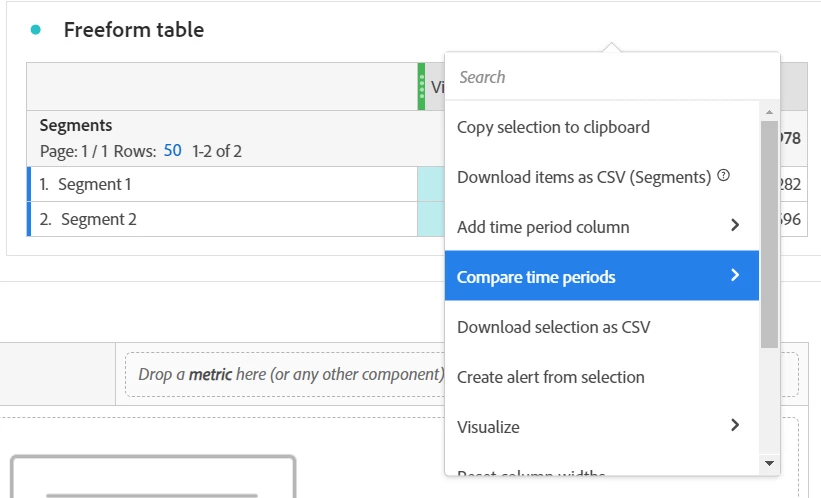
But, if you are using Regular Dimensions or Segments, the option should appear:


When it does, this is where you define the comparison range, and the "Target date range" will be based off of your panel date range, and the "Comparison date range" will be created based on your selections here.....

2 replies

bjoern__koth
Community Advisor and Adobe Champion
July 23, 2024

Hi @calvint58827894 


could it be that you altered the columns?

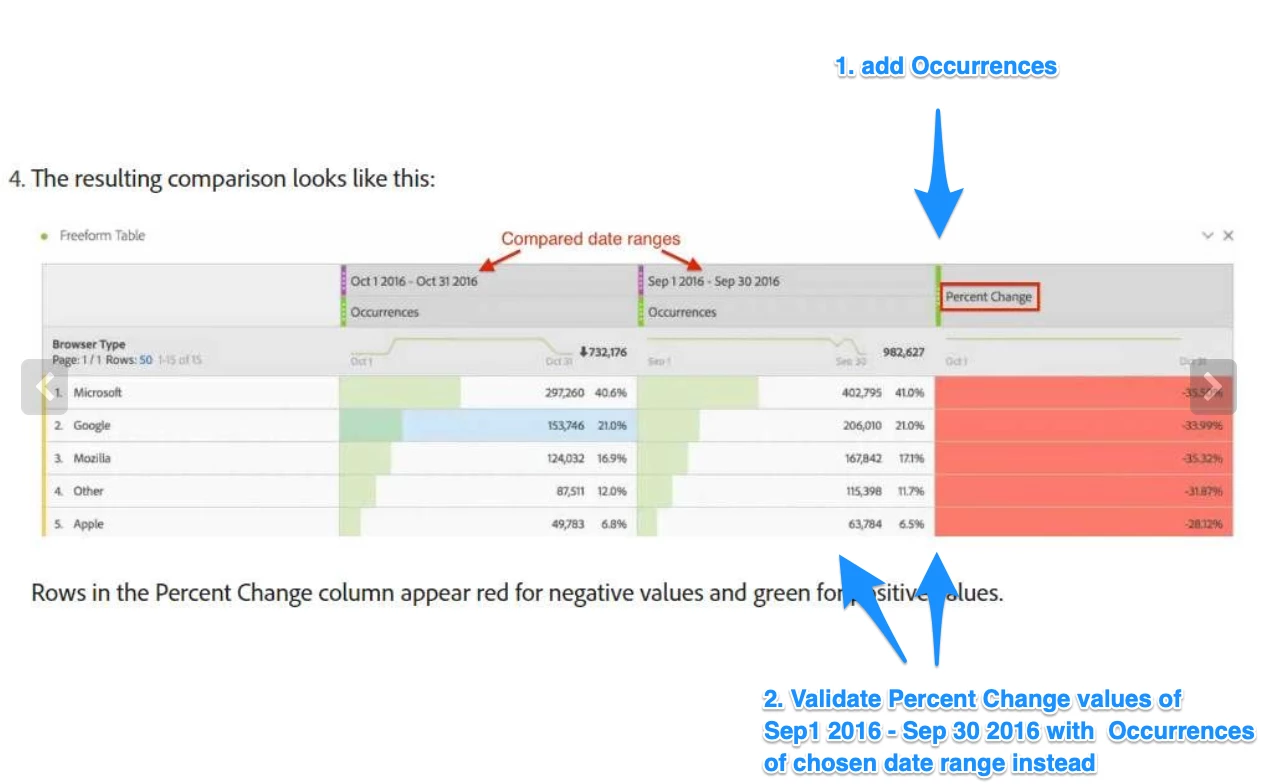
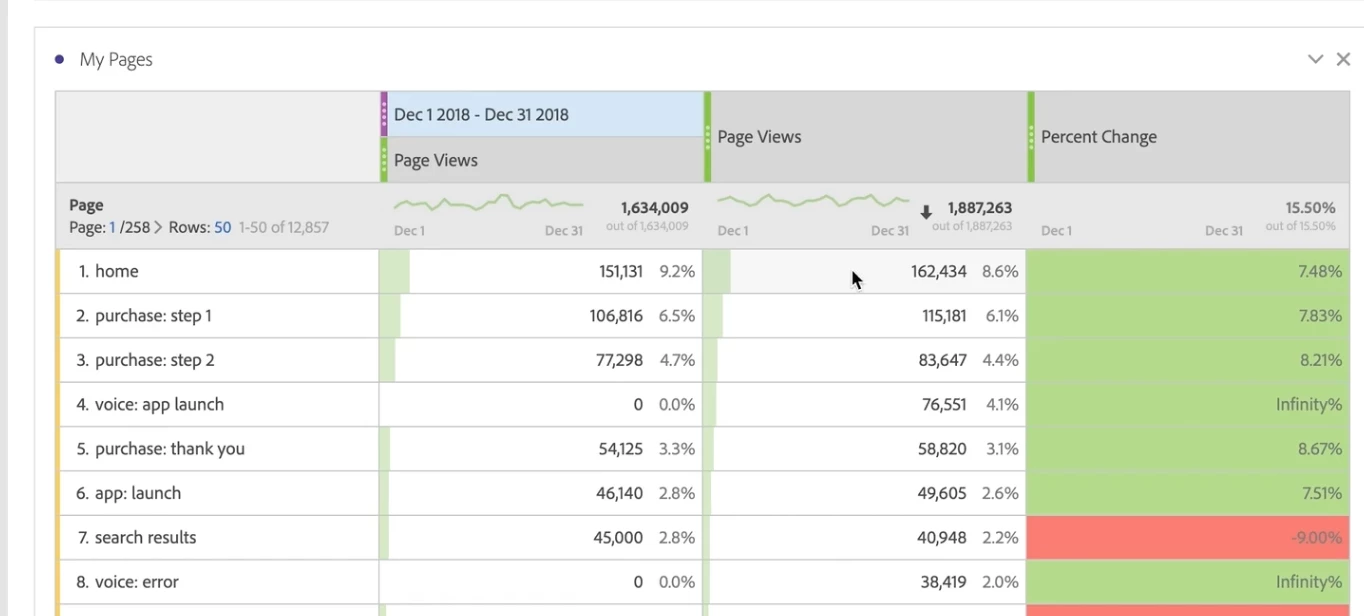
Normally, when you are doing a date comparison, it would still show the original column (in the tutorial it is the "Page Views" column) to which the "Percent Change" column refers to.


So, by any chance, did you remove this "Occurrences" column and are now assuming that the "Percent Change" column will automatically use the remaining columns to the left?

What if you add the Occurences back in as column next to Percent Change?


Do those numbers add up?


Screenshot from the tutorial:


Cheers

Cheers from Switzerland!
Jennifer_Dungan
Community Advisor and Adobe Champion
Jennifer_DunganCommunity Advisor and Adobe ChampionAccepted solution
Community Advisor and Adobe Champion
July 23, 2024

I think you may have missed a step or 2... the documentation seems to make a lot of assumptions (and also fails to mention one particular "gotcha")... also, given your

 It seems like Adobe Analytics lacks the necessary "Target date range" and "Compare date range" settings

that you are having some confusion over the steps... "Target date range" and "Compare date range" are generated custom date ranges that are created when you use the Percent Change feature, they don't exist outside of that....


Since your screenshot is very cropped, so I can't see your breakdown, but by any change is your breakdown a Time Dimension (Day, Week, Month, etc)? This was the gotcha I was referring to... some breakdowns the function isn't available on...


Compare Time Periods won't appear in some some contexts, since it won't work... the calculation applies date ranges inside the calculation (which would contradict the time period of your breakdowns):

(you can see here in this context it's missing for me as well)


But, if you are using Regular Dimensions or Segments, the option should appear:


When it does, this is where you define the comparison range, and the "Target date range" will be based off of your panel date range, and the "Comparison date range" will be created based on your selections here.....

calvint58827894
July 29, 2024

Hi Jennifer,

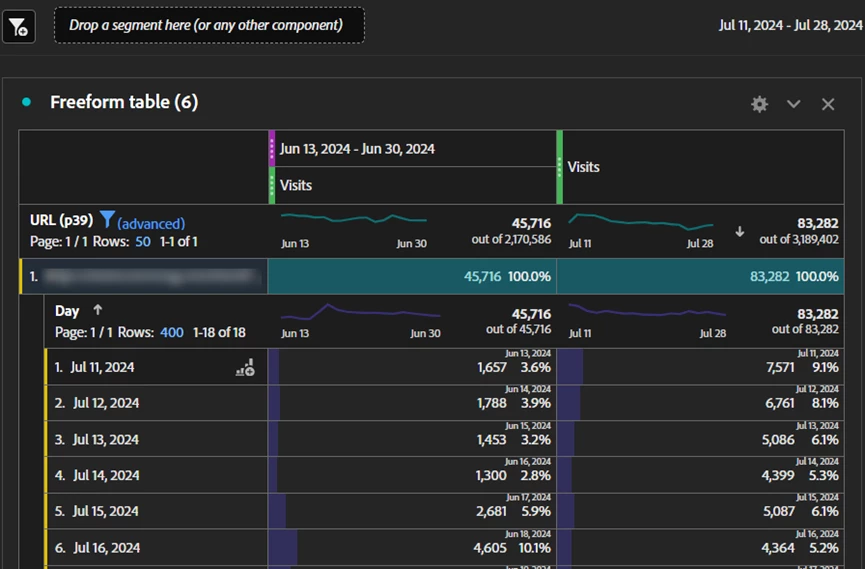
Thanks for the reply, we can use metric percent change now. However, we are facing another issue: when comparing a YoY daily trend, I get an infinity% and the date period changed to start in Jun. Unsure of how to fix this.


I'm finding this same issue url as below and I don't see a solution out here.

https://experienceleaguecommunities.adobe.com/t5/adobe-analytics-questions/analysis-workspace-create-metric-from-selection-bug/td-p/399148


Your help in resolving this matter would be greatly appreciated.

Thank you for your attention.


Jennifer_Dungan
Community Advisor and Adobe Champion
July 29, 2024

I don't think you can use "Percent Change" with a time breakdown like that... I've never gotten it to work..


Part of it is the conflict between the "time" in the breakdown, and the "time" in the date range. I had mentioned this before, don't use Day, Week, Month, or any time based dimension with Percent Change.


Compare Time Periods won't appear in some some contexts, since it won't work... the calculation applies date ranges inside the calculation (which would contradict the time period of your breakdowns)


This may be a bug, or it's just not designed to work... I don't know...  You can try to file a bug if you wish, but I can't think of a way to get this setup to work as it is.....