Peak time over last 30 days | Community
Skip to main content
Level 3
January 18, 2024
Solved

Peak time over last 30 days

  • January 18, 2024
  • 2 replies
  • 849 views

Hi everyone,

 I want to know how to create report ans visualisation for the high traffic hour of the day over last 30 days.

I just want for every last 30 days , there must be a peak hour, which should tell us the the the main hour of the day.

Is it possible? If possible, can anyone tell me how can I achieve it.

This post is no longer active and is closed to new replies. Need help? Start a new post to ask your question.
Best answer by Jennifer_Dungan

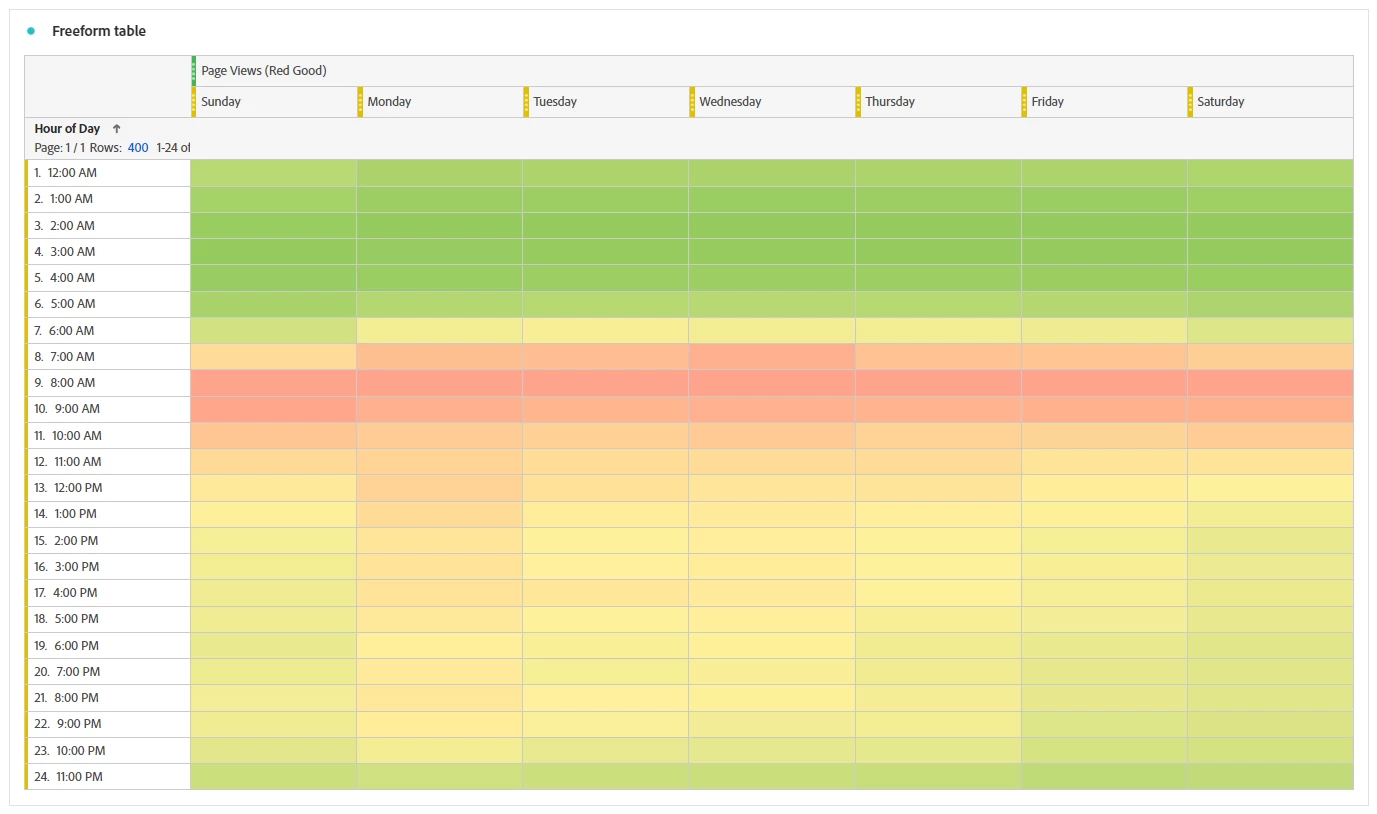
You can also create something of an "heat" map of your traffic.


Create a table which uses whatever metric you are measuring your traffic by along the top (I will use Page Views as an example), then stack underneath that, the "Day of Week" dimensions, like so:



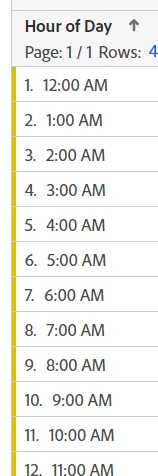
Now use "Hour of Day" dimension down the left (this is different from "Hour", it will collapse all data from all days into the same hourly bucket):


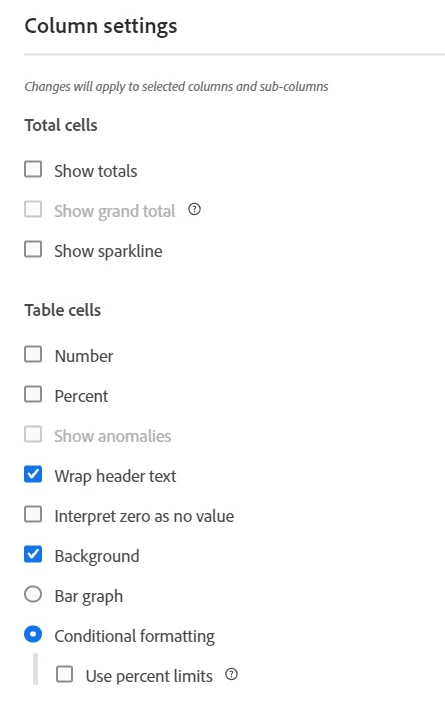
Now, you will notice that this will take a full 30 days worth of data per hour into each cell, but since we are looking for trends, and not really specific numbers (and basically this will essentially average out the highs and lows for the month), we are going to hide the values and turn on conditional formatting, like so:


This will give you a nice visual heat map of your traffic like this:
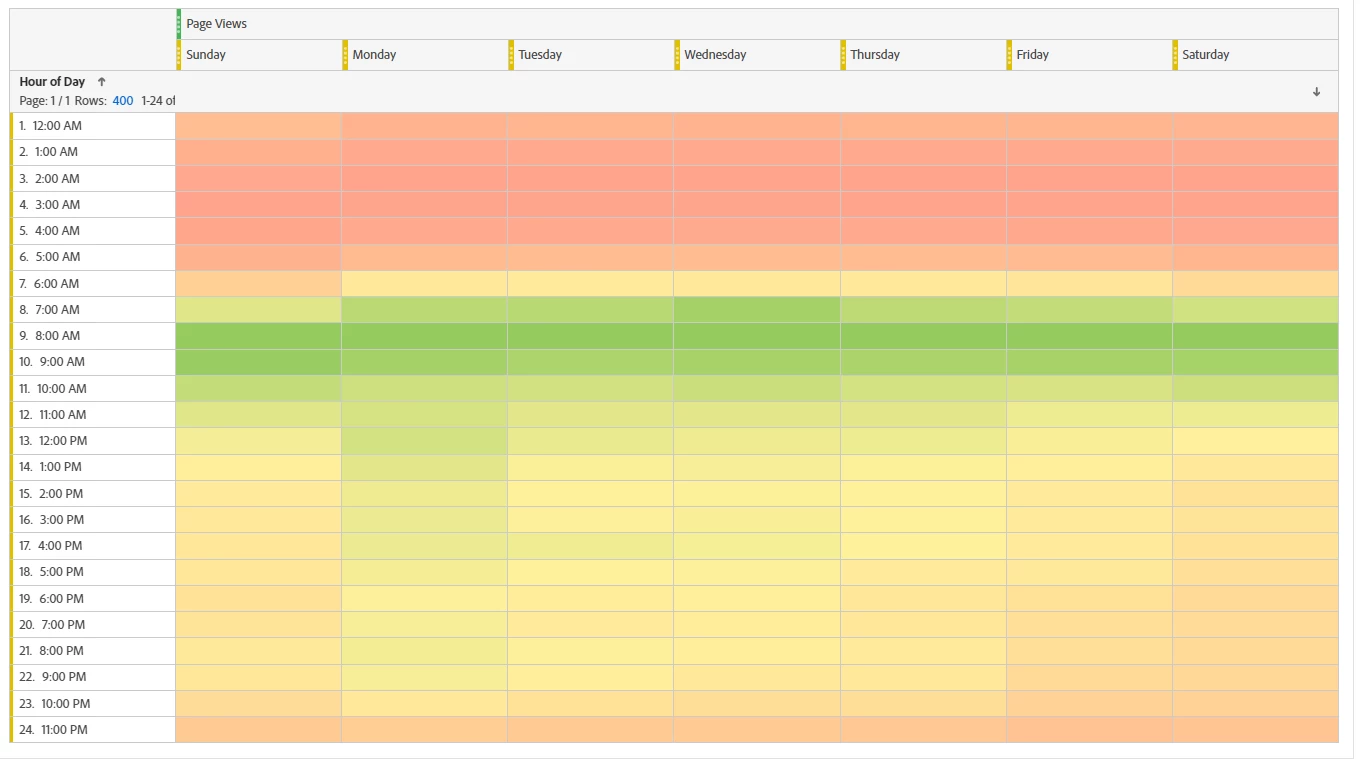
 

The green will be your highest values... if you prefer to see red as the highest rather than the lowest, you can just make a calculated metric to use instead, that will look like this:
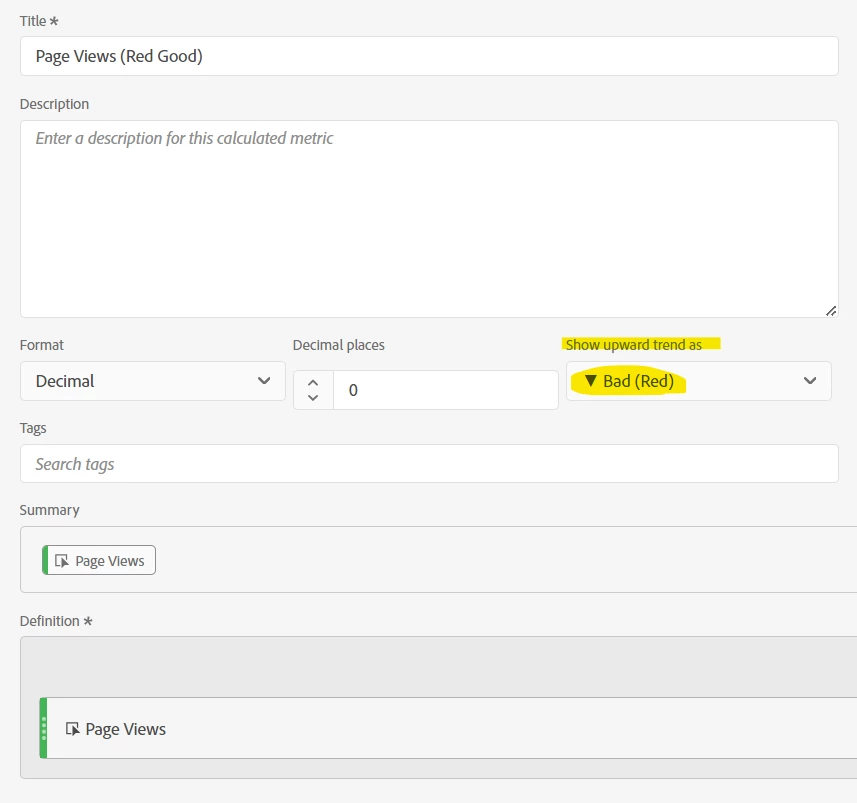
 

Basically, you make the "Upward Trend" bad, instead of the normal good.


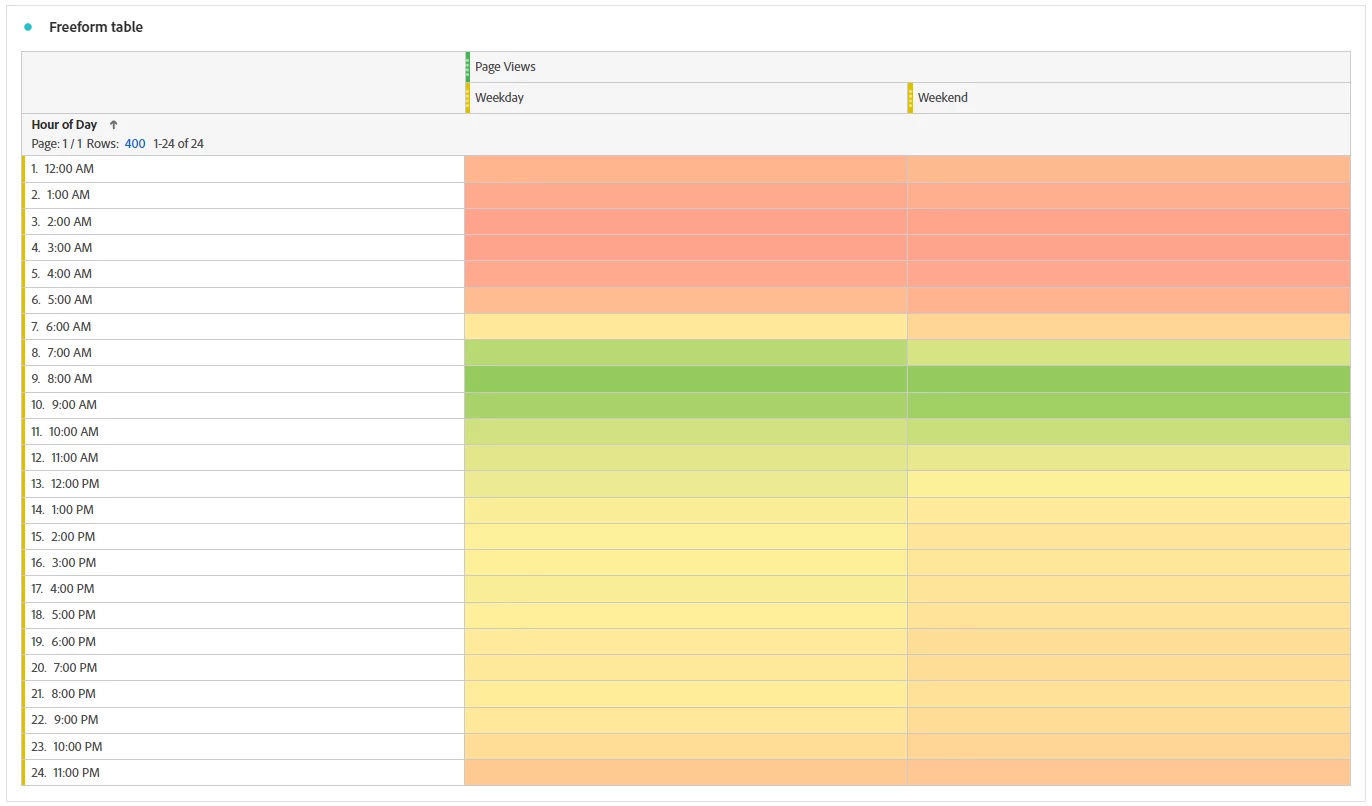
If you don't care about Days of the Week, you could do similar with Weekday/Weekend, or just the metric as a single column.


2 replies

RobertBlakeley
Community Advisor
Community Advisor
January 18, 2024

Assuming you are using Workspace, there are several ways to do this. Here is one assuming page views is your traffic metric:

Drag the page views metric into the left column of a freeform table.

Then set your calendar date to Last 30 Full Days. Click on the calendar setting then select the "Last 30 Full Days" in the drop down and then hit apply.

Next right click the Page Views metric then Visualize then Line.

This will give you a line visualization like the following:

You can then hover over the daily points to see the page view counts


RobertBlakeley
Community Advisor
Community Advisor
January 18, 2024

Here is a second approach:

Drag the "Day" metric onto the left column of a freeform table and then drag "Page Views" onto the metric column:

As indicated above, set the calendar date to "Last 30 Full Days"

Then select the Day column and right click > then select visualize, then line. This will give you a report that looks something like the following where you can see the PV for each of the las 30 full days in a list.


Jennifer_Dungan
Community Advisor and Adobe Champion
Jennifer_DunganCommunity Advisor and Adobe ChampionAccepted solution
Community Advisor and Adobe Champion
January 18, 2024

You can also create something of an "heat" map of your traffic.


Create a table which uses whatever metric you are measuring your traffic by along the top (I will use Page Views as an example), then stack underneath that, the "Day of Week" dimensions, like so:


Now use "Hour of Day" dimension down the left (this is different from "Hour", it will collapse all data from all days into the same hourly bucket):


Now, you will notice that this will take a full 30 days worth of data per hour into each cell, but since we are looking for trends, and not really specific numbers (and basically this will essentially average out the highs and lows for the month), we are going to hide the values and turn on conditional formatting, like so:


This will give you a nice visual heat map of your traffic like this:


The green will be your highest values... if you prefer to see red as the highest rather than the lowest, you can just make a calculated metric to use instead, that will look like this:


Basically, you make the "Upward Trend" bad, instead of the normal good.


If you don't care about Days of the Week, you could do similar with Weekday/Weekend, or just the metric as a single column.