
Page View rule is not firing through out the website | Community
Skip to main content
purnimajena
Level 3
March 3, 2025
Solved

Page View rule is not firing through out the website

  • March 3, 2025
  • 1 reply
  • 546 views

Page view rule is not firing on any page where as other rules are working as expected , any suggestions !

Best answer by bjoern__koth

In that case you will need to install the Common Analytics Plugins extension first

and make sure you initialize the extension in a dedicated rule
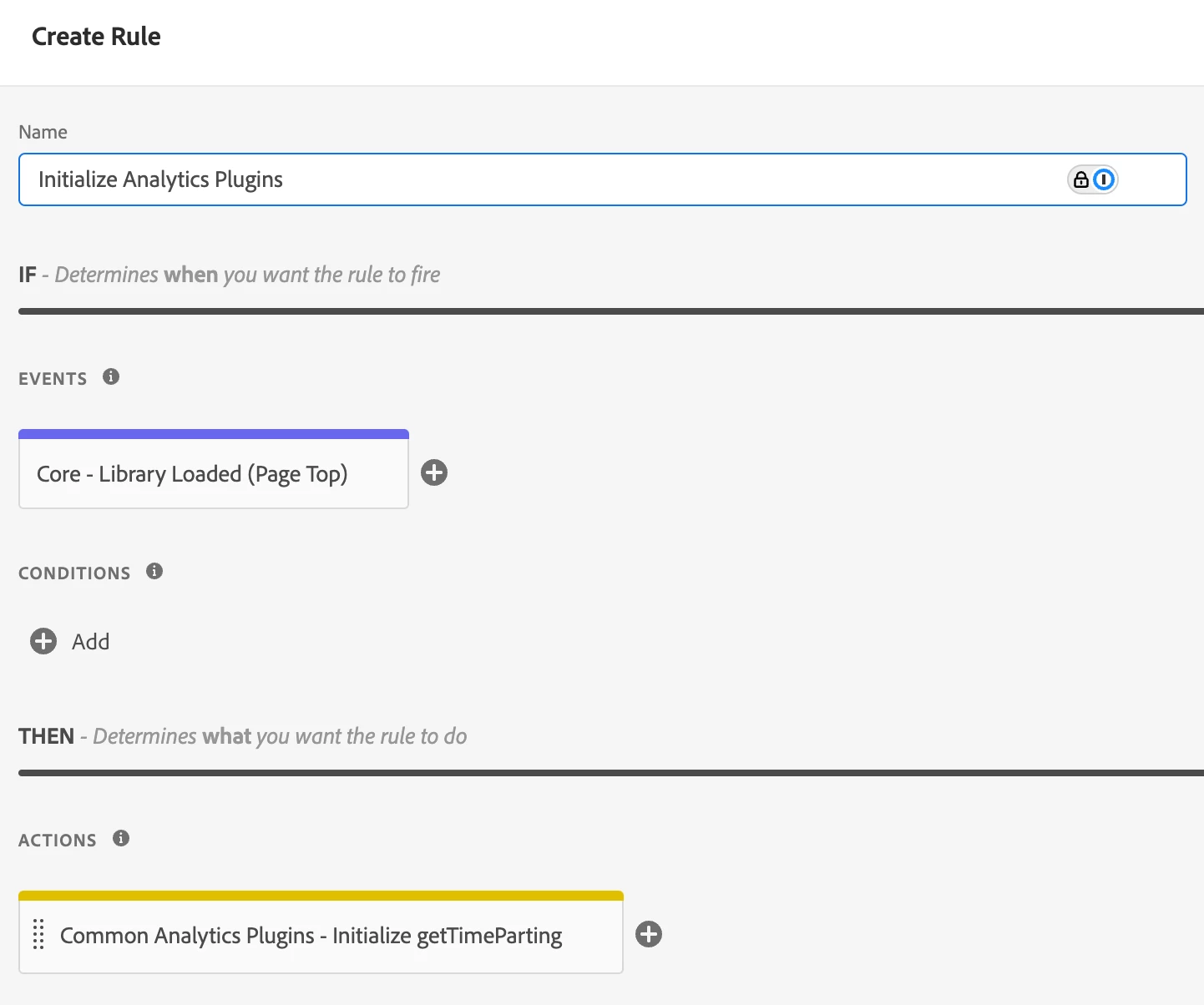
 

Note though that getTimeParting is a function on the "s" instance.

So, you will have to call this instead


s.getTimeParting("America/New_York");


1 reply

bjoern__koth
Community Advisor and Adobe Champion
March 3, 2025

Hi @purnimajena 

can you add a little more context about the rule?

  • Maybe even a screenshot?
  • How is it triggered? Through an out of the box event?
  • Are there any additional conditions?
  • Have you enabled console logging with _satellite.setDebug(true) ? This will print out information about your rules that fired or if conditions were not met
Cheers from Switzerland!
purnimajena
Level 3
March 3, 2025

Hi @bjoern__koth ,

Yes i have enabled _satellite.setDebug(true) and below error is coming .

For time parsing i am using a generic code, which is working in other property


bjoern__koth
Community Advisor and Adobe Champion
bjoern__kothCommunity Advisor and Adobe ChampionAccepted solution
Community Advisor and Adobe Champion
March 3, 2025

In that case you will need to install the Common Analytics Plugins extension first

and make sure you initialize the extension in a dedicated rule


Note though that getTimeParting is a function on the "s" instance.

So, you will have to call this instead


s.getTimeParting("America/New_York");


Cheers from Switzerland!