no used-in projects shown after clicking on link in metric components menu | Community
Skip to main content
Level 2
April 16, 2024
Solved

no used-in projects shown after clicking on link in metric components menu

  • April 16, 2024
  • 1 reply
  • 1291 views

Hey everyone,

i hope you can help me figure this one out 🙂

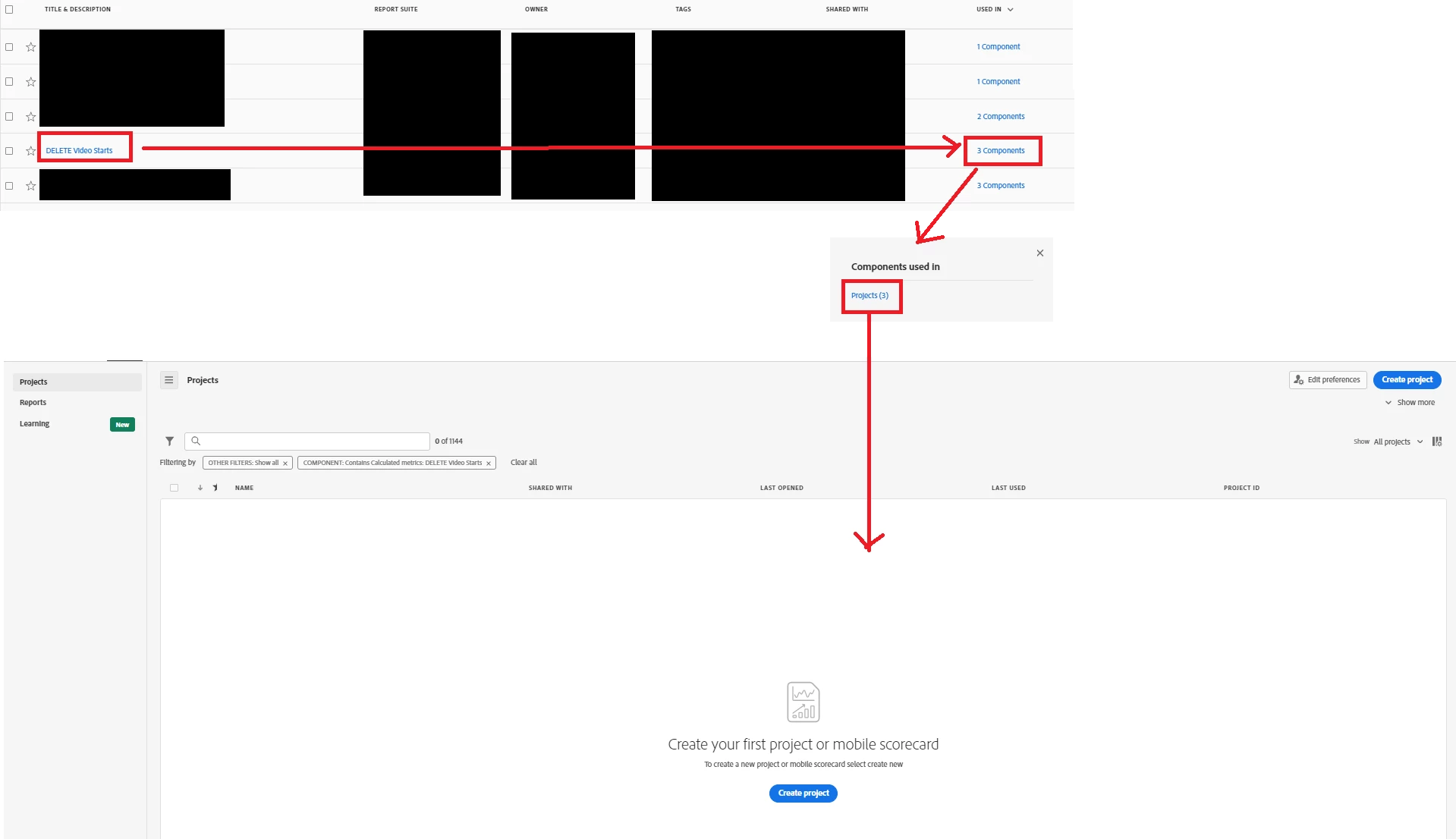
Right now we're cleaning up our calculated metrics and segments. There are a couple of duplicates. So the "used in" info comes in handy to find out which one is used more often.

Let's say we have a metric called "video starts" which is used in 3 projects. If I click on this number it opens a text box. When I click on that box it should display a list of this 3 projects. But there's no project listed. It's not for every metric. But some metrics behave this way. Has anyone experienced this before or knows what causes it? Right now I am not able to identify in which projects die "video starts" metric is used in.

Thank you in advance,

Miley
 

This post is no longer active and is closed to new replies. Need help? Start a new post to ask your question.
Best answer by Miley123

Good luck! Please keep us up to date on what Client Care says, this may help others with the same issue.


Hi @jennifer_dungan and @kayawalton, current state: it's a bug which will be handled by the engineering team in the next months. 

1 reply

kayawalton
Community Advisor and Adobe Champion
April 16, 2024

Hi @miley123 -- Are you an admin for all report suites or product profiles within the instance? You may not be able to access those projects if there are elements (such as report suites) that you do not have access to. 

Jennifer_Dungan
Community Advisor and Adobe Champion
April 16, 2024

@kayawalton's answer sounds like the most probable issue... however, if you are an admin, and definitely have access to those reports, this could be a bug in Adobe.. if so, working with Client Care would probably be the best way to proceed (but please only do this if you can in fact confirm that you would/should have access to those projects).

Miley123Author
Level 2
April 17, 2024

Hey @jennifer_dungan  and @kayawalton, thank you for your fast responds. 🙂 Unfortunately I have all the rights to be able to see the projects. We double-checked it. So I guess I will head to customer care then.