No b/ss on page? | Community
Skip to main content
Level 2
September 8, 2018
Solved

No b/ss on page?

  • September 8, 2018
  • 2 replies
  • 7465 views

Hey Adobe Community!

Had to reach out for some support.... the implementation on our website is ab it messy and I had a couple of questions and was hoping someone could point me in the best direction and/or how to figure this out!

I spent the afternoon looking into some tracking on DTM and when I was inspecting the page > via the Networks tab > I discovered that the b/ss isn't being made.

That took me into some digging in DTM and it looks like way that's Analytics Tool is set up contains the following script in the custom code:
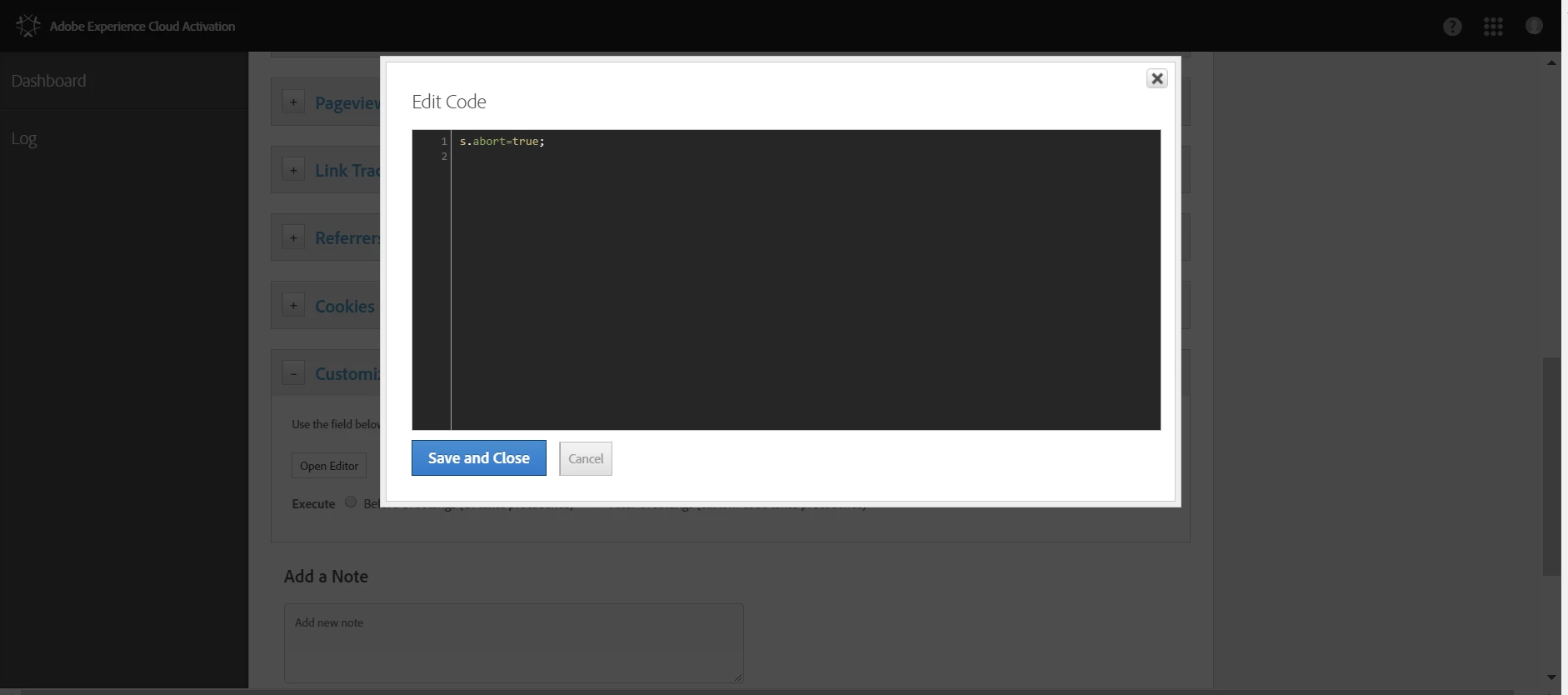
So as far as my understanding goes, this s.abort=true; actually PREVENTS any server calls from passing...yet our server calls are in the billions....
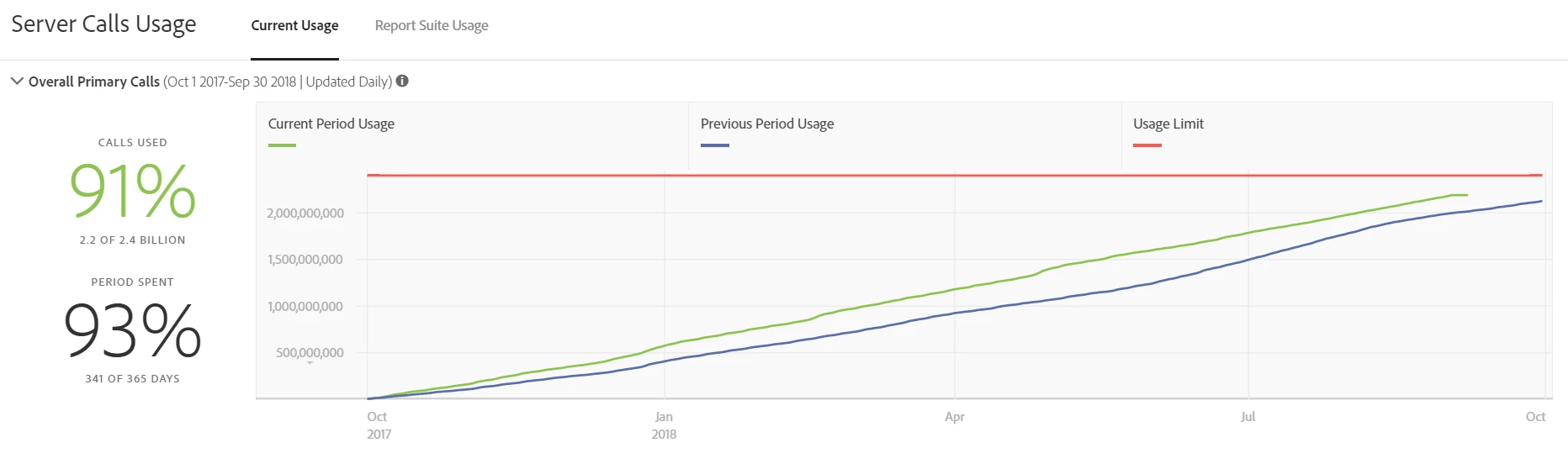
Would anyone be able to help me out as to how to find how on earth all of the server calls are being made in this case?

I've temporarily deactivate some event based rules in DTM to see what happens from here until Monday or so.

Any guidance is REALLY appreciated...

This post is no longer active and is closed to new replies. Need help? Start a new post to ask your question.
Best answer by stephenr6438258

Hey,

I'm suspecting whoever built this install has used as a way of blocking pageload calls.

It could be then your implementation has been built on direct call rules or event based rules as mentioned. Maybe you run on single page applications?

An easy way to find out is to install Omnibug, HIT F12, select the Omnibug tab then look for network requests as navigating your site. It's the same as /ss/ but a bit easier to view.

Thanks,

Stephen

2 replies

stephenr6438258Accepted solution
Level 2
September 10, 2018

Hey,

I'm suspecting whoever built this install has used as a way of blocking pageload calls.

It could be then your implementation has been built on direct call rules or event based rules as mentioned. Maybe you run on single page applications?

An easy way to find out is to install Omnibug, HIT F12, select the Omnibug tab then look for network requests as navigating your site. It's the same as /ss/ but a bit easier to view.

Thanks,

Stephen

paulinaMBAuthor
Level 2
September 10, 2018

Hey Stephen!

Hope you had a nice weekend

THANK YOU for taking the time to respond. We found out that the Analytics calls are not being fired on the page load, but on the link clicks. In DTM  the s.abort=true; is being set to the customize page code section ... the code gets every page immediately before the call to track the page vie;  preventing a page view call but does not have an impact on the s.tl or link tracking calls.

The abort flag is reset with every tracking call – so if a subsequent tracking call also needs to be aborted, the flag will need to be set again.

Thanks again for the time

Sincerely

Paulina