New UI User Experience - "Open In New Tab" Not Functional | Community
Skip to main content
Level 2
February 20, 2025
Solved

New UI User Experience - "Open In New Tab" Not Functional

  • February 20, 2025
  • 2 replies
  • 1120 views

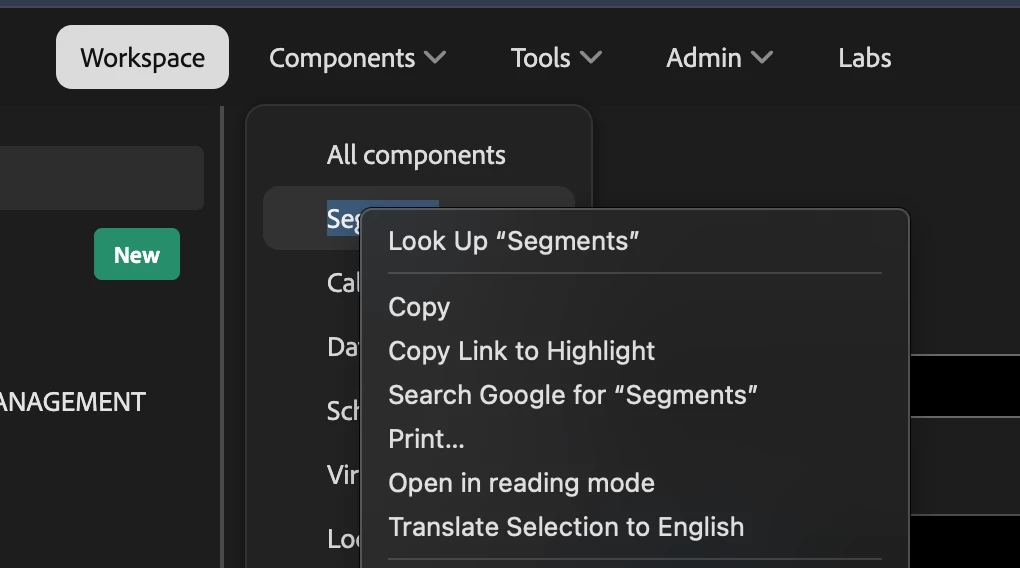
The UX update to the Adobe Analytics Workspace UI has removed functionality to right click "open in new tab" for Workspace, Admin, Components, etc in the tool bar. 

Has anyone else faced this issue? This has been a pain point for our team as we regularly work in multiple workspaces at once and or need to open new projects on the fly. The time it takes to open a blank tab, log in, and load a new blank workspace has diminished efficiency.
This post is no longer active and is closed to new replies. Need help? Start a new post to ask your question.
Best answer by bjoern__koth

Hi @dancchaney 


true, I also cannot see the context menu item anymore.


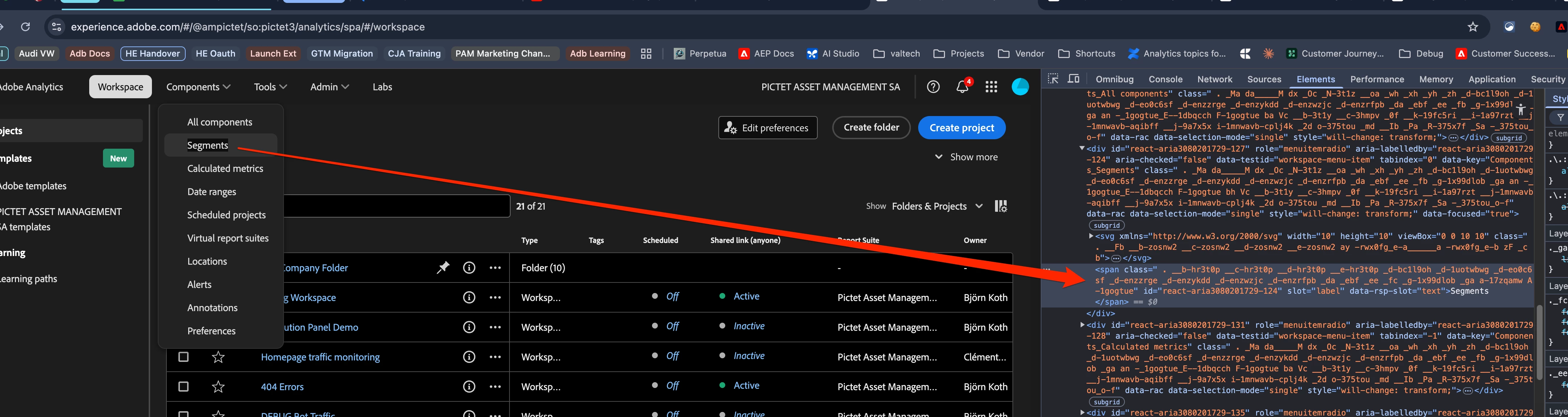
Reason for this is that the markup of the menu no longer contains a link and hence the browser does not know that a click on it should show a different context menu.


What works for me though is keeping the Ctrl key (Command on a Mac) on your keyboard pressed when clicking.

2 replies

bjoern__koth
Community Advisor and Adobe Champion
bjoern__kothCommunity Advisor and Adobe ChampionAccepted solution
Community Advisor and Adobe Champion
February 20, 2025

Hi @dancchaney 


true, I also cannot see the context menu item anymore.


Reason for this is that the markup of the menu no longer contains a link and hence the browser does not know that a click on it should show a different context menu.


What works for me though is keeping the Ctrl key (Command on a Mac) on your keyboard pressed when clicking.

Cheers from Switzerland!
Level 2
February 20, 2025

I have and does not work for the workspace cta


Jennifer_Dungan
Community Advisor and Adobe Champion
February 20, 2025

Hey everyone, 


Some of us were chatting with Eric Matisoff about this very issue. In some cases, you can use Ctrl+Click (PC) or Cmd+Click (Mac) to open in a new tab as a temp workaround... other links (like the Workspaces option) work only in Mac and not in PC.


The issues have been raised with the Engineering Team and hopefully will be resolved soon

Harveer_SinghGi1
Community Advisor
Community Advisor
February 21, 2025

On PC Ctrl/Cmd+Click doesn't work if you are trying to duplicate current tab, so if you are on workspaces already and then try Ctrl/Cmd+Click on "Workspace" tab it won't do anything. But if you on segments for example and then try Ctrl/Cmd+Click on "Workspace" tab, it opens workspaces in new tab.

To duplicate current tab maybe use browser shortcuts like Alt+Shift+D or Ctrl+Shift+K depending upon the browser used.

Cheers!

Jennifer_Dungan
Community Advisor and Adobe Champion
February 21, 2025

I'm on a PC, using Chrome, and Ctrl-Click works for me. I have Workspace tab selected, CTRL-Click Workspaces, and another Workspaces tab launches to the right.


@josh__stephens are you in CJA Workspaces? Maybe they didn't break it so bad on CJA? Whatever, there are lots of issues with the menu redesign, and it's just going to be painful until it's fixed.