Solved
multiple dimensions in report builder
Hello,
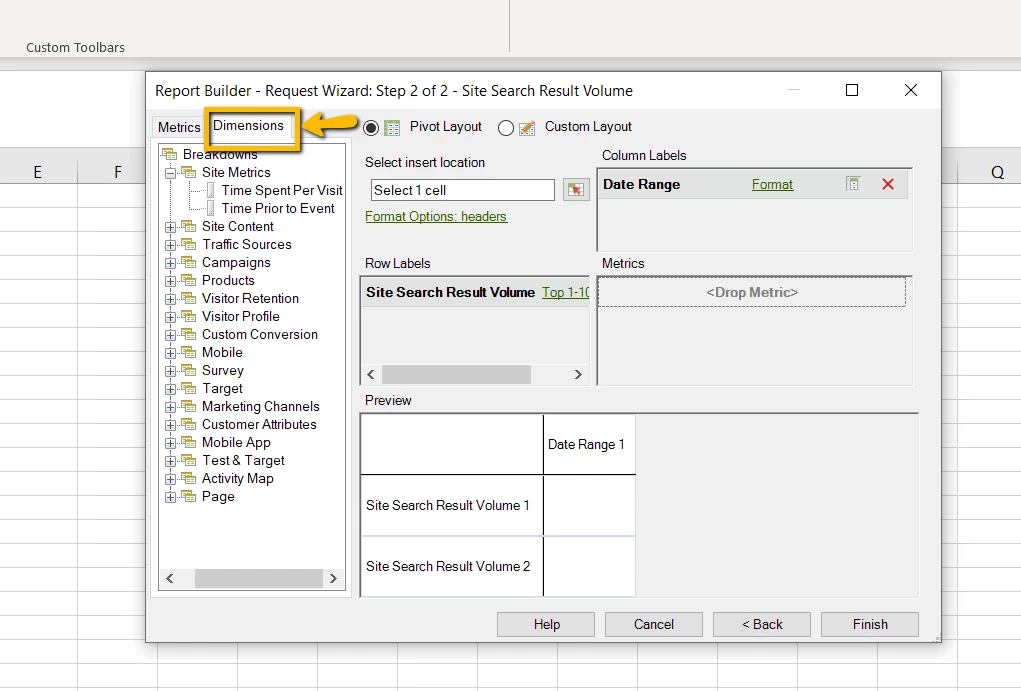
In the step1 of report builder, i chosed one dimension. and in step2, i can add only one dimension as breakdown. how i can add more dimensions?
Thanks!
Hello,
In the step1 of report builder, i chosed one dimension. and in step2, i can add only one dimension as breakdown. how i can add more dimensions?
Thanks!
Hi @hru,
In the step#2, you can add multiple dimensions as shown below.
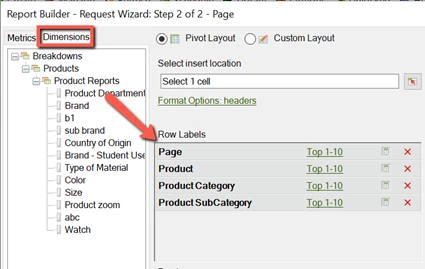
Also, I would like to inform you that if you need to apply multiple break downs then use the dimension with the fewer number of line items first followed by the one which has more number of line items.
Hope this helps.
Regards,
Abhinav
Enter your E-mail address. We'll send you an e-mail with instructions to reset your password.