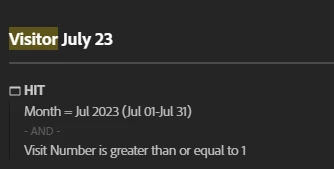
It was just in front of my eyes ;( Thank you! I've tried different ways to calculate the new users, including your segment, but I still can't get my head around what's the most suitable for my client request:
Since the beginning of this year, for each months, give me the % of new users and % of returning users.
- Create two segments (as suggested in this blog) using visits metric:
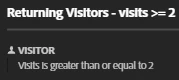
- Create two segments using visit number dimension (I saw you mentioned it in your video but I didn't understand what you mean for "all time dimension")
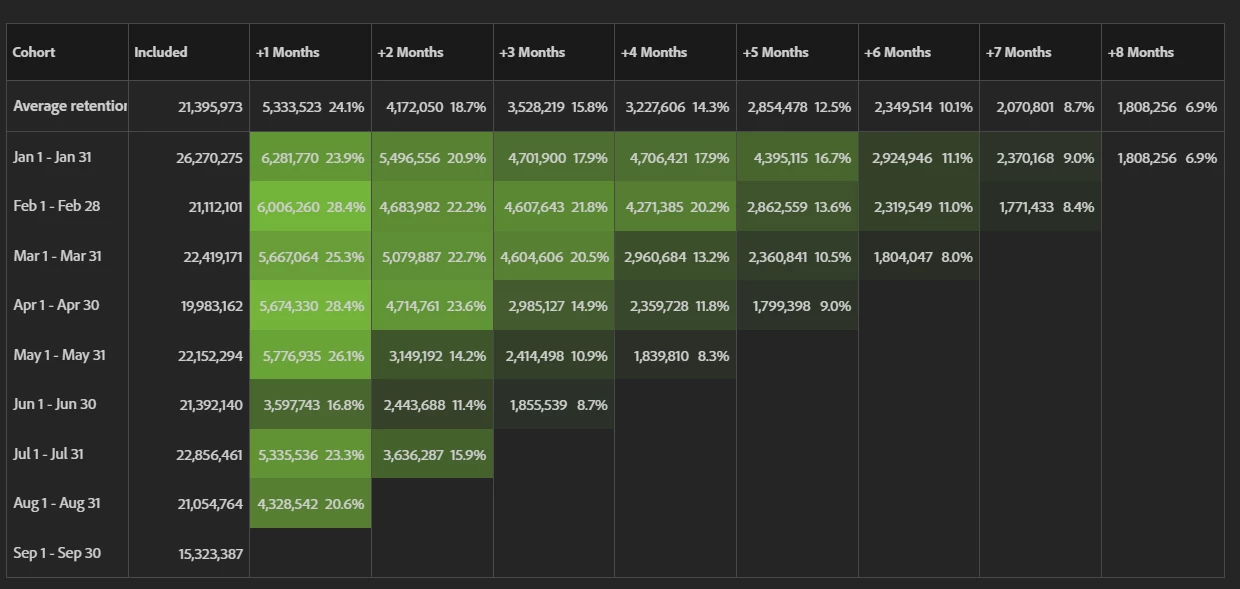
- Cohort table (as suggested in this blog), it doesn't completely respond to the question but it can gives an idea of the magnitude of returned/new visitor:
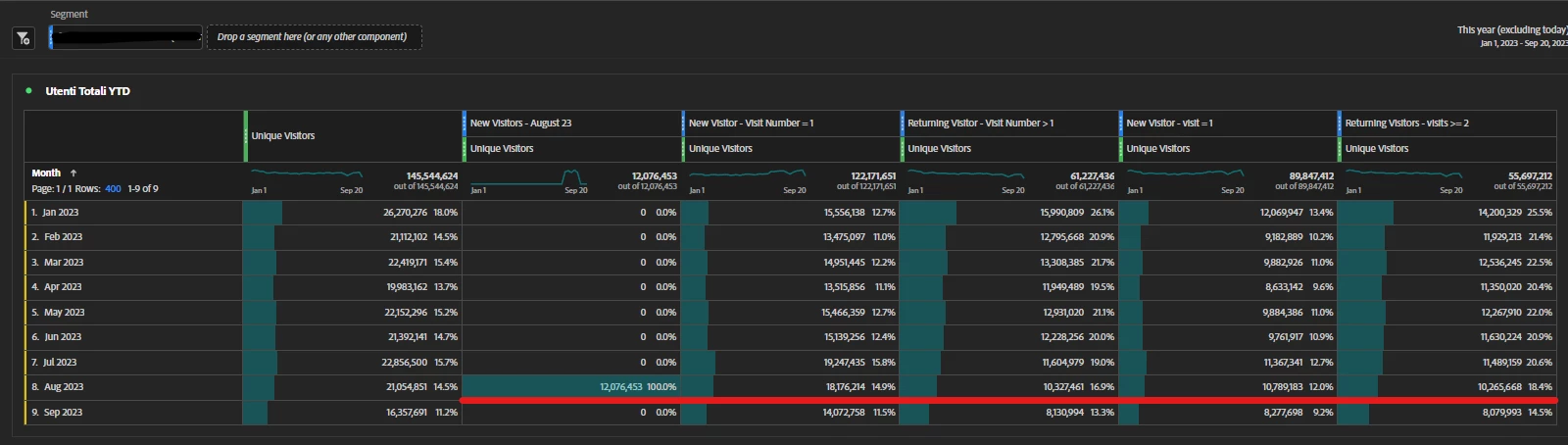
I put all this segments in a freeform table :
Thank you again for your help!
You're welcome 🙂
Visitor Segments can be the hardest to wrap one's head around.
It should also be noted that when I wrote those tips, the Visitor segments worked a bit differently (they pulled all-time visitor data, instead of limited to the panel date range... though no one will admit that change occurred, leading me to believe this was an uncaught bug since the beginning of the segment builder), those "time blocks" were needed to compensate for that "all time" processing.
So if you drop the date range, you shouldn't even need to use dynamic date ranges.
Here are versions of updated segments (there is still a slight variance when basing this on Months - because we are still looking at the "average" 30 day return window, instead of matching directly to that month, 31 days or 28 days for example - but as long as you say its based on 30 days in your description you should be fine)
New Visitors:
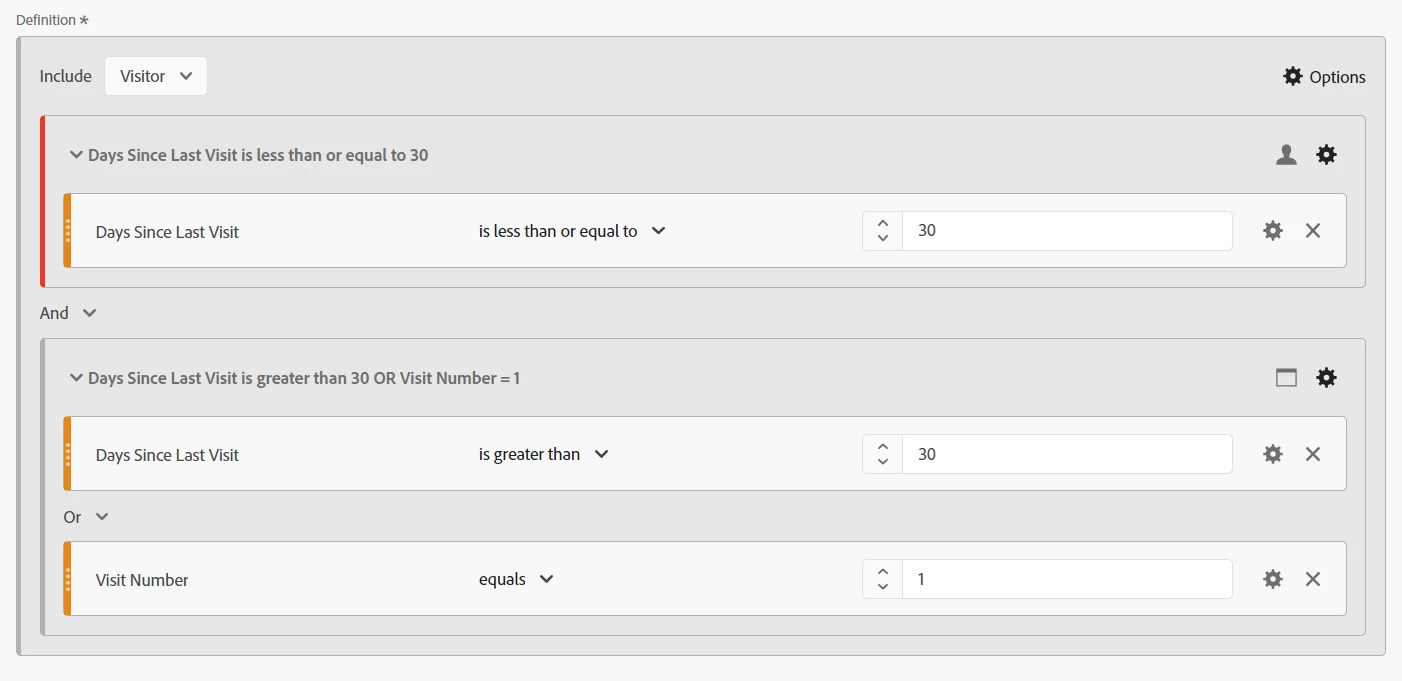
Returning Visitors:

Now that segments are taking date info from the Workspace, this means you don't have to force a date into the segment, and allows you to look at this for the current year.