mid is missing in one of the subdomains but exist in the others | Community
Skip to main content
Level 2
January 8, 2023
Solved

mid is missing in one of the subdomains but exist in the others
  • January 8, 2023
  • 1 reply
  • 2416 views

Dear Community,


Can you please help with troubleshooting ECID?

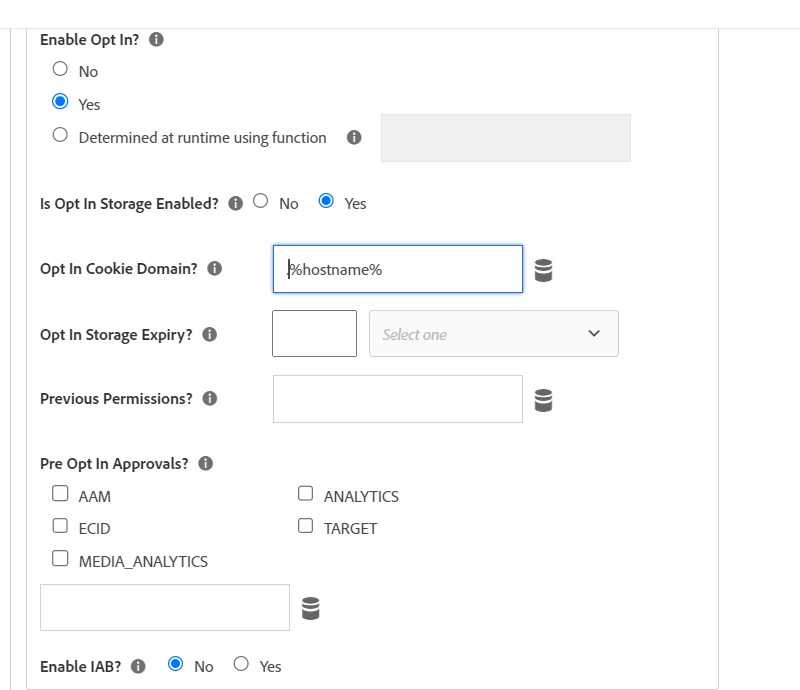
We have some websites (domain and subdomains) with the same setup in Adobe Launch for Adobe analytics and ECID.

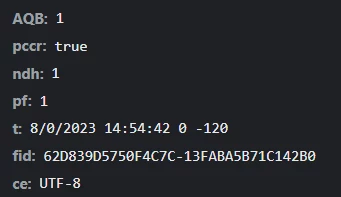
But one of the subdomains doesn't get ECID resolved, and therefore FID is used by AA.


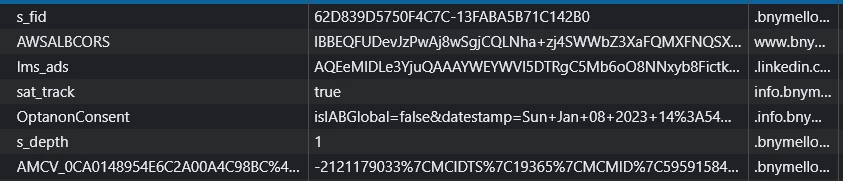
The AMCV and s_fid cookies are getting set together at the same time (screenshot attached), In this case, the mid never gets sent to AA.


Would really appreciate it if someone already faced this issue and can share the resolution.

Thanks. 

 
This post is no longer active and is closed to new replies. Need help? Start a new post to ask your question.
Best answer by Jennifer_Dungan

Just out of curiosity, you are sure that your "%hostname%" data element is being properly set?


You should be able to test this on the front end of your site by opening up the browser console, and running the following script:


_satellite.getVar('hostname');


If you aren't familiar with using the console, you can type JS code next to the blue chevron and hit enter to execute:
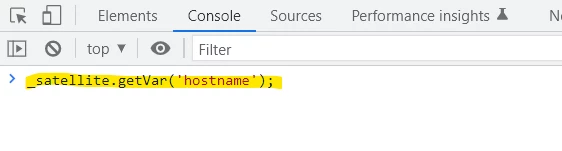
If "Hostname" is set, the value should appear underneath, if not, it might come back as nothing or undefined.



I just want to be sure first off that this subdomain and ECID opt-in is properly configured. It's probably okay, but it doesn't hurt to check


Update: I should note that Data Elements are case sensitive (hostname is different from HostName or Hostname or hostName < different variations of case formatting)

1 reply

Level 2
January 8, 2023
Jennifer_Dungan
Community Advisor and Adobe Champion
Jennifer_DunganCommunity Advisor and Adobe ChampionAccepted solution
Community Advisor and Adobe Champion
January 8, 2023

Just out of curiosity, you are sure that your "%hostname%" data element is being properly set?


You should be able to test this on the front end of your site by opening up the browser console, and running the following script:


_satellite.getVar('hostname');


If you aren't familiar with using the console, you can type JS code next to the blue chevron and hit enter to execute:

If "Hostname" is set, the value should appear underneath, if not, it might come back as nothing or undefined.


I just want to be sure first off that this subdomain and ECID opt-in is properly configured. It's probably okay, but it doesn't hurt to check


Update: I should note that Data Elements are case sensitive (hostname is different from HostName or Hostname or hostName < different variations of case formatting)

Level 2
January 8, 2023

Thanks for your response,
I've tested it in the console using the _satellite.getVar() method, and it's returning the subdomain value as expected, Also this extension configuration is identical to the other subdomains and is working fine in their cases!