Marketo Dynamic chat Integration with Adobe analytics | Community
Skip to main content
February 19, 2025
Solved

Marketo Dynamic chat Integration with Adobe analytics

  • February 19, 2025
  • 2 replies
  • 944 views

Hi Team,


We have request from our client saying that they want to track dynamic chat interaction to Adobe ana so that we can analyse on which page this chat is interacting more.


Best answer by Amruthesh_AG

@yashre1There was no direct integration available as of now.

You have to utilize the callback function to track the interaction.

You can add below custom script through launch to track the interaction.

//Conversation Engaged
window.addEventListener('adobedx.conversations.ready', () => {
const {addListener, Enum} = window.AdobeDX;
addListener(Enum.Events.CONVERSATION_ENGAGED, (event) => {
window.adobeDataLayer = window.adobeDataLayer || [];
window.adobeDataLayer.push({ "Status": "Conversation Engaged" });
});
});

//Conversation Completed
window.addEventListener('adobedx.conversations.ready', () => {
const {addListener, Enum} = window.AdobeDX;
addListener(Enum.Events.CONVERSATION_COMPLETED, (event) => {
window.adobeDataLayer = window.adobeDataLayer || [];
window.adobeDataLayer.push({ "Status": "Conversation Completed" });
});
});

2 replies

bjoern__koth
Community Advisor and Adobe Champion
February 19, 2025

afaik there is no direct integration into AA (it has its own reporting), but Marketo Dynamic chat sends custom events you can hook up to from Adobe Launch and translate them into Adobe Analytics tracking calls.

https://experienceleague.adobe.com/en/docs/marketo/using/product-docs/demand-generation/dynamic-chat/setup-and-configuration/callback-functions


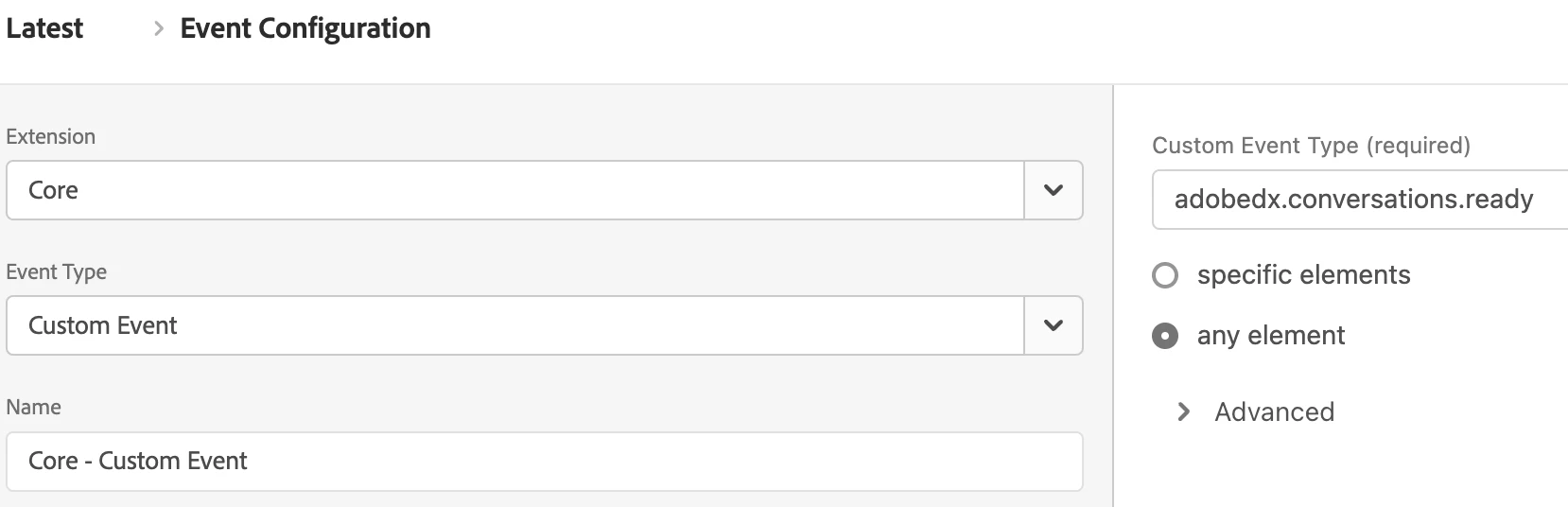
Based on the documentation, you should easily be able to create a rule that listens to the events like so


Cheers from Switzerland!
YashRe1Author
February 19, 2025

@bjoern__koth when I use this event just rule is triggering on every interactions.

I was looking for solution specific to each interactions.

bjoern__koth
Community Advisor and Adobe Champion
February 19, 2025

Hi @yashre1 

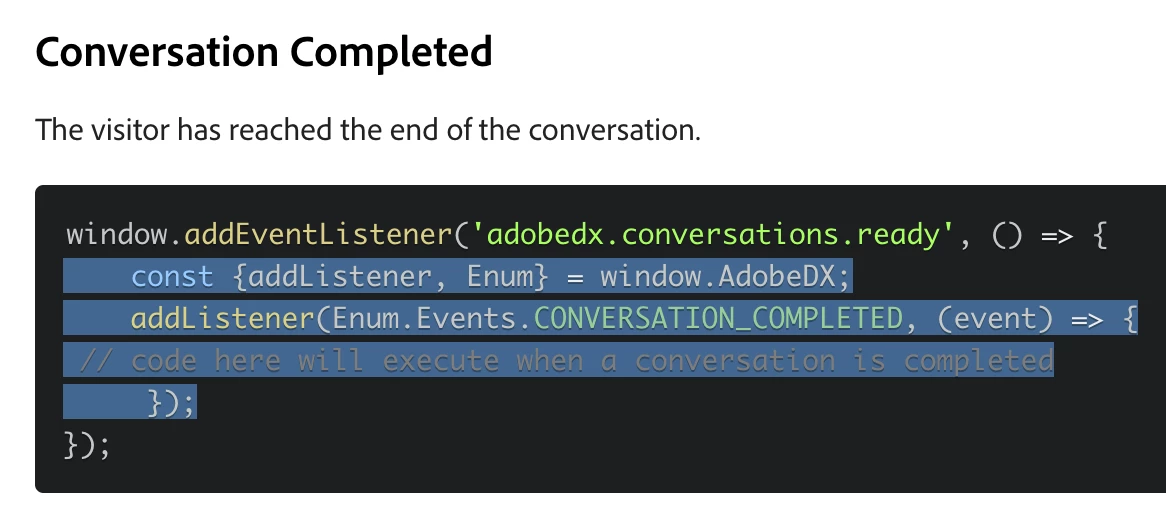
the key is the additional layer of event listeners which you have to register in a custom code block of this rule.

Have a look at the samples on the page linked above. the adobedx.conversion.ready event just seems to signal that from there on you can listen to dedicated events using the addListener function of the window.AdobeDX object which is only available from there on.


Cheers from Switzerland!
Amruthesh_AG
Community Advisor
Amruthesh_AGCommunity AdvisorAccepted solution
Community Advisor
February 19, 2025

@yashre1There was no direct integration available as of now.

You have to utilize the callback function to track the interaction.

You can add below custom script through launch to track the interaction.

//Conversation Engaged
window.addEventListener('adobedx.conversations.ready', () => {
const {addListener, Enum} = window.AdobeDX;
addListener(Enum.Events.CONVERSATION_ENGAGED, (event) => {
window.adobeDataLayer = window.adobeDataLayer || [];
window.adobeDataLayer.push({ "Status": "Conversation Engaged" });
});
});

//Conversation Completed
window.addEventListener('adobedx.conversations.ready', () => {
const {addListener, Enum} = window.AdobeDX;
addListener(Enum.Events.CONVERSATION_COMPLETED, (event) => {
window.adobeDataLayer = window.adobeDataLayer || [];
window.adobeDataLayer.push({ "Status": "Conversation Completed" });
});
});

YashRe1Author
February 19, 2025

Thank you @amruthesh_ag this is what I was looking for.

Very informative.