Solved
Marketing Channel Processing Rule Setup - Please Verify
Hi Guys,
I've followed the below steps for Marketing Channel Processing Rules setup.
Kindly review the below steps.
- Click on Admin --> Report Suites
- Selected the 'report suite id' for creating marketing channel
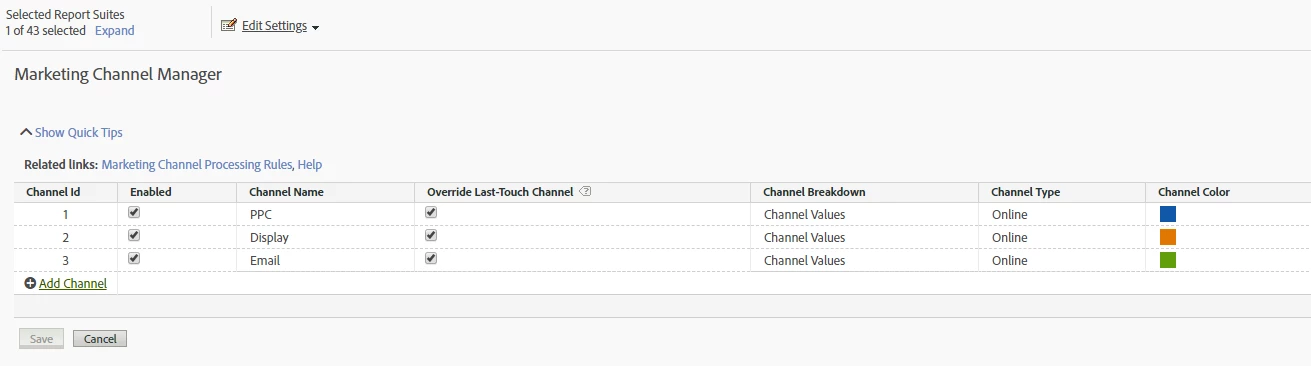
- Edit Settings --> Marketing Channels --> Marketing Channel Manager
- Name the channel as below
5. Clicked on Related Links and configured rules for the below URLs as:
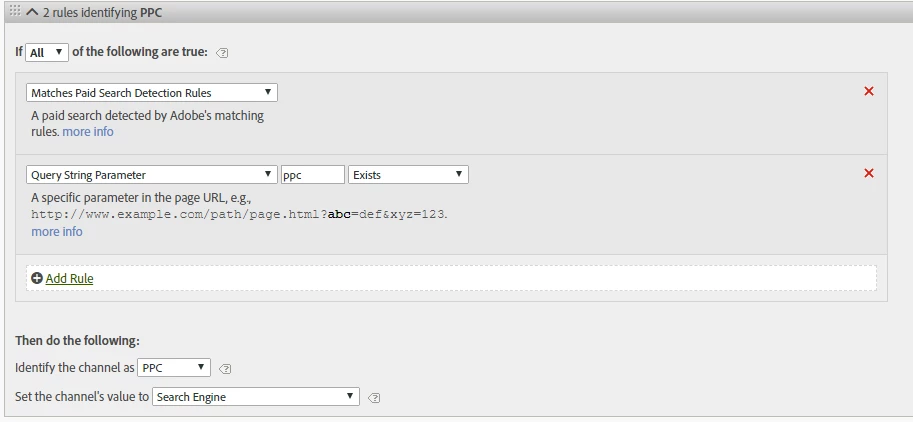
http://www.mysite.com/?utm_source=google&utm_medium=ppc&utm_campaign=motor_2018
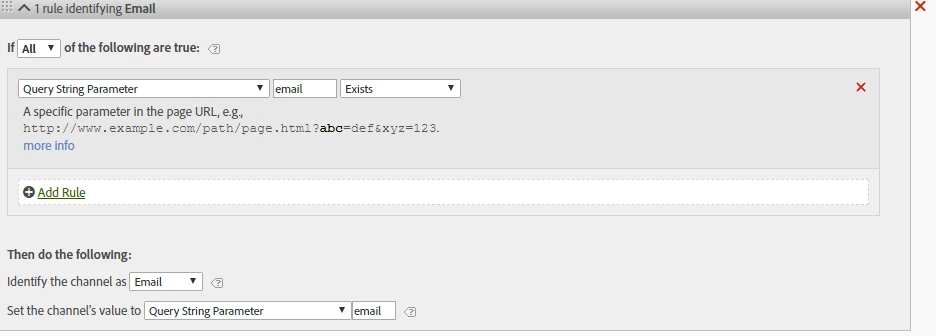
http://www.mysite.com/?utm_source=CRM&utm_medium=email&utm_campaign=motor&utm_content=winback
PPC - Processing Rules:
Email - Processing Rules:
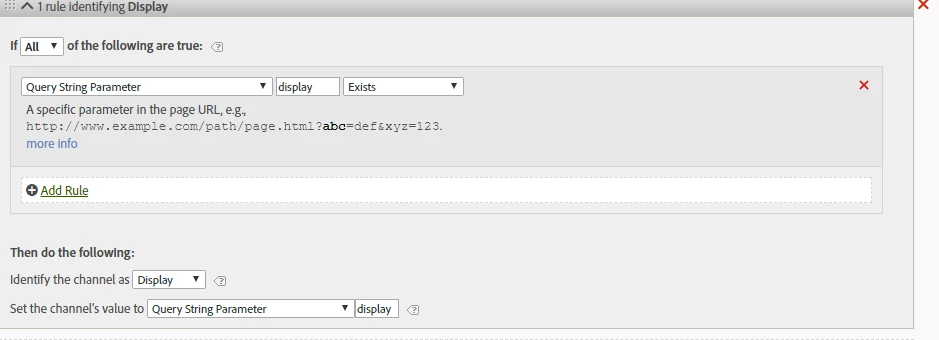
Display - Processing Rules: