Marketing Channel Data Discrepancy | Community
Skip to main content
Level 2
August 11, 2025
Question

Marketing Channel Data Discrepancy

  • August 11, 2025
  • 2 replies
  • 607 views

Hi Everyone,

We are currently unable to capture Prog Marketing Channel data for our Mobile App in Adobe Analytics reports.
For your reference, this is our current implementation setup for Campaign-related context data.
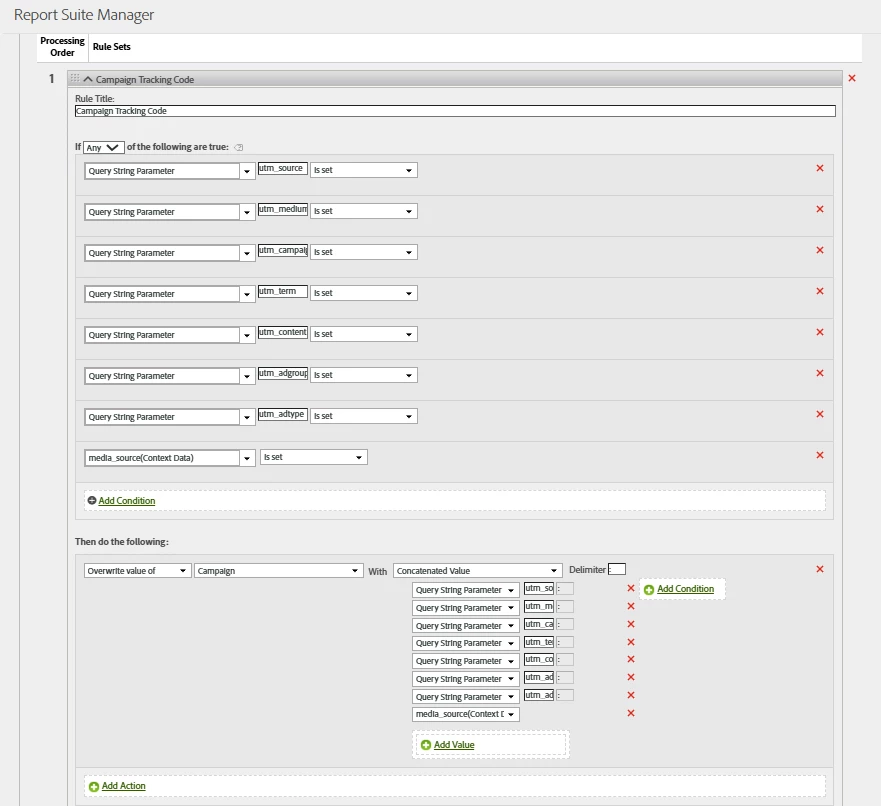
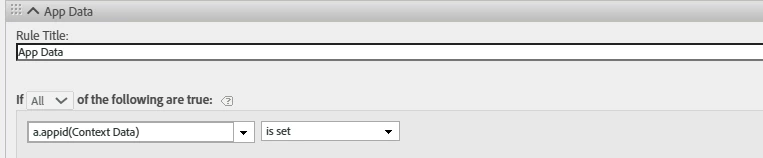
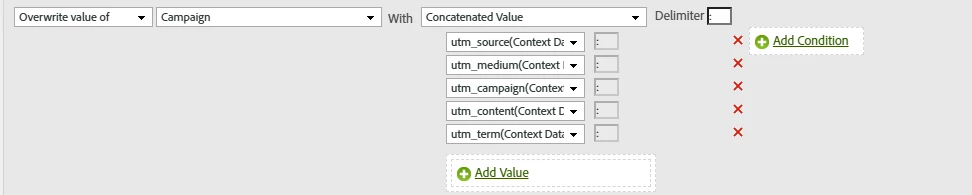
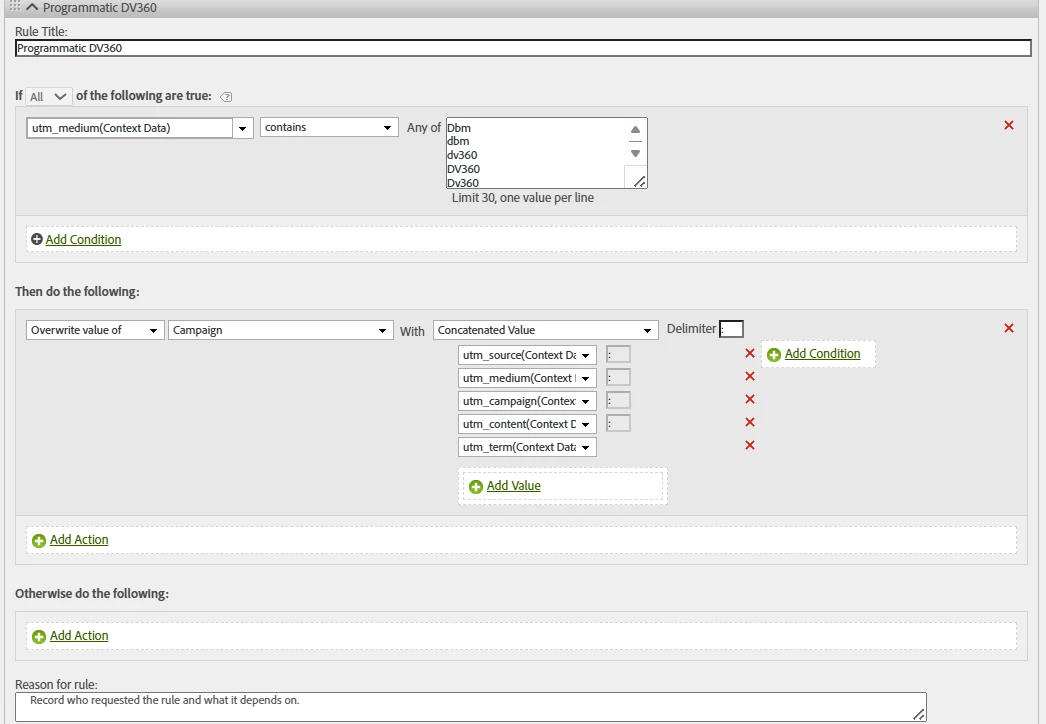
Here is what we have implemented today to validate the Programmatic Marketing Channel numbers:


Also here are few points to remember:

  • We do not use Adobe Launch. Data is sent to Adobe Analytics directly via data layer or hardcoded React Native JavaScript.
  • We recently migrated our React Native SDK integration from ACP Core to @adobe/react-native-aepcore@^7.0.0.


Here's the classification rule setup:
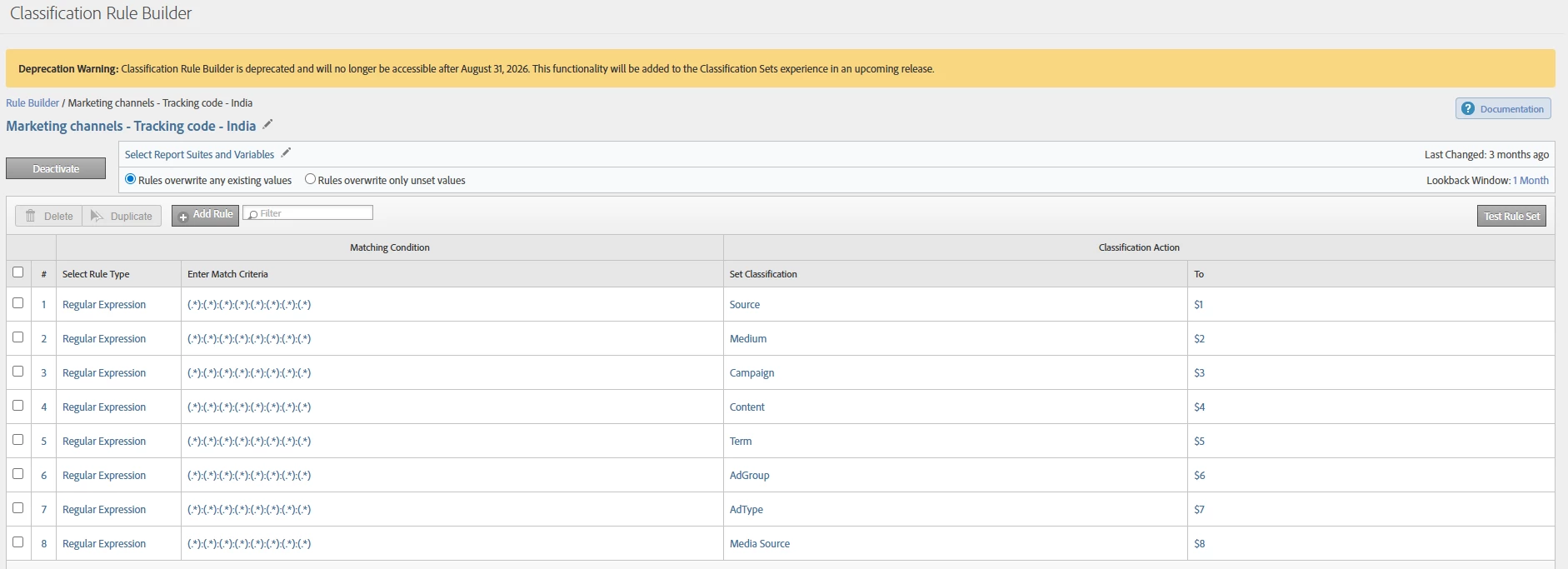


Please help identify any configuration issues on our end.


Let me know if you need any further information.

Thanks.

CC: @jennifer_dungan 

2 replies

EurosIMS
Level 3
August 11, 2025

Hi @gav_r,

I'm not sure what the question is here- is there no data based on the DV360 Programmatic rule you've set up, or no data based on the classification you've set up? 

  • If no-one has arrived into the App with that context data parameter set yet, then there won't be any data. 
  • Classifications take up to 24 hours to work, so if you've only set it up today, & it's specifically the classifications that have no data, that might be why. As long as the report it's based on has data, & the classification works when tested, it will show eventually. 
Jennifer_Dungan
Community Advisor and Adobe Champion
August 11, 2025

I don't see anything immediately wrong with your rules... 


The processing rules look like they should be fine.. but I am only seeing the rule and not the incoming values.


Since these are processing rules, you can test this using the Experience Platform Debugger (web) and AEP Assurance (Mobile App) to see the results of Post-Processing.


For Web, you need to be logged into the debugger and make sure you enable "Show post processed hits"


This will enable a second "Analytics Post Processed" column showing you the results of your processing.


Likewise, in AEP Assurance, you will need to check the Post Processed area to see if the campaign was mapped properly.


In both cases, you can see the input values and the post-processed to help try and debug what is happening.


This will at least help with the Campaign part of your issue... make sure that this is working first, then we can look at the classifications... but I agree with @eurosims, if the classifications were just enabled today, it will take a while before you start seeing the results.